New Release – May 3, 2021

Here are the latest improvements in QuickSchools:

Master Scheduler Improvements

  • New Orchestra Subscription Plan for Master Scheduler only, includes 
    • New Login Page
    • Updated Footer and links
    • New Features Page
  • Display Section Assignments in Student and Parent Portals
  • New Printable Section Assignments PDF
  • Improve Course Catalog Importer to support updates

Other General Improvements

  • Email Templates from Student Profile (see below)
  • Automatically Match Courses in Google Classroom Course Mappings
  • Ability to disconnect to Google Classroom
  • System checks for existing emails for new Trial Sign-Ups
  • Miscellaneous Fixes when creating new Trial Accounts
  • Generic Importer for Tests & Assessments (BETA)
  • Custom Background Image (BETA)
  • Improve reporting on Lunch Ordering app (for Pending/Cancelled Orders)
  • Improve how announcements can be hidden
  • Improve display of transactions on Billing History page
  • Support Enrollment Date in Students API Resource
  • Continue Framework Improvements for Emails
  • Fix Non-School Days on Attendance Calendar for Group Schools
  • Fix Scheduled Google Classroom Sync
  • Fix Gradebook Template with Scale Score
  • Fix Displayed Date for Attendance Not-Yet-Taken Notifications (BETA)

Email Templates from Student Profile

We have long supported Email Templates, for various modules. We’ve not extended this support to the student record:

When accessing a student record, there is now a “Email Profile” link, that will allow you to use Email Templates to send emails. For more information on our Email Templating capability, check out the link below:

Online Forms Webinar: The Basics

As we continue our Webinar Series, this May, we’ll be tackling one of our most comprehensive apps available — The Online Forms. This app allows schools to collect data from any user within QuickSchools, or via a Public URL / Embedded Form.

Online Forms

We’re inviting all School Administrators to attend the first of our 2-part webinar that will be held on the 4th of May, 01:00 PM (EST). This webinar will not only tackle the basic tools or functions when creating and managing an Online Form but will also go over the exporting of data and built-in Online Form Reports.


If you’re interested, click on the Sign-Up button found on our Announcements on the Teacher Home Page and in the Online Forms App to register for the Webinar. See you there!

Registration link available via the Home Page / Online Forms App

Attendance Dashboard (Private Beta)

We understand how busy a Teacher’s day can get, and how this may lead to them forgetting to take attendance in QuickSchools. To resolve this, we now introduce a new feature — the Attendance Dashboard.

This feature is in BETA: If you would want this enabled for your school, please contact our Support Team.

This new feature would display the periods of a given day where attendance is Not Yet Taken. It is applicable for Homeroom, Period, or Subject-Based Attendance, and allow the Global Attendance Takers to either (1) Take attendance on behalf of the teacher; or (2) Send an Email notifying the teacher of the attendance yet to be taken.

To know more about our Attendance Dashboard feature, please see our Support Guide linked below:

Gradebook Webinar and more

I just wanted to express a quick thanks to all those who attended our webinar earlier today on the QuickSchools Gradebook. We covered a LOT of features in a short period of time, and so we went a little fast:

If you’d like access to a recording of the webinar, please fill in the survey that was sent to you. The recording is only available to subscribed schools. But we do have a copy of the presentation available below:

Finally, just a quick reminder that our Webinar Series will continue next month on the topics of Online Forms. This is also a large topic, and we may break it up into multiple sessions, to go over the various components. We look forward to seeing you there.

Google Classroom Synchronization Profiles

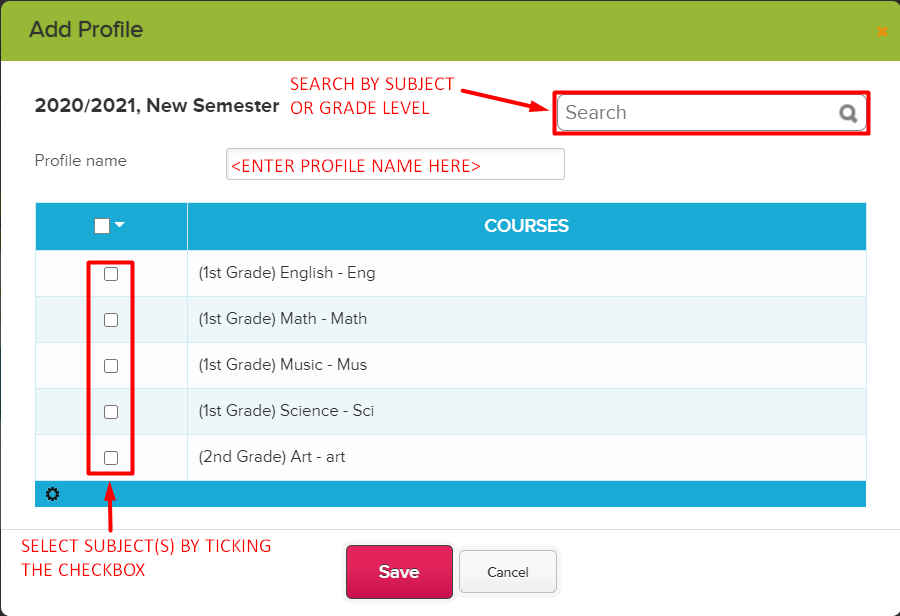
As mentioned in our New Release – March 22, 2021, we have added a new feature to our Google Classroom Integration — Synchronization by Profile.

THIS IS A BETA FEATURE: To have this feature enabled, please contact our Support Team.

This feature allows you to synchronize your Google Classroom courses in batches. This is ideal for schools will a large number of students and courses.

Some things to note about this feature:

  • Profiles are dependent on the courses being mapped under STEP 3.
    • Courses that aren’t mapped in STEP 3, will not be available in the Profile
    • If a course is unmapped in STEP 3, the course will also be automatically removed from the Profile.
    • When courses are remapped in STEP 3 at the start of a new semester, the Profile will also need to be updated with the latest mappings. Mappings from the previous term will no longer apply.
  • To avoid the sync getting timed out, we recommend having a maximum of 35 courses per Profile.
  • Multiple Profiles can be scheduled to be synced at the same time. However, each profile will be synchronized one at a time.

To know more about our Google Classroom Synchronization Profiles, see our Support Article linked below:

New Release – April 12, 2021

Here are the latest improvements in QuickSchools:

Google Classroom Improvements

  • Map students by email address – See below
  • Search feature for Profiles (Beta)

Email Improvements

  • Introduce Send History when sending Email from Templates – See below
  • Improve performance when emailing attachments from modules (Report Cards, Gradebook, Fee Tracking)
  • Miscellaneous bug fixes related to attachments

Other General Improvements

  • NEW: Attendance Dashboard for Not-Yet-Taken (Beta) – See below
  • Improve how Summary Reports are run for long queries
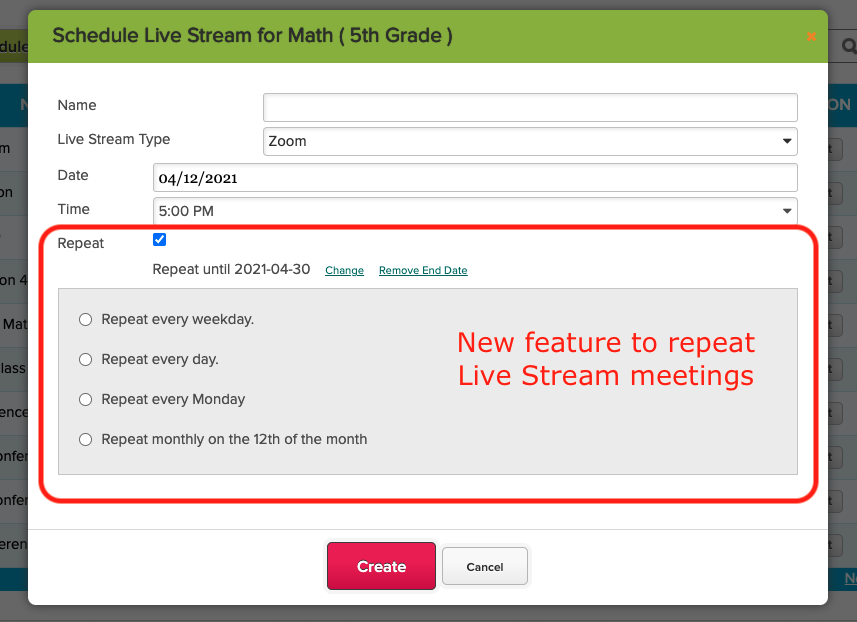
  • Live Stream now support recurring meetings
  • Search Student by Email Address and Phone Number
  • Ability to Schedule Synchronize with Sync 
  • Ability to disable Chat Box for Online Forms – See below
  • Fileroom App now supports sharing with Students
  • Improve Search on Teachers Lounge (Beta)
  • School Notes for new Self-Enrollment (Beta)
  • Miscellaneous improvements to Announcements
  • Miscellaneous improvements to Master Scheduler
  • Bug fix when managing Live Stream for Teachers
  • Bug fix when a new document is uploaded to the Student record

Mapping Students in Google Classroom

When mapping students in Google Classroom, the system now displays the email address, so that it’s easier to match students. This is particularly useful when students use their own personal Google Accounts for Google Classroom, and thus may have names in a foreign language:

Read More »

New Release – Mar 22, 2021

This is an expedited Sprint (only 2 weeks instead of 3). We have a few beta features we’re pushing out, plus some miscellaneous performance enhancements and bug fixes. 

Here are the latest improvements in QuickSchools:

New Features in Private Beta

  • Student Self-Enrollment
  • Attendance Notification for Not Yet Taken
  • Google Classroom Synchronization by Profile

Other General Improvements

  • New User Field in Interventions (introduced in previous release) is now reportable in Report Creator
  • Bug fix when deleting students
  • Timezone Bug fix when importing into Gradebook
  • Refactor framework for Email Messaging
  • New internal framework to support student subscription limits

Student Self-Enrollment (Beta)

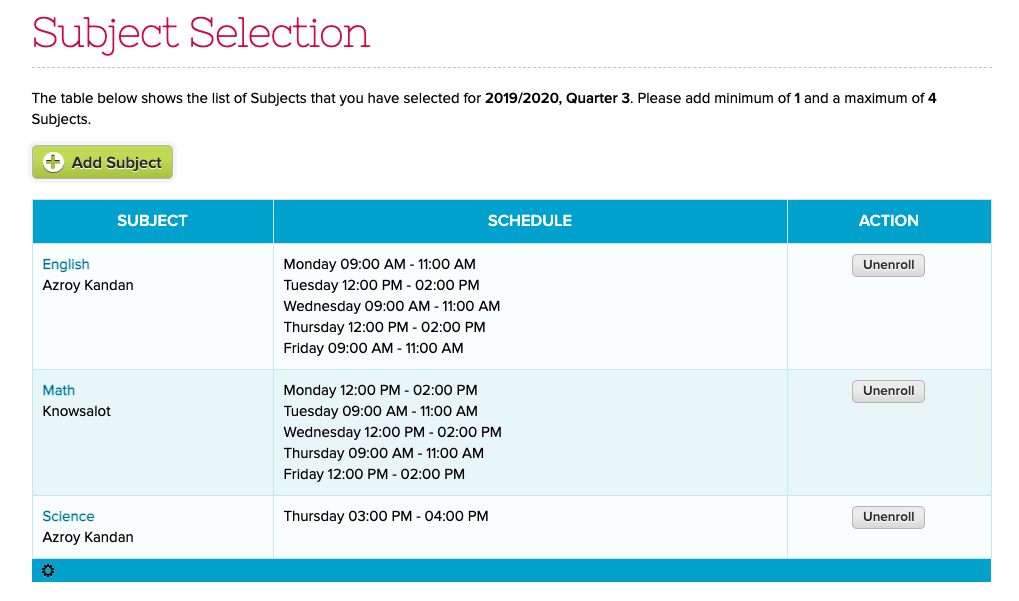
This is a new feature to allow students to directly enroll into courses from the student portal (without using Course Requests from the Master Scheduler module). If the student is already enrolled into a courses, the student can unenroll from them:

New Self-Enrollment Feature for Students (Beta)

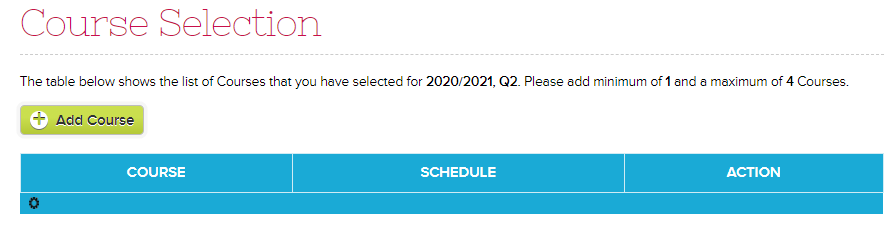
And there’s an “Add Course” button for students to select courses to enroll into:

Read More »