March will be the first month where we’ll hold 2 webinars, one for Administrators and one for Teachers, as part of our Webinar Series. The QuickSchools webinar on Google Classroom Integration for Administrators was done last week, and we have an equivalent webinar for Teachers scheduled for next week. The webinar itself is almost full, so we’re super excited to see everyone there, and get some feedback on the feature as well.
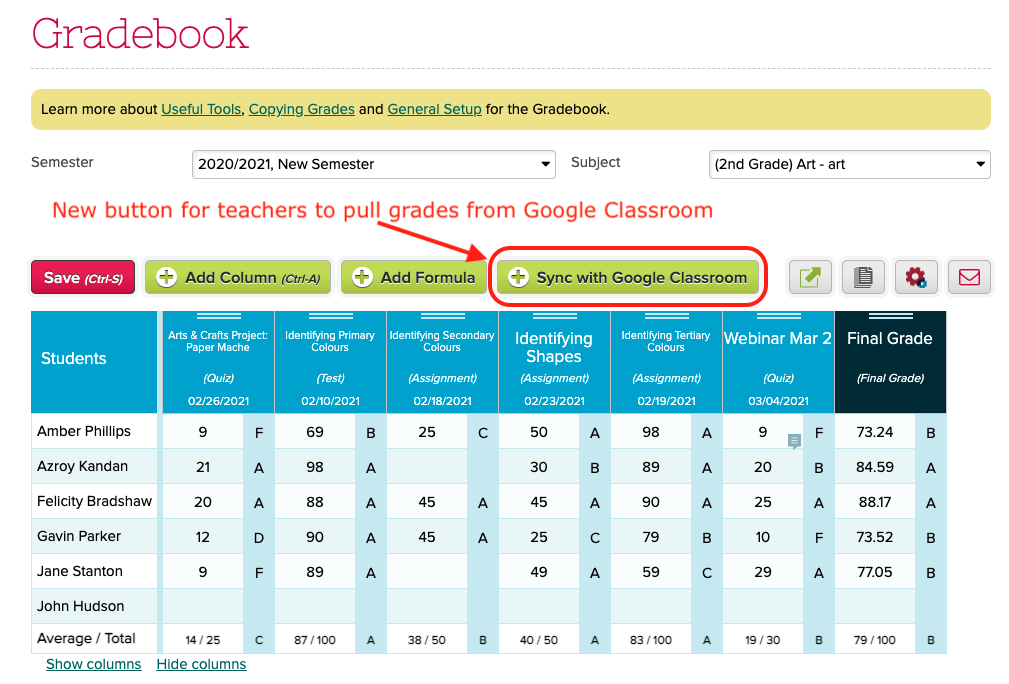
Teachers can pull grades from Google Classroom
Next month, we’re aiming to do 2 more webinars. With the new school year coming up fast, our next webinar for administrators will be on the Admissions module which is included in all the subscription plans. More details to come soon.
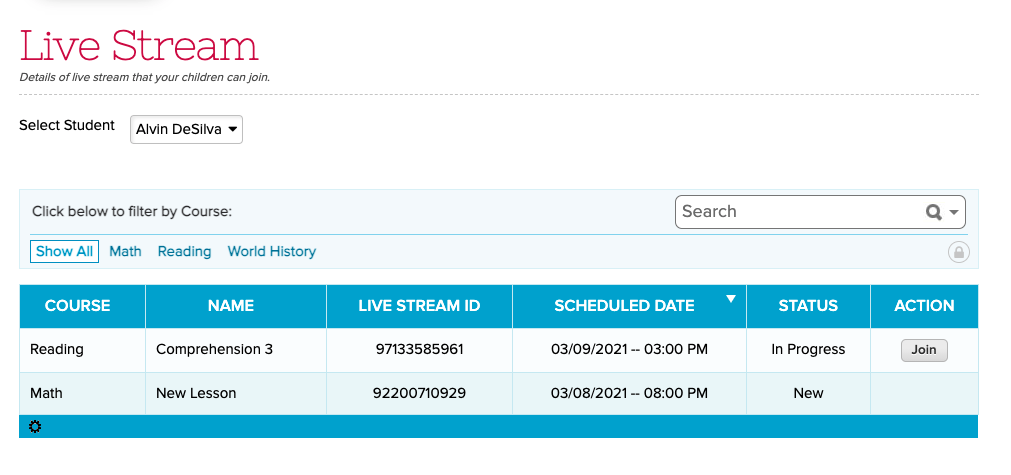
Hope everyone is doing well! We’ve made several improvements to our LMS-related features, in particular with our Live Stream capabilities. We also have a few general improvements we’d like to share with you.
We recently posted a short survey for administrators in QuickSchools in order to get a sense of how we’re doing, as well as to collect feedback on future improvements. The survey was simply to answer the question “How likely are you to recommend QuickSchools to a friend or colleague?”:
This type of survey is typically called a “Net Promoter Score” or NPS. And in the Software-as-a-Service (SaaS) business, companies strive for a score above 40. And it looks like we fared pretty well this time around:
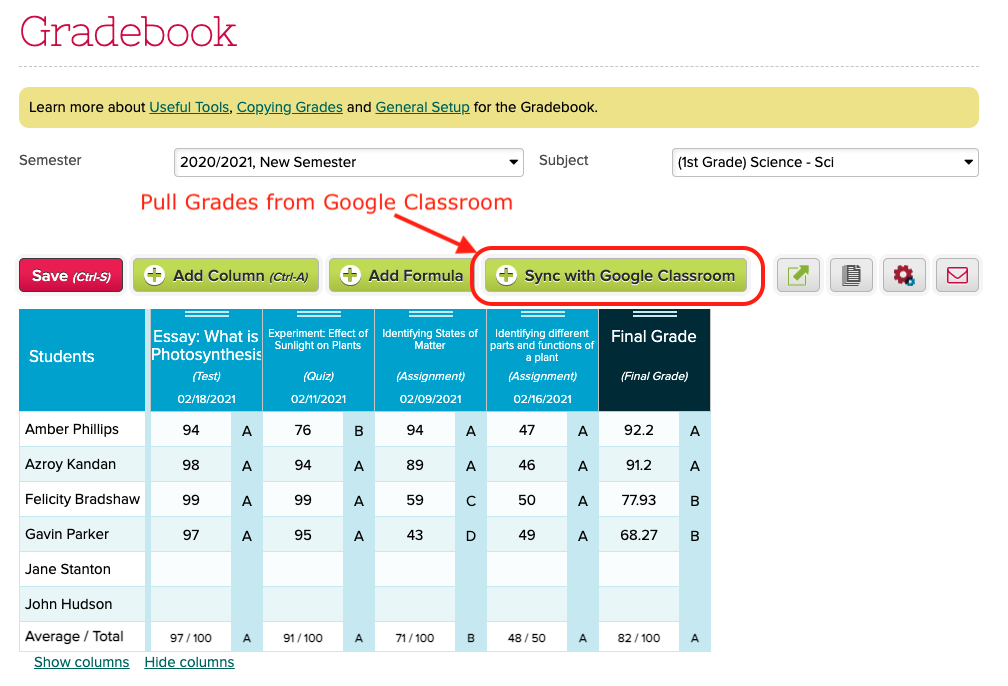
We are introducing a new feature in the Google Classroom Integration app, that allows teachers to manage and pull grades from Google Classroom for their own subjects in QuickSchools. When enabled, teachers will see a new “Sync with Google Classroom” button in their Gradebook:
Clicking on the button will initiate a synchronization with Google Classroom. Some things to note about the Google Classroom Integration:
The school admin needs to install and configure the Google Classroom Integration app for the whole school (available in our App Store). If the setup is incomplete, an error message will appear.
When synchronizing the gradebook, the student enrollment may change, depending on how your school administrator configured the auto-enrollment feature.
Some elements from Google Classroom will not transfer over, namely the category, final grade and comments. So teachers can freely update this information in QuickSchools. This data will not be overwritten by subsequent synchronizations.
NOTE FOR ADMINISTRATORS: The feature will require that the School Administrator configure the Google Classroom Integration app as follows:
Our Webinar Series continues next month on the topic of Google Classroom Integration. QuickSchools will be hosting 2 webinars, one for Administrators and one for Teachers. The webinar for Administrators will be held first, and is already available for sign up. Link is available when you’re logged into QuickSchools:
QuickSchools Webinar for Administrators on how to Integrate with Google Classroom
We will write up separate articles on what each webinar will cover. If you’re interested, please do sign up. We look forward to seeing you there!
Reporting on Min, Target and Max Size for Sections
Hide “Debug” function by default.
Fix course search function in Step 4: Schedule for large data sets
Fix installation errors related to missing column
Bug fix for Course Constraints
Bug fix when deleting students (orphaned course requests)
Bug fix for the “Student With Incomplete Schedule” Report
Live Stream
Remove and Auto-Generate Password when creating a Zoom conference
Rename “Conference” to “Live Stream”
Join URL is clickable when viewing a Live Stream
Improve Time Selection widget
General UI improvements
Online Forms
Support dynamic Send Email for Auto-Emails from Status Change in Online Forms
Option to disable “Download Forms” in Online Forms
Support option to copy previous submission (See below)
Improve Payment Options (See below)
Fix Installation / Upgrade Error
Fix “Download Forms” function affected by bad Form Packet name
Other General Improvements
Zapier Integration
Improve Time Selection widget for Assignments
Support Online Payments for Admissions (See below)
Report Creator Support for Interventions
Support Sorting and Renaming of student Documents (See below)
Bug fix for Attendance PDF
Bug fix when submitting Admissions Form when Residential Section is disabled
Copying Previous Online Forms Submission
Once an applicant submits an online form, there will be a button to “Start New Application”:
Start a new Application after completing a Submission
This option allows the system to reference the previously submitted data, so that when the applicant is filling in a particular form for the new application, there will be an option to “Copy from Previous Submission”:
Bulk Create Block Sections (based on Lecture-Lab combinations)
Bulk Remove Block Sections
Ability to adjust target limit for Step 5 Load
Bug fixes related to running Step 4 with orphaned sections
Google Classroom Synchronization
Improved support for teachers to synchronize individual courses
Bug fixes related to Timezone and Scale Score Formulas.
Other General Improvements
Automated emails for Online Form Submissions when status is changed
Automated emails for Online Payments
Improve Notification features for Assignments and Submissions
Improve support for shared addresses in Admissions module
Improve support when taking attendance from the Attendance Calendar on the Student record
New Importer for Subjects/Sections-Based Attendance
Extend timeout for large Stock Take in Library App
Bug fix when a school within a group is suspended and archived
Bug fix for Temperature App
Miscellaneous improvements to Summary Reports related to Attendance
Internal monitoring framework improvements
Automated Emails for Online Forms
If you’ve installed the Online Forms App, there is a new feature to allow you to automatically send out an email when the status of a submission changes. Check out the new Mail icon on the Submissions page (similar to the Mail icon for Gradebook):
When you click on it, you’ll be able to customize an email that gets sent whenever a submission is changed to that status:
In case you haven’t noticed, QuickSchools will be offering it’s first Webinar for Teachers in just a couple of weeks, as part of our new Webinar Series
This webinar will focus on tools/modules related to Online Learning, which include: