Online Payments Reports

The Online Payments module in Quickschools is a very useful tool, especially for schools that offer classes online. Parents and students can just pay via credit card from the comfort of their homes. 

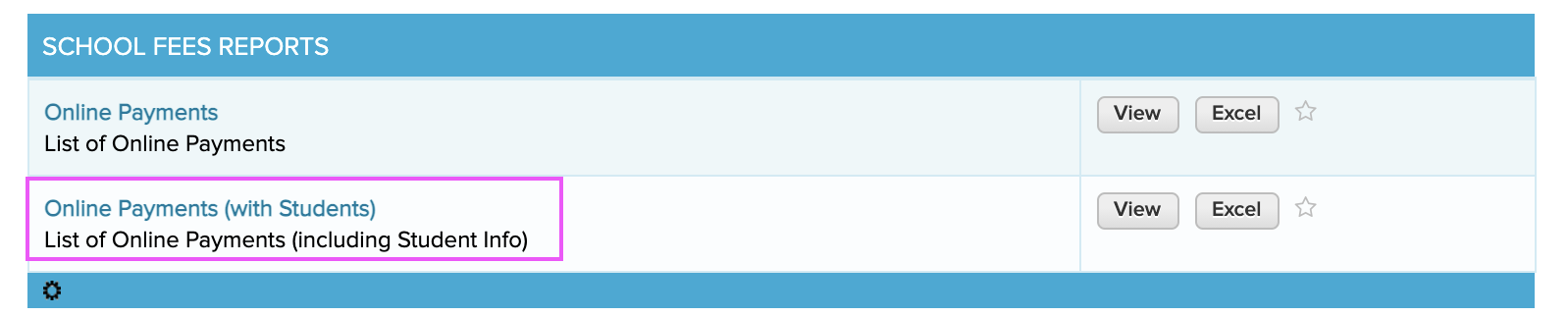
As a school administrator or a finance staff, you need to regularly track these payments. You can get the list of Online Payments by running a Summary Report called Online Payments (with Students).

school fees reports

The report lists the card holder and other information about the payment along with the student info for whom the payment is for.

Read More »

Attendance Codes Report

If you’re taking daily Homeroom-based attendance in QuickSchools with the Custom Attendance Codes app, we’d like to highlight a new report called “Homeroom/Class Teacher (Consolidated Exception) Attendance” Summary Report (Yes, it’s a mouth-full):

Summary Report on Attendance Codes in QuickSchools

This report consolidates all attendance codes, both custom and system codes, into a single roster-style report. Since this is an Exception report, all Present records are excluded. So the report only shows codes that are applied OTHER than Present. This will make it easy to identify trends in attendance for students and classes.

As with all Summary Reports, be sure to STAR this report, to add it to your favorites. You can check out other Attendance-related Summary Reports here:

https://www.quickschools.com/blog/2019/10/08/attendance-reporting/

Student Portal Reports

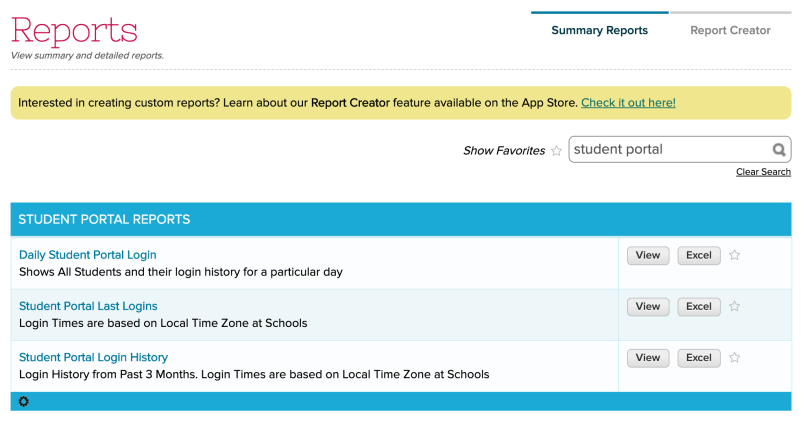
As more and more schools require students to log online to access homework assignments, schools will want to monitor students logging into their QuickSchools account. The following reports will help administrators monitor login activity for students accessing the Student Portal:

Student Portal Reports

Don’t forget to mark any of these to your list of favorites, if you find them useful.

Student Portal Last Logins

This report shows when a student last logged into the Student Portal:

Read More »

Online Form Reports

Quickschools is now including several new Summary Reports for the Online Forms app:

  • Missing Online Forms
  • Online Form Submissions
  • Paid Online Form Submissions

Please note, you can still generate your own custom reports using the Report Creator app.

The Online Form app is often used for online student re-registration. During this process, administrators need visibility into students who have NOT submitted the re-registration forms, so they can follow up with students and/or parents before the due date. Administrators can also use the report to track existing entries, including students who have started but have not submitted their forms. The reports below provide these information:

  • Missing Online Forms – lists students who haven’t submitted the forms for a particular Form Packet.
  • Online Form Submissions – lists the students who have started and/or submitted forms for a particular Form Packet

The Online Forms app also allows schools to collect fees on submission, and the Paid Online Form Submissions report lists payment information for each submission.

To enable these reports, just go to MY APPS and click Configure in the Online Forms app. Enter the role or user who can access the reports.

Once enabled, users can go to the Reports tab to run the Online Form reports.

New Sign-In/Out App Reports

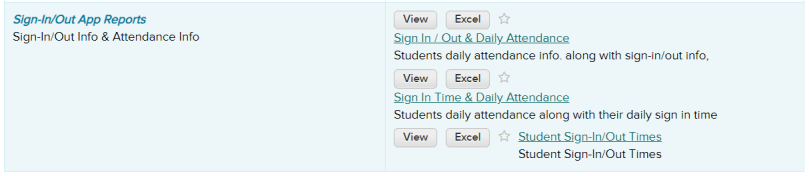
The Sign-Out/In App is a popular app in the QuickSchools app store. Schools use this app to handle many different needs such as tracking when parents drop off and pick up their students, tracking what time students enter and leave after-school programs and activities, etc. We recently added a few new reports to the Sign-In/Out App app to help see your data in different ways. Once the app is installed you will see the reports under the Summary Reports tab:

Sign-In/Out App Reports
Read More »

Attendance Reporting

We have several canned reports in QuickSchools under the “Summary Reports” module, related to Attendance. Here’s a quick list of the most relevant reports:

  • Attendance Summary
  • Attendance Exceptions
  • Attendance Not Yet Taken
  • Consolidated Attendance

Attendance Summary

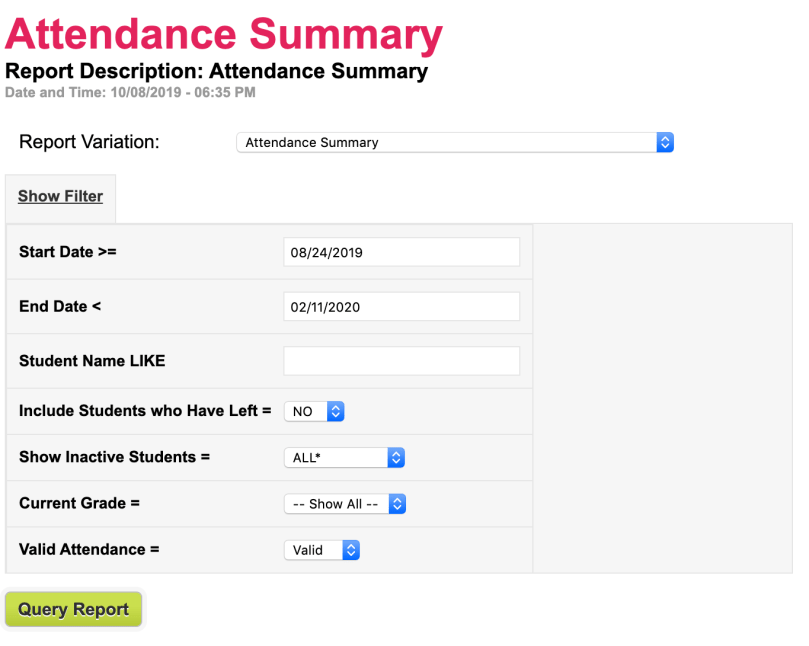
This is the main report used to view all attendance records. There are several filters available:

Filters for the "Attendance Summary" Report
Filters for the “Attendance Summary” Report

And there are several Report Variations available:

Variations (or Formats) of the "Attendance Summary" Report
Variations (or Formats) of the “Attendance Summary” Report

Note that each Report Variation is simply reformatting the data in a different way. But they all work off the same data, based on the filters applied to the report. All Summary Reports work this way. Here’s an example Report Variation of the “Attendance Summary” report called “Attendance Detail”:

Read More »