Creating a classroom environment that fosters engagement, curiosity, and deep thinking is a goal for every educator. However, many students struggle with uncertainty in their learning journey, often feeling lost when they don’t know the answer right away. Which leads to the question, how can teachers cultivate a sustainable classroom culture that enhances student learning and fosters lasting habits?
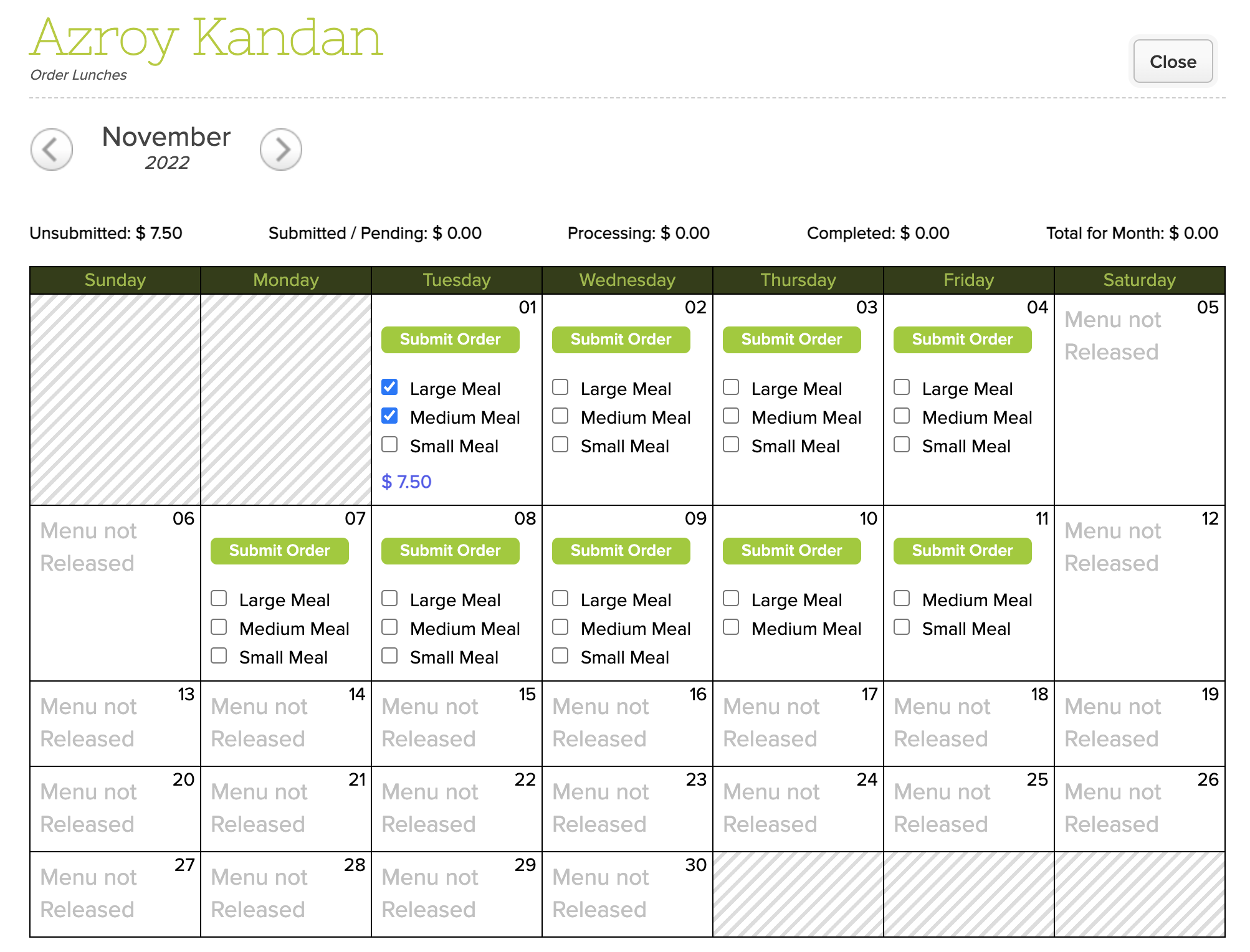
As you may have noticed, we’ve released a new version of the Lunch Ordering App which supports Online Payments. However, the original version in QuickSchools still works for schools that want to collect lunch payments via traditional means. But what are the differences between the new and old versions of the Lunch Ordering App? Here, we discuss the differences, as well as pros and cons.
Original Lunch Ordering App
Lunch Ordering with Online Payments
Fulfill then Charge
Charge then Fulfill
Integrates to Fee Tracking
Integrates to Online Payments
Tried and True
New (Still in Beta)
Fee Tracking vs. Online Payments
Original Lunch Ordering App with Fee Tracking
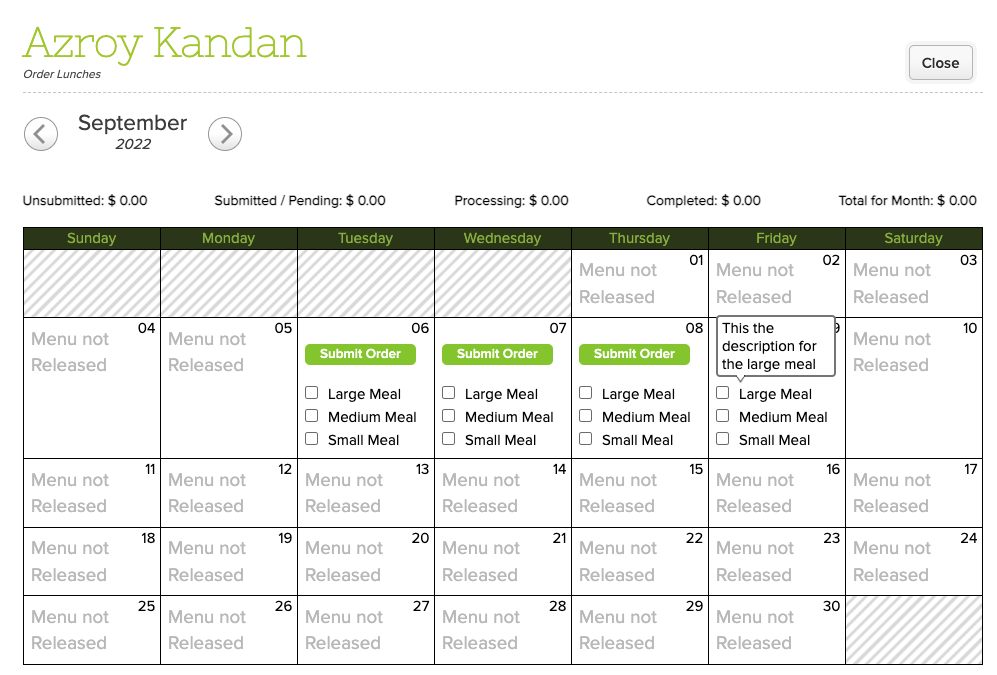
The original Lunch Ordering App was designed to allow parents to submit orders freely (before the cut-off date). Parents would only be charged AFTER orders were fulfilled. Once fulfilled, the school would bill the parents via the Fee Tracking module. Parents can then make payments to the school per the usual means. If changes are required after the cut-off date, administrators can edit the orders, up until the orders are fulfilled.
We’ve had several mini-releases since our major release on September 12, which focused on improvements to Email Messaging and Alerts. Today’s release however focuses primarily on our Lunch Ordering / Shopping Cart feature plus improvements to our Importer via SFTP.
Here is a list of the latest QuickSchools improvements:
Master Scheduler Improvements
Show Day information on “Course Requests” tab on student record
Lunch Ordering App
Admin can Edit Lunch Orders
Ability to sort Meal Types
When credit is used up, users can pay for Balance Owing via Shopping Cart
Hide inactive students from Parent Portal
Show shopping cart icon on main menu (See above)
General improvements to Shopping Cart experience
Bug Fix for orders submitted on weekends
General Bug Fixes
Update Integration Schoology
Beta Improvements / Fixes
Audit Trail support for Student Tags
Miscellaneous improvements to Scheduled Summary Reports (See below)
Miscellaneous Improvements to the SFTP Importer (Beta)
Support Transfer of Documents when transferring students (Group School)
Fix Admissions Embed Code for Group School
Scheduled Summary Reports
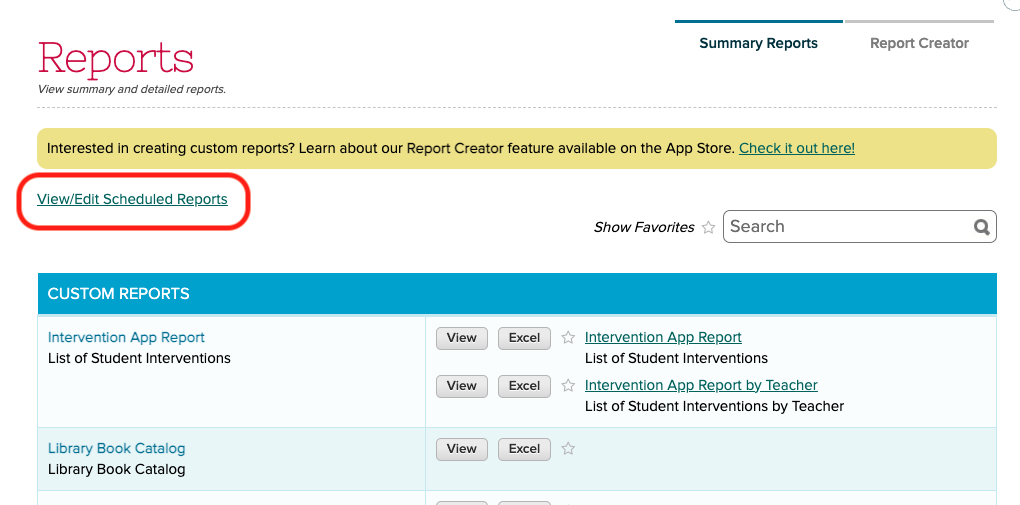
We recently added support to schedule Summary Emails to be emailed to users. This feature has since been refined. This feature is available when clicking on the “View/Edit Scheduled Reports” link under “Reports” > “Summary Reports”:
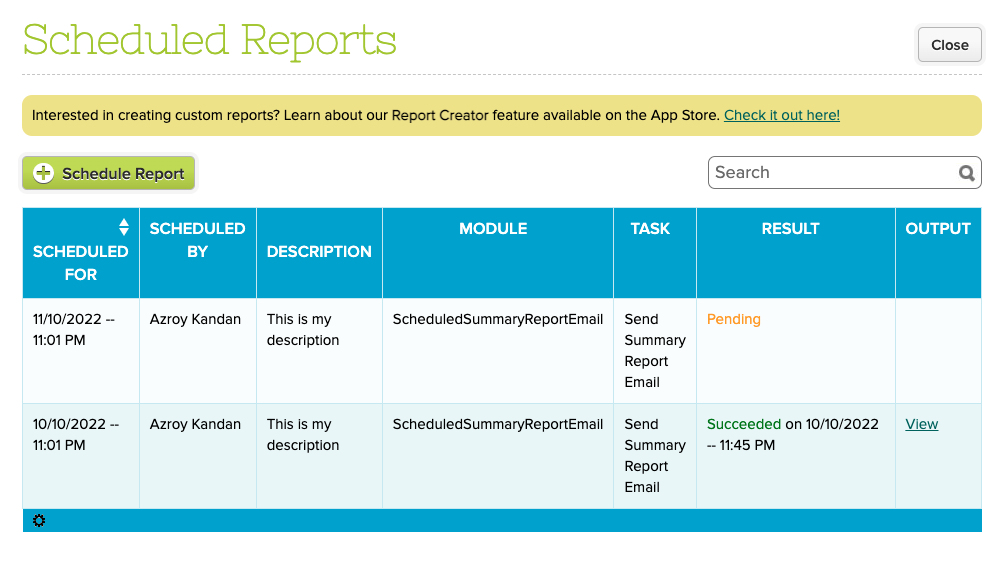
From here, you can view completed as well as pending reports:
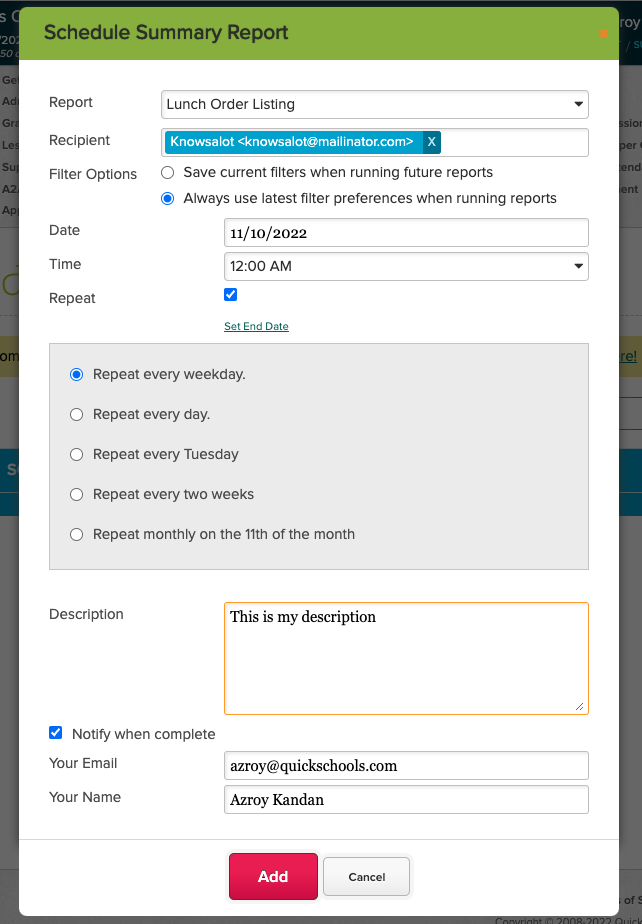
Clicking the “Schedule Report” button allows you to schedule a report to be emailed out:
You can specify a report as well as multiple recipients. You also specify the frequency of the report. In addition to the attached report, the email to the recipient will also contain information about the report being sent:
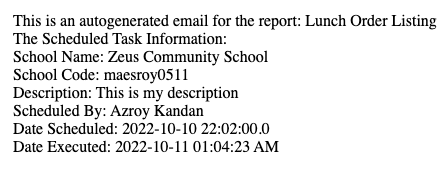
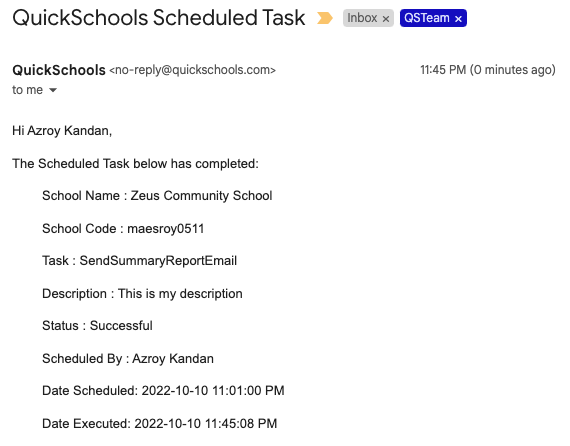
NOTE: With this new release, if the report is empty, an email will NOT be sent to the recipient. However, you can use the “Notify when complete” section, to receive an email notification even when the report is empty. Here’s what the notification email looks like:
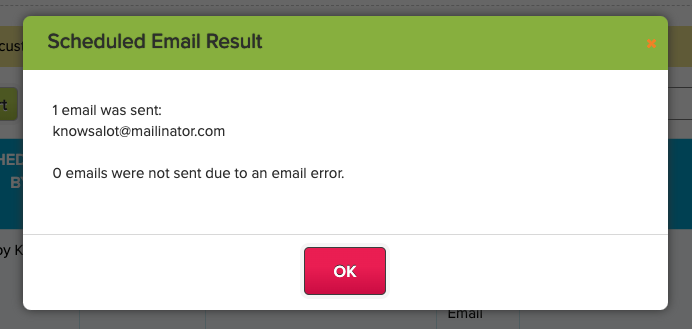
Finally, you can view the status of completed tasks directly on screen, by clicking on the “View” link from the list of scheduled reports:
Do let us know if you have any questions or suggestions for improvement.
Today’s QuickSchools mini-release contains a new feature for the Orchestra Master Scheduler, plus a minor improvements to the recently launched Lunch Ordering App.
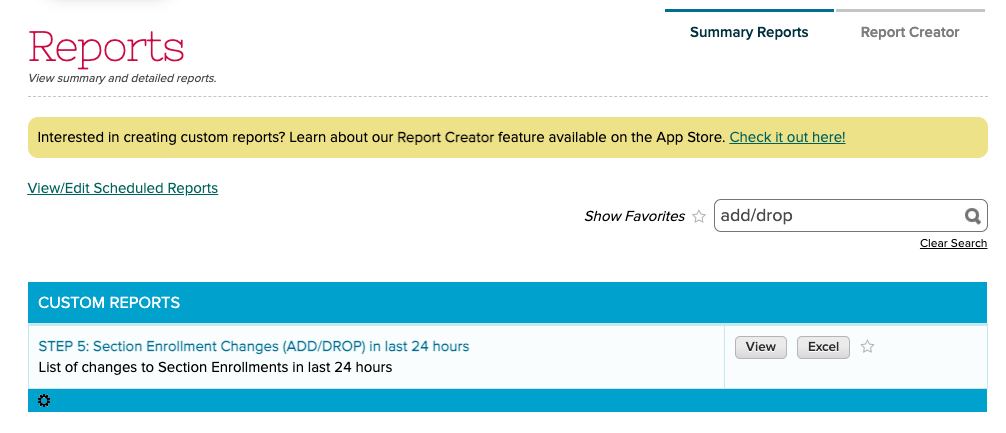
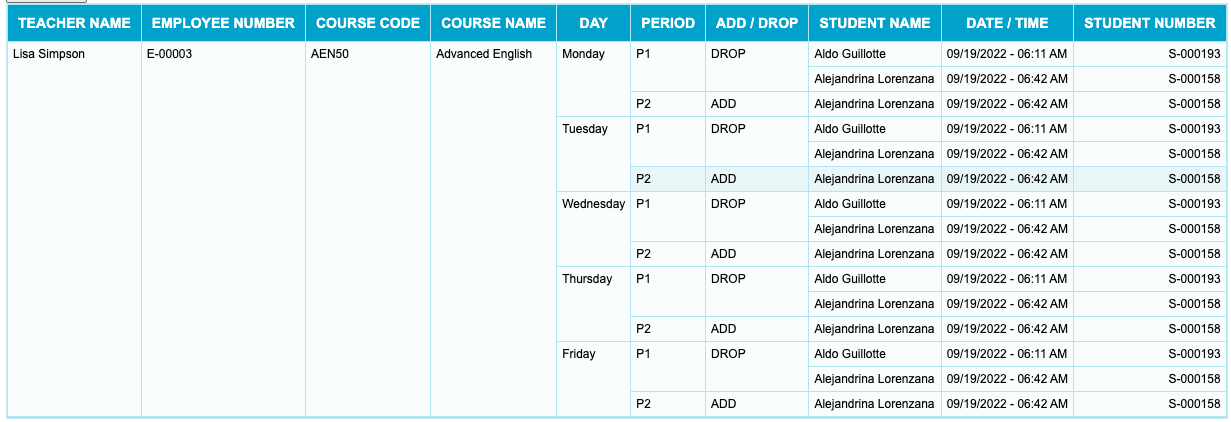
The Orchestra Master Scheduler is now able to track changes to Section Assignments in Step 5. These changes can be viewed via the new “STEP 5: Section Enrollment Changes (ADD/DROP) in last 24 hours” Summary Report. Here’s an example of what the report looks like:
When scheduling Summary Reports, there is now an option to either (1) save the current filters in your report, or (2) always use the most recently used filters for a report:
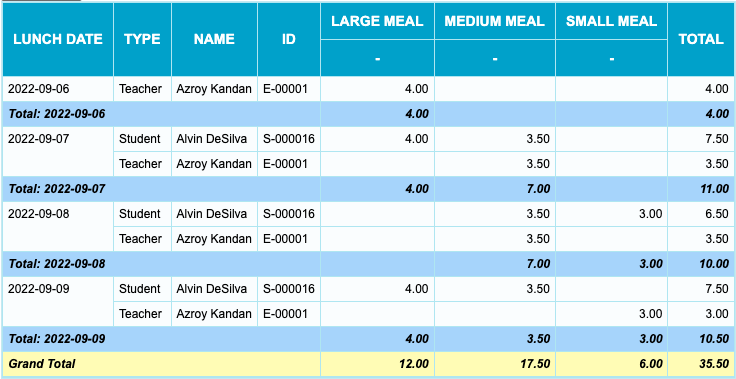
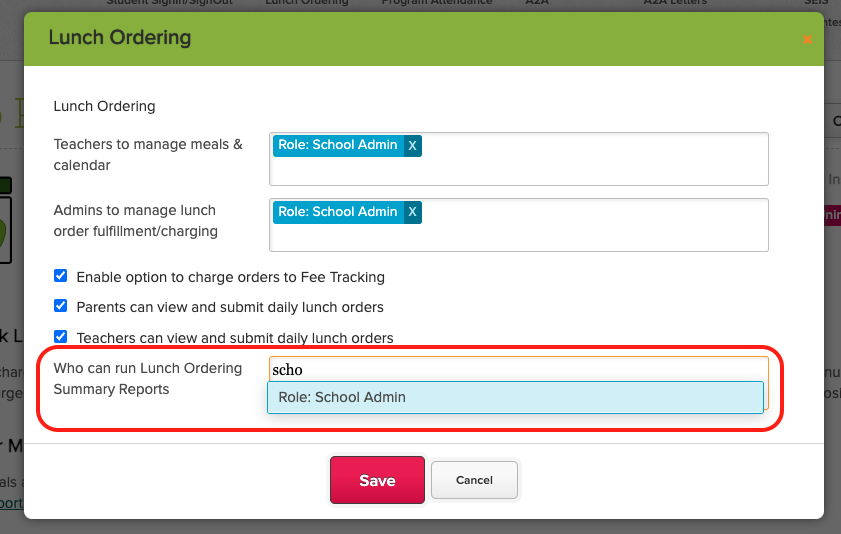
To enable these reports, just configure the Lunch Ordering App in your QuickSchools App Store, and add the appropriate users / roles to “Who can run Lunch Ordering Summary Reports”:
We’re still in the process of adding more Lunch Ordering fields to the Report Creator. So if you have additional requirements when it comes to reporting, please let us know, and we’ll do our best to turn things around for you.