New UI for Orchestra Master Scheduler

QuickSchools is proud to announce the release of a new UI for the Orchestra Master Scheduler (currently in Beta). This is just a front end change, so you can freely switch between the new UI and the original UI, in case you prefer one version over the other:

Here’s a quick run down:

Streamlined Main Page

The main page is now organized into 7 clear steps, making navigation easier. Key tools like Teacher Scheduler and Load Students are front and center, while less-used modules are neatly tucked away for quick access.

Read More »
New Release – Mar 20, 2025

This QuickSchools release focuses on security features and our new UI for Orchestra Master Scheduler, along with miscellaneous improvements and bug fixes. 

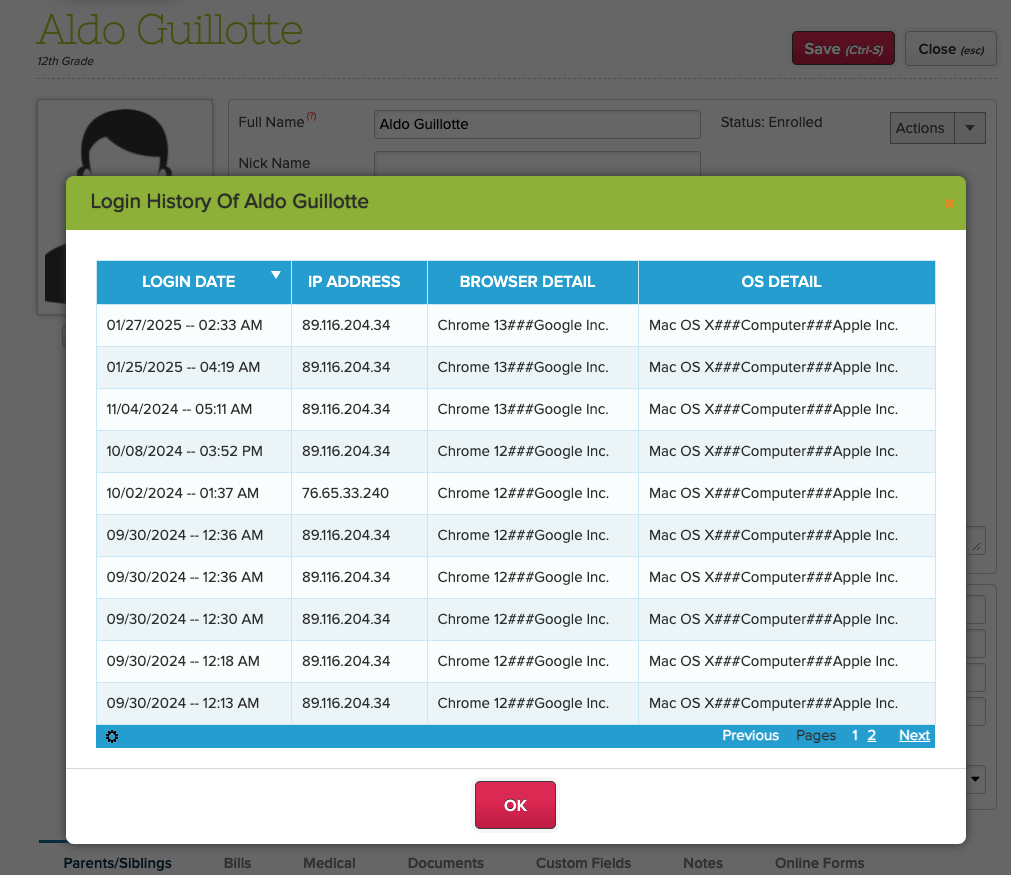
School Admin can view Login History for all users

Full list of improvements are below:

Security Improvements

  • Show Active Sessions – See below
  • Login History (for School Admin) – See below

General Improvements / Bug Fixes

  • Improve Required Custom Fields for Students
  • Improve Report Creator for Report Card data
  • Improve Student Navigator
  • Improve Mass Messaging Browser Support for Safari (version 16 and prior)
  • Bug Fix Standard Charges
  • Bug Fix Gradebook when moving columns
  • Bug Fix Gradebook PDF error due to deleted Category

Beta / System Improvements

  • New UI for Orchestra Master Scheduler (Beta) – See below
  • PDF Template App support for Lunch Roster
  • Notes Field for Data Monitor (Internal)
  • Notes Field for Group School (Internal)

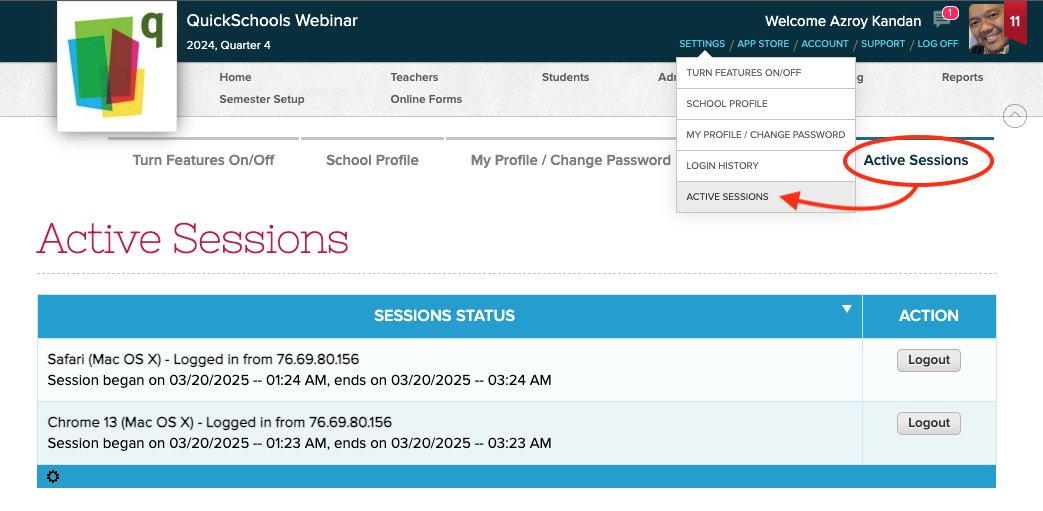
Active Sessions

User can now view all active sessions, and log out from those devices remotely:

Users can view their “Active Sessions” and log them out

Login History (for School Admin)

School Administrators can now view the Login History for teachers, students and parents. Just look for the “Login History” button/link on the corresponding record:

Read More »

Security Update – Mar 12, 2025

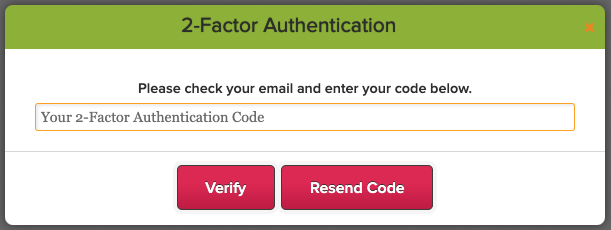
We’ve just released an update to our two-factor authentication (2FA) framework, standardizing the 2FA expiry to 10 days for ALL users, including School Administrators. The 2FA expiration is device-specific, meaning once you log in on a device, you won’t need to enter a new 2FA code for the next 10 days—unless you clear your cache or switch to a different device.

Thank you for your patience and support as we continue to improve our platform.

Upcoming Improvements

We have some additional security improvements that we’re excited to roll out in our next QuickSchools release. You can look forward to:

  • Users can view Active Sessions and terminate them
  • Admin Users can view Login History for Teachers, Students, and Parents.

Also coming soon:

  • Verification Code when purchasing Utility Credits
  • 2FA for Super User
  • Captcha on Login

We’re committed to improving the user experience while maintaining the highest security standards. Please continue to share your experience on QuickSchools with our Support Team, via Chat or Email.

Digitizing School Processes: March Webinar on Online Forms

We’re looking forward to hosting our March webinar and would love for you to join us. This session is all about making school processes easier with QuickSchools’ Online Forms App. If you’re just starting with QuickSchools or looking to do more, we’re here to help you get the most out of it.

Join us on Thursday, March 20th at 11 am PT / 2 pm ET. Whether you’re handling Admissions, Enrollment, Re-enrollment, Field Trips, Leave Requests, or other key functions, this session will guide you through the simple steps to digitize these workflows. Learn how to easily collect, organize, and manage information while uncovering new ways to improve your school processes.

Key discussion points include:

  • Overview of tools/features
  • Potential scenarios – Admissions, Enrollment/Re-enrollment, Field Trips & more
  • Installation, integration & fee collection
  • Future improvements
Read More »

How to Manage Student Feedback For Building Engagement

You know that feeling when you’ve put your heart and soul into a lesson, but something just seems… off? Maybe the students aren’t as engaged as you hoped. Or you’re just not seeing the results you expected. Well, what if the key to unlocking a truly effective classroom is sitting right there in front of you—in the minds of your students?

In this article, we’re going to dive into why student feedback is so important for creating a captivating learning environment, along with some practical strategies you can use right away.

Read More »

New Release – Feb 26, 2025

This QuickSchools release focuses on security (namely two-factor authentication or 2FA) and a few bug fixes to our internal systems / framework. 

Full list of improvements are below:

General Improvements

  • Option to make Student Custom Fields as Mandatory fields
  • Deleting Homework will warn of linked Gradebook Columns
  • Bug fix display for Online Payments on Student Portal

Security Improvements

  • Email Address is required for Teachers / Staff (in order to facilitate 2FA)
  • 2FA is enabled for ALL Schools
  • 2FA is required for all School Admin users
  • 2FA is required every time School Admin logs in
  • Bug fix 2FA for case-sensitive usernames

Beta / System Improvements

  • Bulk Deactivate Teacher (Beta)
  • Option to disable auto-linkage of siblings on Student Import (Beta)
  • Improve File Upload process
  • Improve Trial Account Creation
  • General Security Improvements for 2FA
  • Temporary Bug Fix Student Navigator with Primary Payer
  • General Improvements for Server / DevOps
  • Enhance API Resources for Fee Tracking (Family Billing & Online Payments)
  • Bug fix Java Snippets for Admissions Mapper

Two-Factor Authentication (2FA) Roll-Out

Earlier this month, we announced our intent to enforce two-factor authentication (2FA) for all our schools. 

Read More »

Top 5 Key Metrics To Track with a K-12 Student Information System

Top 5 Key Metrics to Track with a Student Information System

At QuickSchools, we believe data should empower schools, not overwhelm them. That’s why our cloud-based student information system is designed to help administrators, teachers, and parents make smarter, faster, and more informed decisions about student success. But what are the key metrics to track with a K-12 Student Information System to improve student performance, engagement, and operational efficiency? 

Read More »