New Release: Sprint E12

Here’s a list of the latest improvements in QuickSchools:

  • Master Scheduler – Distribute Courses (See Below)
  • Admissions Improvements (See Below)
    • Auto-Email on submission of invited Applications
  • Mobile App Framework Improvements
    • Support for Homework Attachments via API 
    • Support for Grading Scale via API
    • Support for Gradebook Comments via API
  • Miscellaneous Bug Fixes / Improvements
    • Report Creator support for Admissions Application Status
    • Report Creator support for Admissions Inquiry Status
    • Subject Importer Bug Fix
    • Subject Enrollment Importer Bug Fix
    • Subject Importer support for Academic Years
    • Advanced Discipline Code Set support for Group Schools

Admissions Improvements

Since Sprint E3, we’ve been slowly improving the Admissions module to allow administrators to invite applicants to the Admissions Application process. We’ve ported over the automatic email that is generated when an application is submitted. Previously, this was only available on the Online Embedded Form.

Master Scheduler – Distribute Courses

We’ve added a new section in Step 3 of the Master Scheduler, allowing users to “Distribute Courses”. With this feature, you can specify a group of courses that need to be distributed evenly between the available periods.
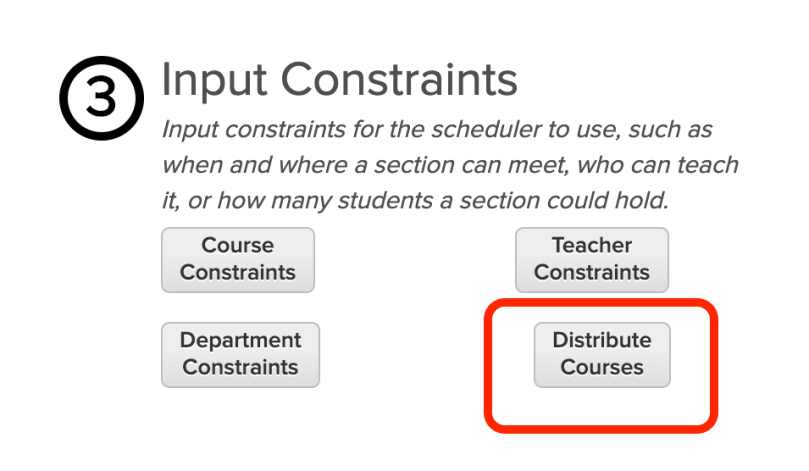
New “Distribute Courses” feature in Step 3

So for example, you may have several 6th grade level courses for all your 6th Graders. Can you include all these courses into a single group, and the Schedule will distribute those courses when you use the “Run” function in Step 4. This will ensure that courses do not overlap, especially if you only have a single cohort of students.

Read More »
New Release: Sprint E11

Here’s a list of the latest improvements in QuickSchools:

  • Google Classroom Integration (Early Alpha)
  • Admissions Improvements
    • Enable Medical Fields for Invited Applicants
    • Email Confirmation on Inquiry Submissions include new System Fields
  • Mobile App Framework Improvements
    • Support for Gradebook Updates via API 
  • Ability to disable Live Chat Support
  • Miscellaneous Bug Fixes / Improvements
    • Online Form improvements for Group Schools with Shared Form Packets
    • Disable “Print (In Order)” for Report Cards
    • Bug inviting Students to Student Portal
    • Bug editing Period Structure in Simplified Scheduling
    • Color Scheme no longer disables Live Chat Support
    • Odysseyware App now transfers the Final Grade
    • Report Creator fix for Admissions Applications
    • SBG fix for Subject-Based Report Cards View

Admissions Improvements

When inviting applicants to fill in the Admissions Application (an improvements we introduced in Sprint E8), there is a new option to include the Medical Section:

Show Medical Section in QuickSchools Admissions Applications

This will enable the following section from the Application:

Read More »

Color Scheme (E7)

With the recent E7 release, schools can now customize the colors that appear when logged into QuickSchools. You can read about that here:

https://www.quickschools.com/blog/2019/05/13/new-release-sprint-e7/

But just how much can you really change the colors that appear on your QuickSchools account? Here’s an example of what’s possible with the “Customize Style” feature:

Customize the Colors on your QuickSchools Account

In this example, we only changed a few elements that are available. But you can of course explore changing other elements like pop-up dialog boxes and buttons. The color changes also extend into mouse overs (i.e. when you hover your mouse over buttons, text and other areas). Here’s a screenshot of the changes we applied in order to produce the color scheme above:

Read More »

Professional Services (Pricing)

Over the years, we’ve provided value-added services to many of our customers. We’ve announced some of these services on our QuickSchools blog. We thought we’d make it official and publish a price list so schools can easily see what sorts of professional services we provide (things like Training, On-Boarding, Data Migration, Customization, etc). Link is below:

https://docs.google.com/document/d/1SDEDoFCg0_9wyIrOwxVsfZ_k2AWdna5FkmXwfXSY-x4/edit?usp=sharing

Please note that services and prices are subject to change. If you don’t see a service you’re looking for, please ask. We look forward to welcoming many new schools this summer.

New Release: Sprint E10

Here’s a list of the latest improvements in QuickSchools for the New Release Sprint E10:

  • Admissions Improvements
    • Inquiry Fields on Custom Embed Form (See below)
    • Customize Form for Invited Applicants (See below)
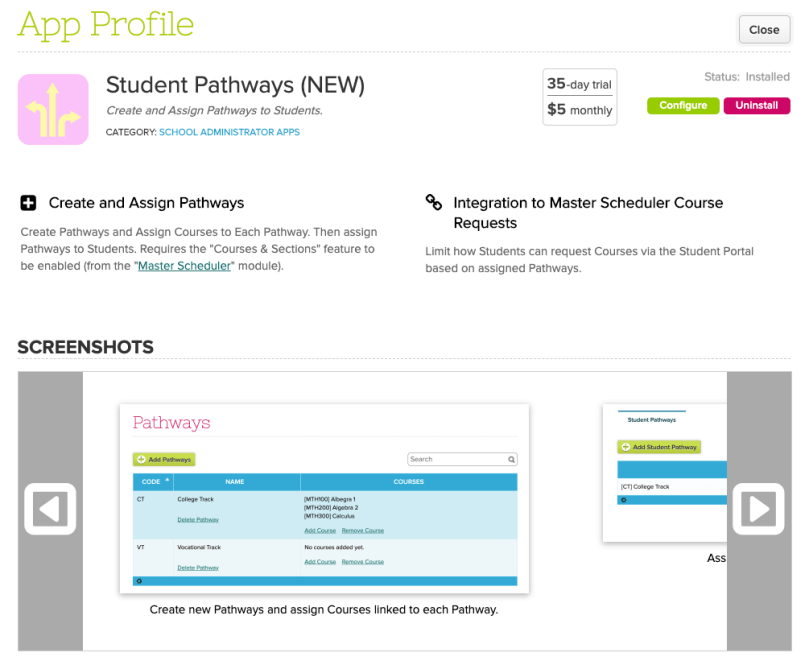
  • NEW: Pathways App (Coming Soon)
  • Mobile App Framework Improvements
    • Future Support for Teacher Login
  • Miscellaneous Bug Fixes / Improvements
    • Restrict Default Subscription Payment to Confirmed Bank Accounts
    • Bulk Print Master Scheduler with Alternative Bell Schedules
    • Hide Debug for Color Scheme
    • Improve Configuration for Attendance Settings
    • File Download bug in IEP app (for student names with apostrophes)
    • Online Form improvements for Group Schools with Shared Form Packets
    • Bug saving student record (in certain cases)

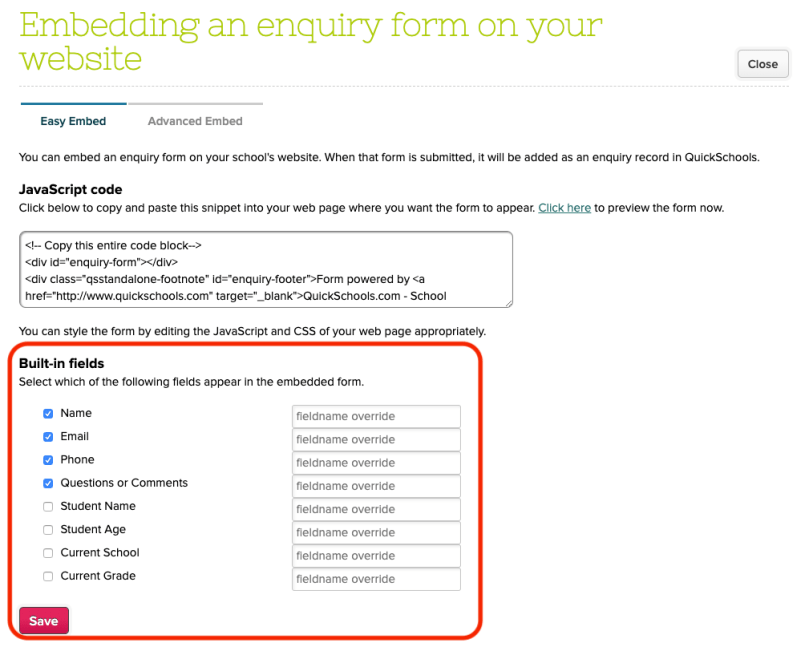
Inquiry Fields on Custom Embed Form

We’ve added the ability to include the built-in fields in the Inquiry to the embedded form (similar to what we have with the Applications module):

Configure Fields to be displayed on the Embedded Inquiry Form

You can include/exclude fields, as well as rename fields (especially if you expect different languages).

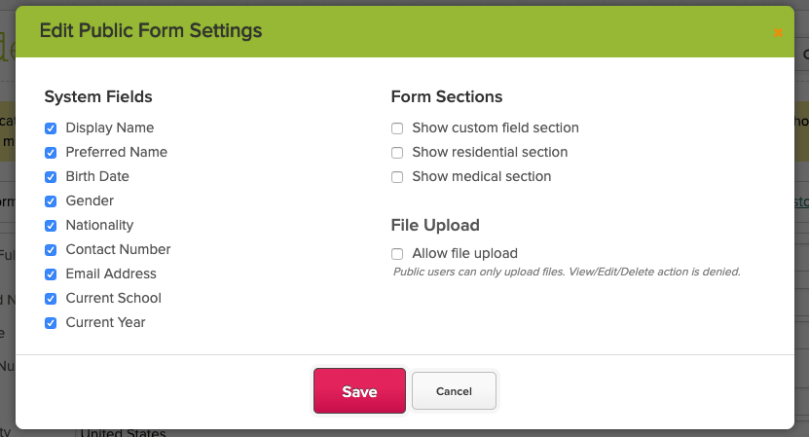
Customize Form for Invited Applicants

You can now customize the fields that appear on the form for applicants which you invite via email to continue their submission:

Read More »

New Release: Sprint E9

Here’s a list of the latest improvements in QuickSchools:

  • Master Scheduler Improvements
    • New Randomizer when Loading Step 5
    • New Master Schedule Reports
      • Student Schedules from Step 5
      • Student Schedules after Finalization
  • Report Creator Additions (see below)
    • Gradebook Formulas
    • Locked Final Grade
  • Miscellaneous Bug Fixes / Improvements
    • Table Preferences for Shared Online Forms
    • File System Bug Fix
    • Restrict Adding Final Grade from Template
    • Final Grade bug fix
    • Lock Final Grade Bug Fix for Self-Paced Gradebook
  • Pathways App (Alpha)
    • Add/Edit Pathways
    • Add/Remove Courses to Pathways
    • Set Pathways by Students

Report Creator Additions

The Report Creator now has new fields for the following:

  • Gradebook Formula
  • Locked Final Grade

New Report Creator Fields for Gradebook

Here’s an example report using those fields:

Read More »