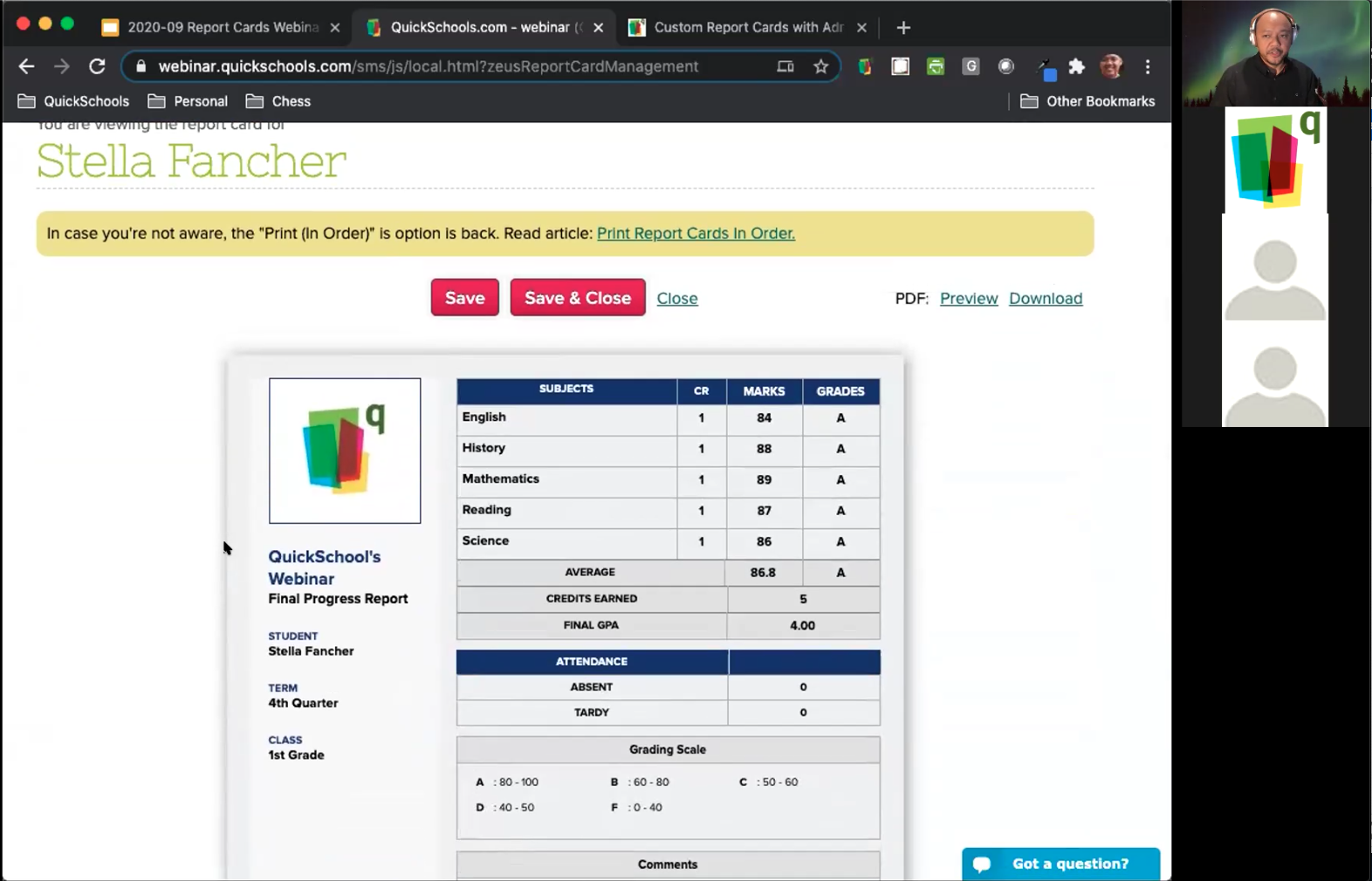
After more than a decade in the business, we finally ran our first QuickSchools webinar this past Wednesday (Sept 30), on the topic of customizing Report Cards.
First QuickSchools Webinar on Customizing Report Cards
We had a pretty good turn out, and were delighted with the response that we received. For those interested in our Report Cards module, we recently posted an article about our Report Cards here:
We had an emergency patch deployed this morning to fix a limit that was set to the list of customers that appeared in the QuickBooks Integration app. We took this opportunity to also update the dropdowns to the new Searchable Dropdowns. So when selecting a customer, you can type in part of the name, and the dropdown in QuickSchools will filter the results to match:
Map Students in QuickSchools with Customers in QuickBooks Online
We made similar changes to the mapping screen for products too:
We’ve had huge interest in the new Online Learning improvements we’ve been working on, so much so that we’ve had to add additional support for Assignments in the Parent Portal. This will come in handy for the lower grade levels where students aren’t old enough to use a Student Portal, and rely on parents to access their assignments. Here’s what’s included in today’s patch release to QuickSchools:
Assignments via Parent Portal
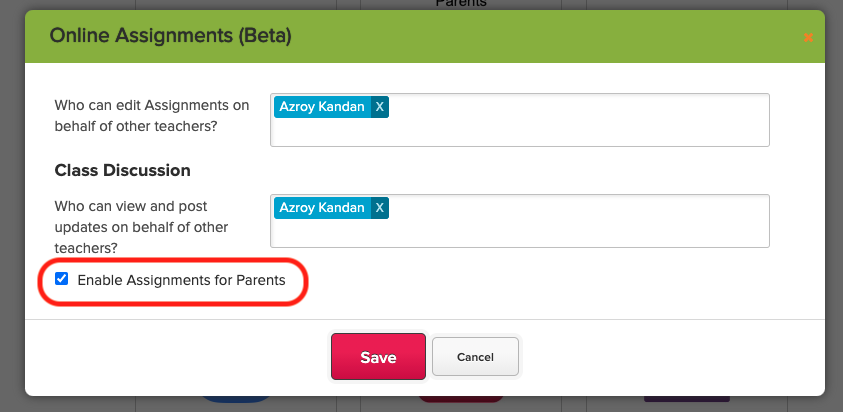
When configuring the Assignments module, there is a new setting to “Enable Assignments for Parents”:
With this setting enabled, parents will be able to access Assignments for students in their care:
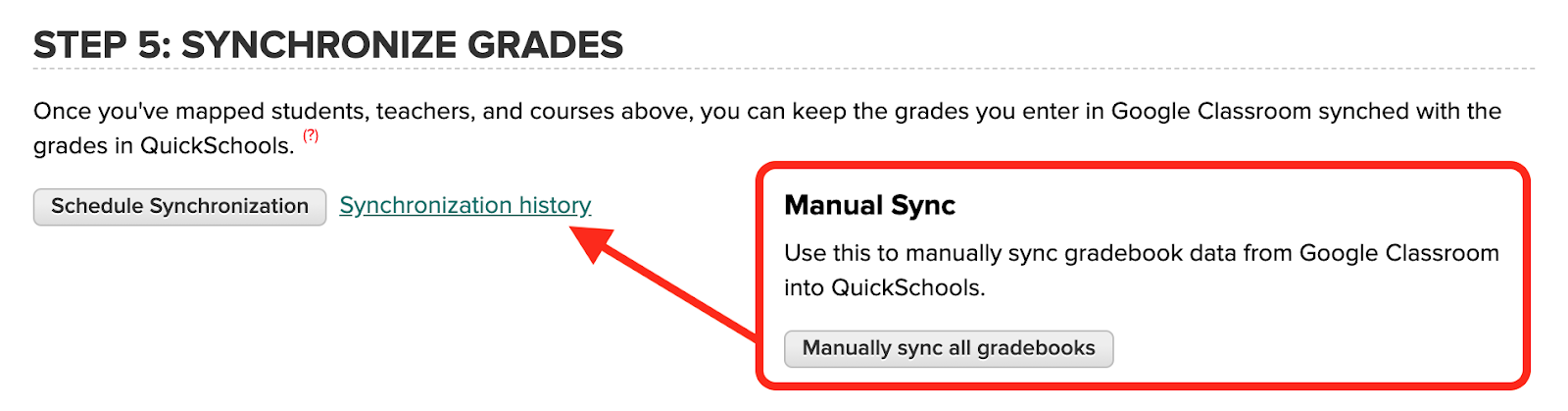
Previously, when manually synchronizing the Gradebooks, you would get real-time feedback on the status of the run:
Manual Sync for the Google Classroom Integration App
However, this process was limited by the browser time-out of 5 min. What we opted to do in the August 17 Release was to extend the timeout to 30-min. This was done by changing the function to run in the background (no more pop-up on completion of synchronization):
We have quite a few improvements this time around, in addition to our continued focus on Online Learning. Here are the latest improvements in QuickSchools:
LMS: New Assignments module (Beta)
List all students for an Assignments, regardless of whether student has started the assignment
Hide Unpublished Assignments from Student Portal
Introduce Date / Time to Publish an Assignment
Highlight Assignments submitted after Due Date as “Past Due”
Improve behaviour for “On Paper” and “No Submission” assignments
General Bug Fixes to the Assignments listing
LMS: Live Streaming App Improvements (Beta)
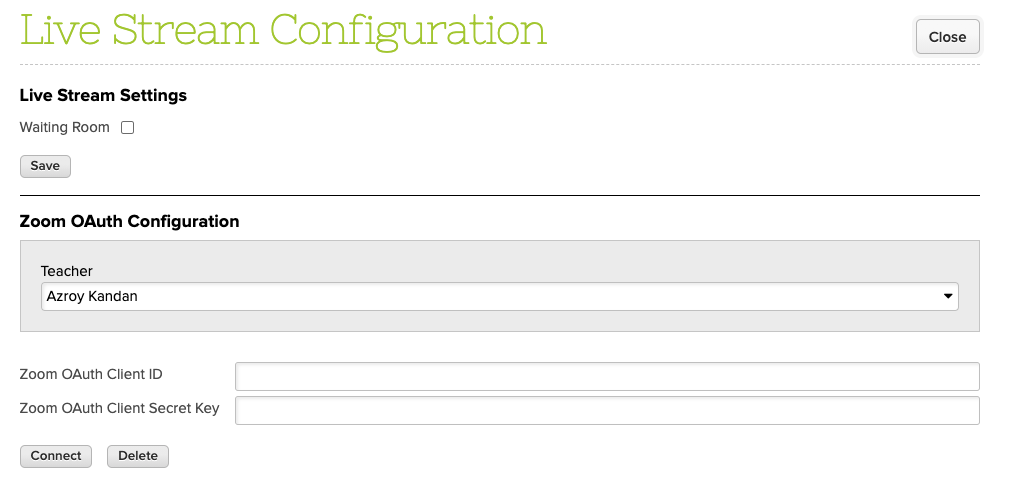
Support multiple Zoom Accounts for concurrent meetings (one account per teacher)
Auto-update meeting list when meeting is about to start
Display warning if Zoom Account is not yet set up
The Live Stream App now support Zoom Accounts for every teacher
LMS: General Online Learning Improvements
New Student Message Board
New Calendar View for Assignments and Live Stream Meetings
Improve visibility of “View Complete Record” on Student and Parent Portals
Ability to Edit a posted Class Discussion
Fix Email Notification for Class Discussions
Google Classroom Integration Improvements
Option to skip ungraded assignments
Option to exclude archived courses
Archived courses are clearly indicated when mapping subjects
Fix assignments that are synchronized from OUTSIDE the academic semester date range (Partial Fix)
Report Creator
Support Read-Only Access to Report Creator
Fix Report Creator filter for Outstanding Amount from Fee Tracking
Support reporting for Published/Hidden Gradebook Columns
Other Bug Fixes / Improvement
SSO support for SAML (Private Beta)
Scheduled Standard Charges (Private Beta)
Upgrade Real-Time Sync Framework (Firebase)
New option in Simplified Scheduler to Allow Conflicts (without pinning)
Improve security for Password Reset
Support download Schedule PDF by Grade and by Teacher
Support relabel “Principal”
Option to delete Bank Account if Credit Card is provided
Option to Sort Gradebook by NickName
Automatically trim Parent first and last names during Import
Tooltip in Online Forms module to explain Fees
Bug fix auto-generated Advanced Embedded Form for Admissions Application
Bug fix for email history attachments
Bug fix when auto-allocating Payments in bulk
Bug fix when auto-allocating transaction fees for Online Payments
Bug fix when allocating transaction fee when refunding Online Payments
Bug fix when selecting semester in Attendance Calendar
Bug fix when updating Semester Start Date when taking attendance during trial
Scheduling Standard Charges
This is a new feature in Private Beta. With this feature enabled, you will see a new button called “View/Edit Scheduled Standard Charges” next to the “Add Standard Charge” button:
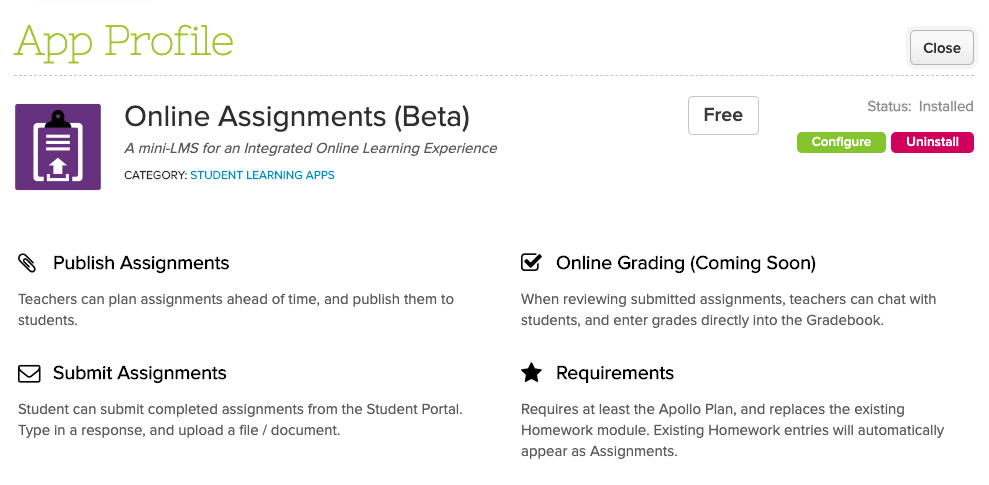
In our efforts to provide a more streamlined Online Learning experience, our Assignments App, which is still in Private Beta, is coming along nicely. If you’d like to try out this feature, please contact QuickSchools support.
So here’s what you can do so far:
Teachers can create and view assignments for their subjects
Students can upload/submit assignments from the Student Portal
System tracks multiple submissions from the same student for the same assignment
Teachers can easily review submissions from each student
Moving forward, you can expect the following features:
Schedule Assignments to be Published
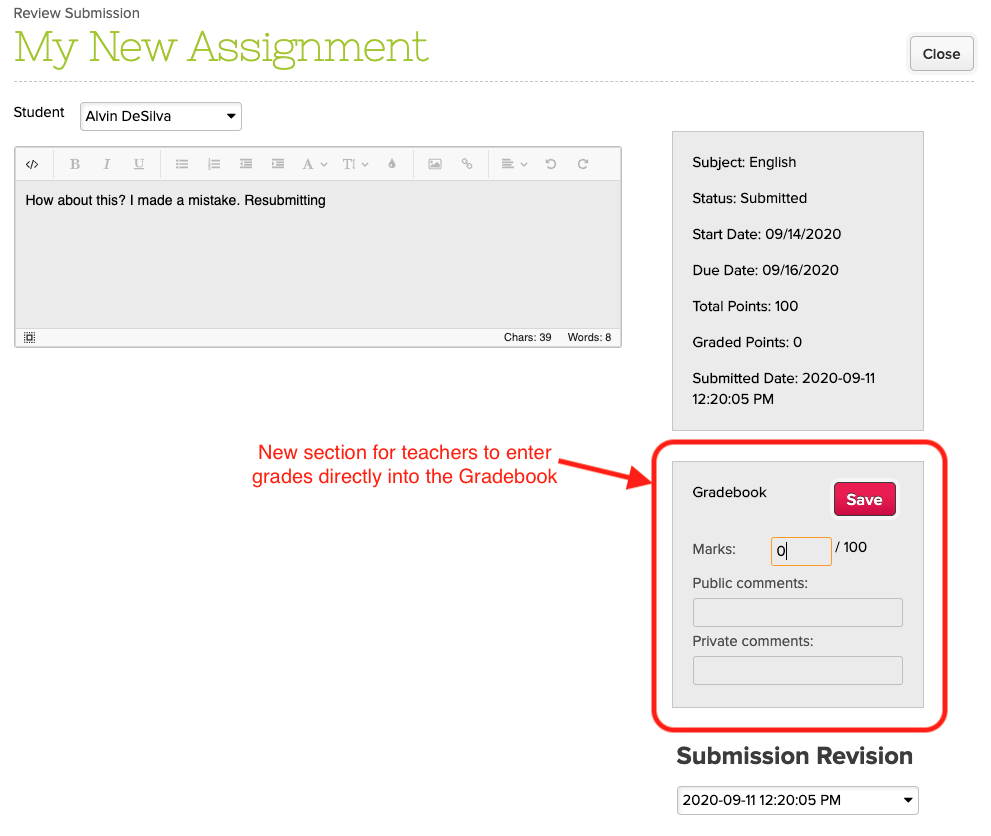
Enter Grades directly from the Submissions screen
Easily navigate between Submissions for a particular Assignment
Chat Feature for Submissions
Annotate Submissions
Calendar view for Assignments
If you have any further questions or comments, please don’t hesitate to reach out to us via email or chat. It’s your feedback that makes these improvements worthwhile!
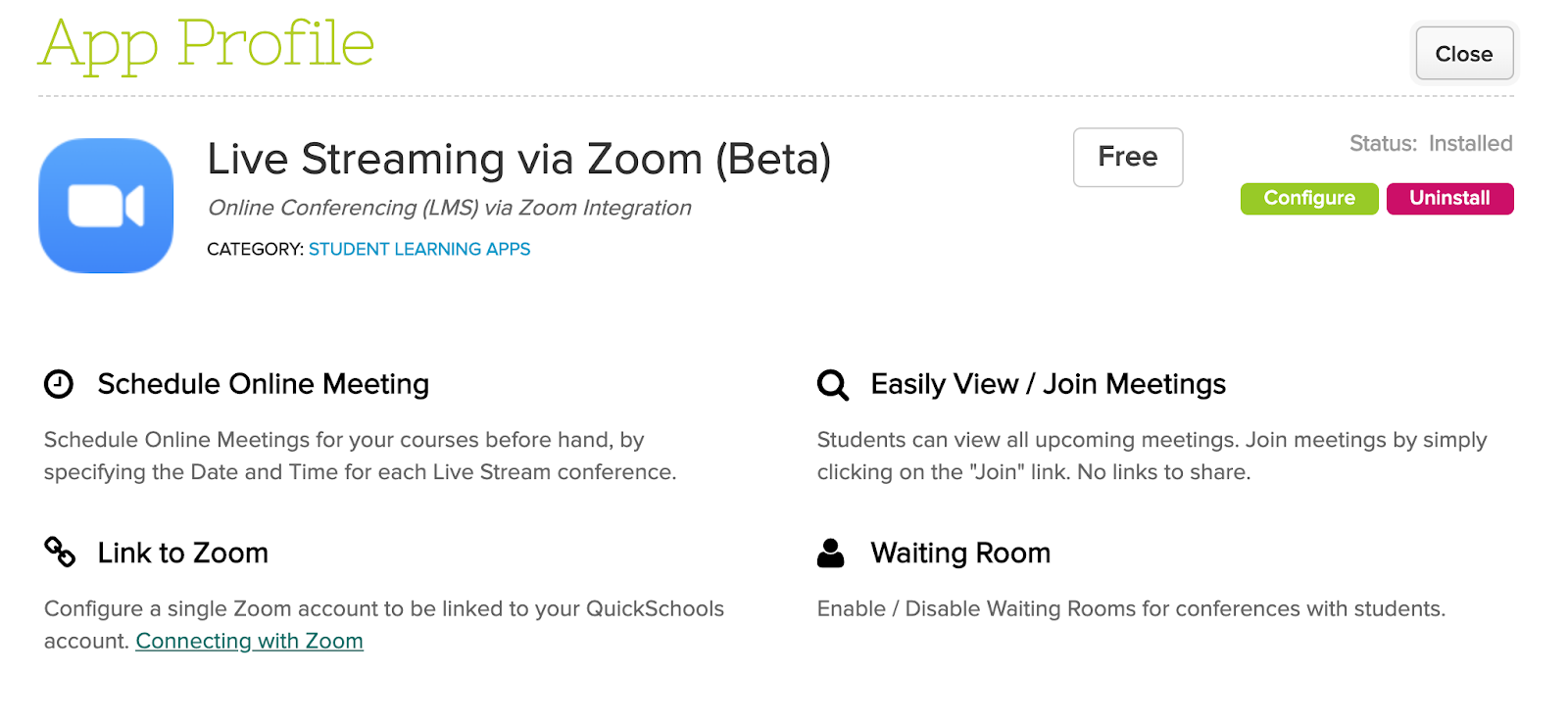
We announced recently that QuickSchools is working on a Live Stream feature via Zoom Integration. We are happy to announce that a first version of this app has been deployed in last weeks release:
Live Stream App for Zoom Integration
This app is still in Private Beta, which means schools will need to request for this app in order to use it. We hope that early adopters of this app will share feedback with us, so that we can continue to improve the app moving forward.
To connect your QuickSchools account with Zoom, you’ll need to create API credentials from Zoom. More details here:
That’s it for now. We are planning more improvements in the coming months, to help schools with the upcoming school year. Please stay tuned by following us on Facebook or Twitter, in order to get the latest updates.