Report Cards and New Academic Terms

In QuickSchools, Academic Terms (or Semesters) provide a way to contain and separate student data. So for example, when you change the courses for a student within an academic term, it does not affect his courses from a previous academic term. And this extends to many modules, like grade levels / programs, subjects and gradebooks, simplified schedules, report cards, standard charges (from the Fee Tracking module), and so on. In this way, you can easily and safely introduce changes to the student record, while keeping archived data intact.

So when you activate a new Academic Term, it makes sense to copy certain information over, instead of recreating everything from scratch. By default, the system will ask you whether you want to copy data forward:
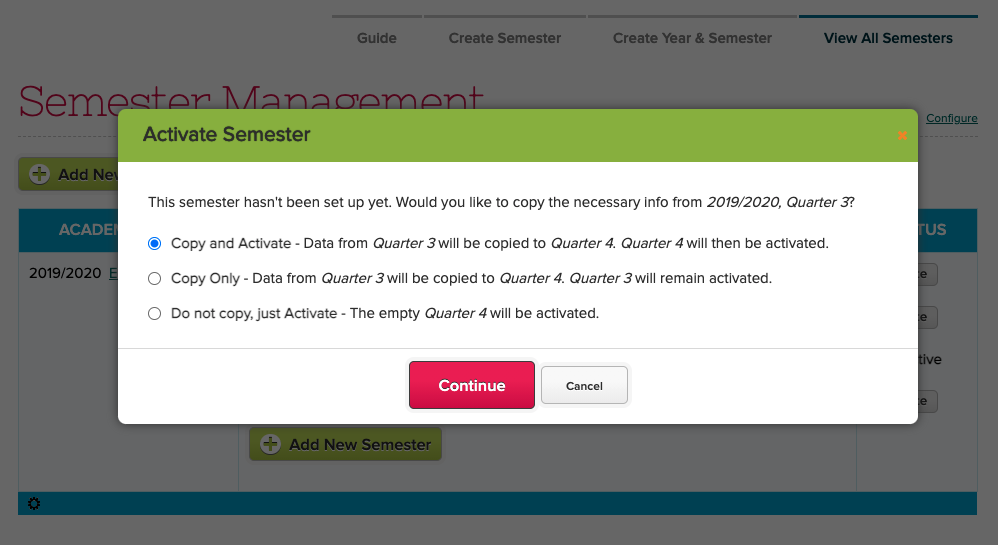
Choose whether to Copy data from the Previously Active Academic Term

There is an additional area to “Configure” additional information to copy over, like Gradebook Formulas and Admin Columns :

Read More »
Upcoming Webinars for March and April

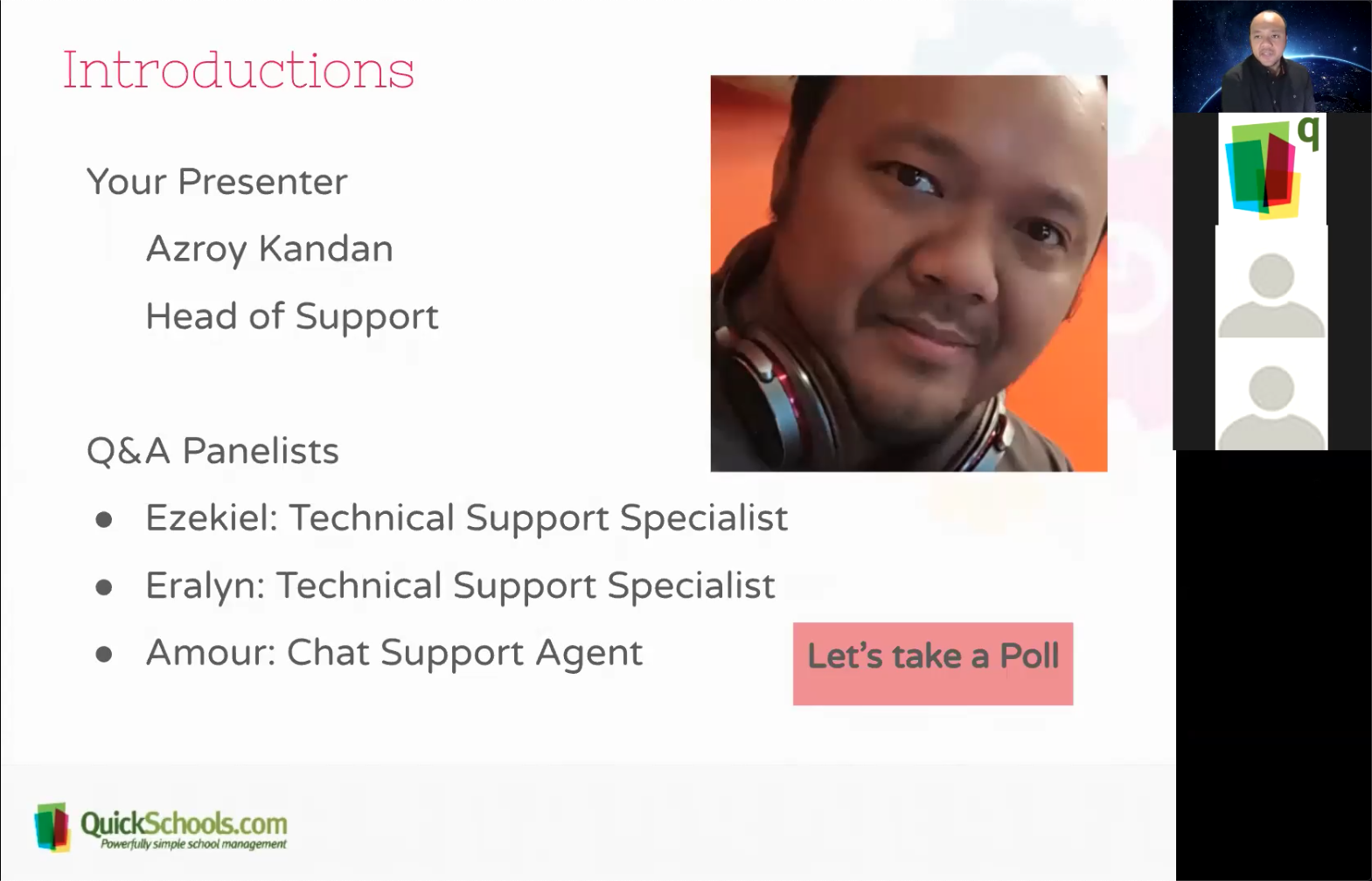
March will be the first month where we’ll hold 2 webinars, one for Administrators and one for Teachers, as part of our Webinar Series. The QuickSchools webinar on Google Classroom Integration for Administrators was done last week, and we have an equivalent webinar for Teachers scheduled for next week. The webinar itself is almost full, so we’re super excited to see everyone there, and get some feedback on the feature as well.

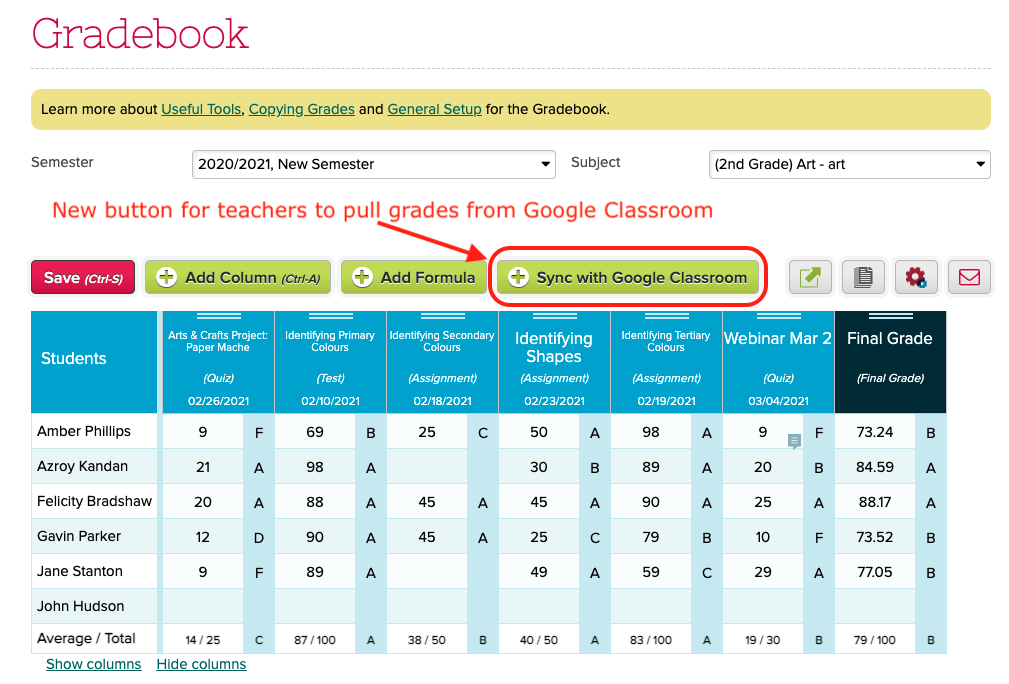
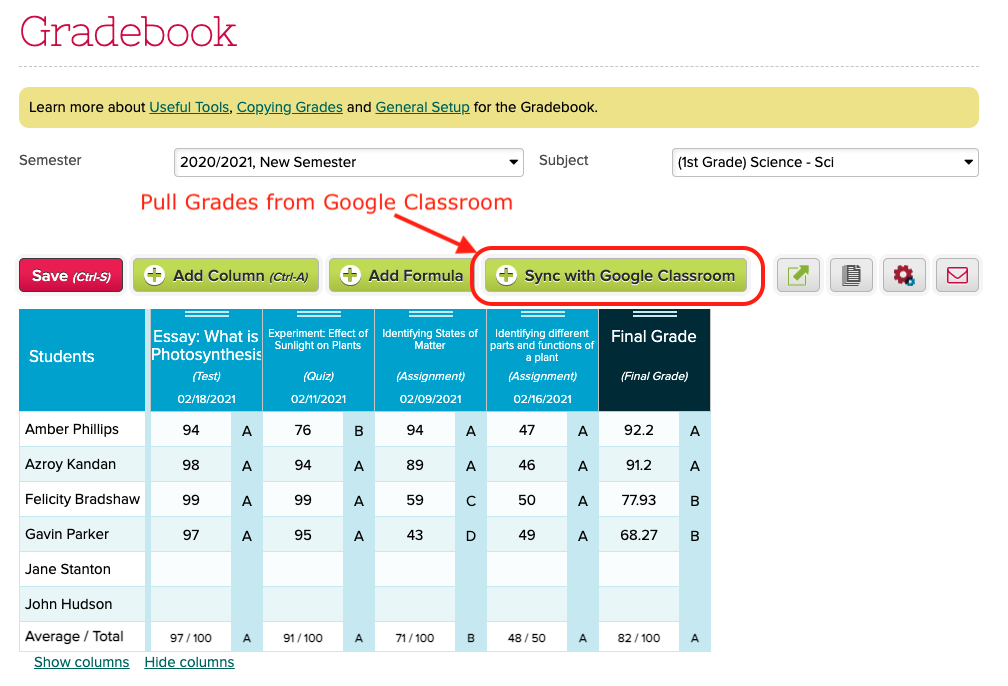
Teachers can pull grades from Google Classroom

Next month, we’re aiming to do 2 more webinars. With the new school year coming up fast, our next webinar for administrators will be on the Admissions module which is included in all the subscription plans. More details to come soon. 

Read More »

Net Promoter Score (NPS)

We recently posted a short survey for administrators in QuickSchools in order to get a sense of how we’re doing, as well as to collect feedback on future improvements. The survey was simply to answer the question “How likely are you to recommend QuickSchools to a friend or colleague?”:

This type of survey is typically called a “Net Promoter Score” or NPS. And in the Software-as-a-Service (SaaS) business, companies strive for a score above 40. And it looks like we fared pretty well this time around:

Read More »

Sync Gradebook by Subject

We are introducing a new feature in the Google Classroom Integration app, that allows teachers to manage and pull grades from Google Classroom for their own subjects in QuickSchools. When enabled, teachers will see a new “Sync with Google Classroom” button in their Gradebook:

Clicking on the button will initiate a synchronization with Google Classroom. Some things to note about the Google Classroom Integration:

  • The school admin needs to install and configure the Google Classroom Integration app for the whole school (available in our App Store). If the setup is incomplete, an error message will appear.
  • When synchronizing the gradebook, the student enrollment may change, depending on how your school administrator configured the auto-enrollment feature.
  • Some elements from Google Classroom will not transfer over, namely the category, final grade and comments. So teachers can freely update this information in QuickSchools. This data will not be overwritten by subsequent synchronizations. 

NOTE FOR ADMINISTRATORS: The feature will require that the School Administrator configure the Google Classroom Integration app as follows:

Read More »

The Ontario Province Transcript Template

For schools in Ontario Canada, QuickSchools actually supports report cards and transcripts required by the province. We have a separate article that describes the Ontario Report Card Template that we posted several years ago. More information here:

The Ontario Province Report Card Template

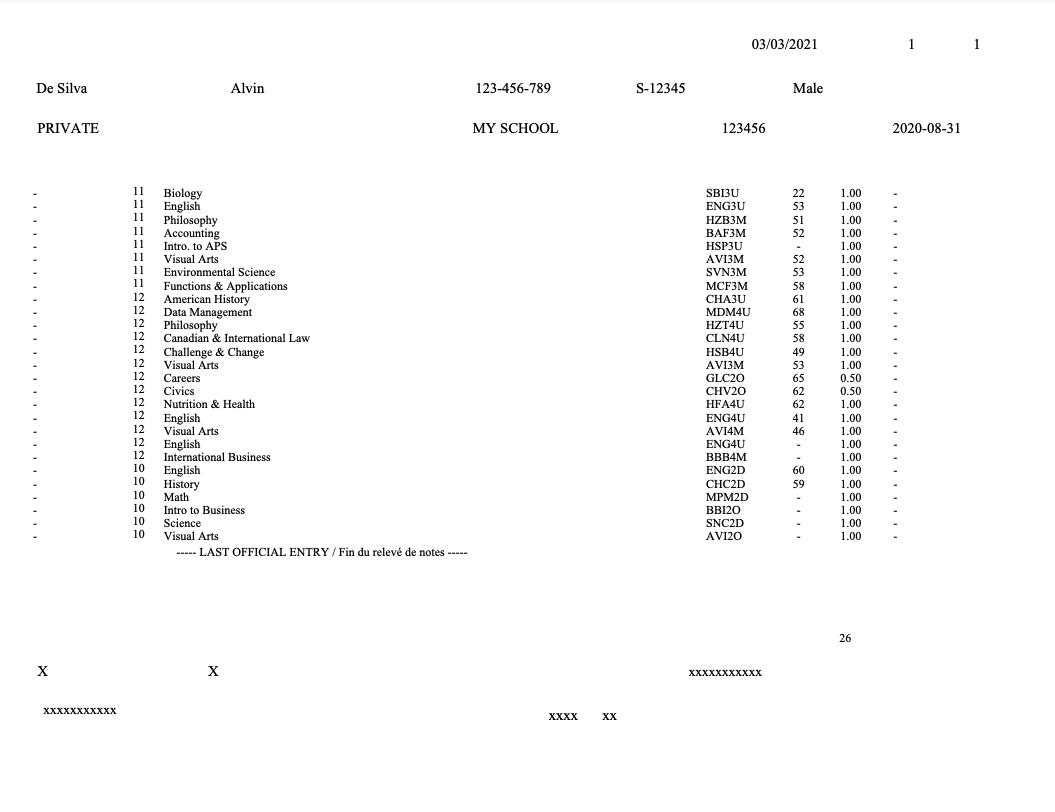
For Transcripts in particular, we can produce a PDF document containing transcript information, that can be printed on the Transcript paper document (which contains the Ontario watermark):

Here’s an example of what the final Transcript can look like, once the PDF is printed on the watermarked Transcript document:

Read More »

School Days for Weekend Schools

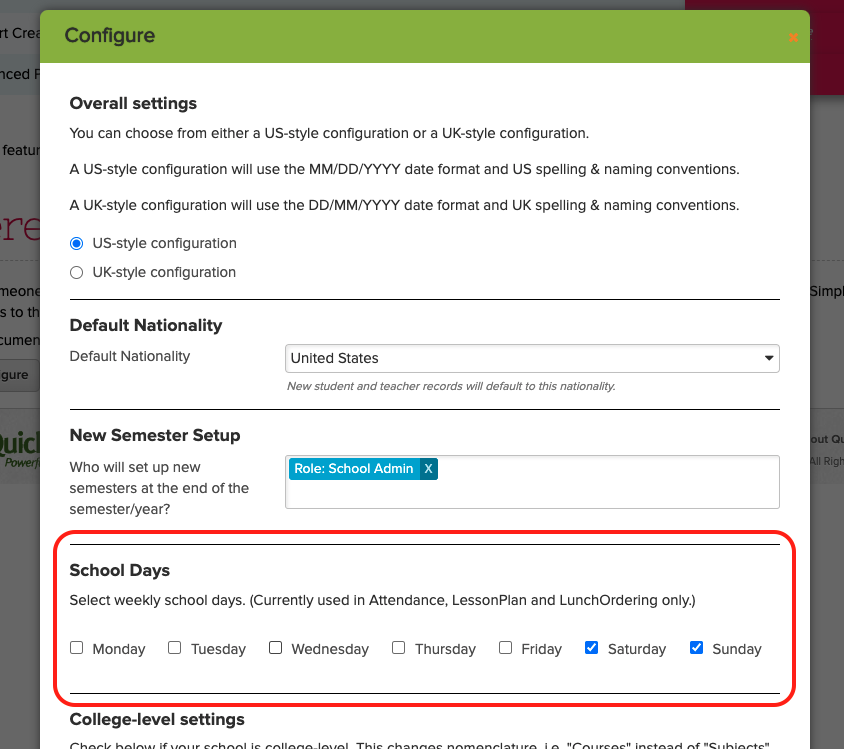
If you run a Weekend School (or any school that doesn’t run the traditional 5-day Monday-thru-Friday schedule), you can use the “Edit Overall Settings” feature under “Settings” > “Turn Features On / Off” to configure your School Days in QuickSchools:

As mentioned on the screen, this setting currently only applies to Lesson plans, Attendance, and the Lunch Ordering App. If you have a specific module that you’d like this feature to include, please do let us know:

School Days in Lesson Plans

Here’s an example screen from the “By Month” view of the Subject-Based Lesson Plans. Notice that it only shows the school days for Sunday and Saturday, as configured in the previous example:

Read More »