A big thank you to all of you who were able to join in on yesterday’s Quickschools webinar, which covered the Admissions module. We hope the webinar was insightful and helpful as you move forward with collecting inquiries and applications for the next academic school year.
As our webinar series continues, we would like to invite all teachers to join in later this month for our Gradebook Webinar. We will not only be covering the grading aspect of the Gradebook, but will also go over the best tools available to prepare for parent/teacher meetings, and built in reporting/messaging to keep parents and students up to date.
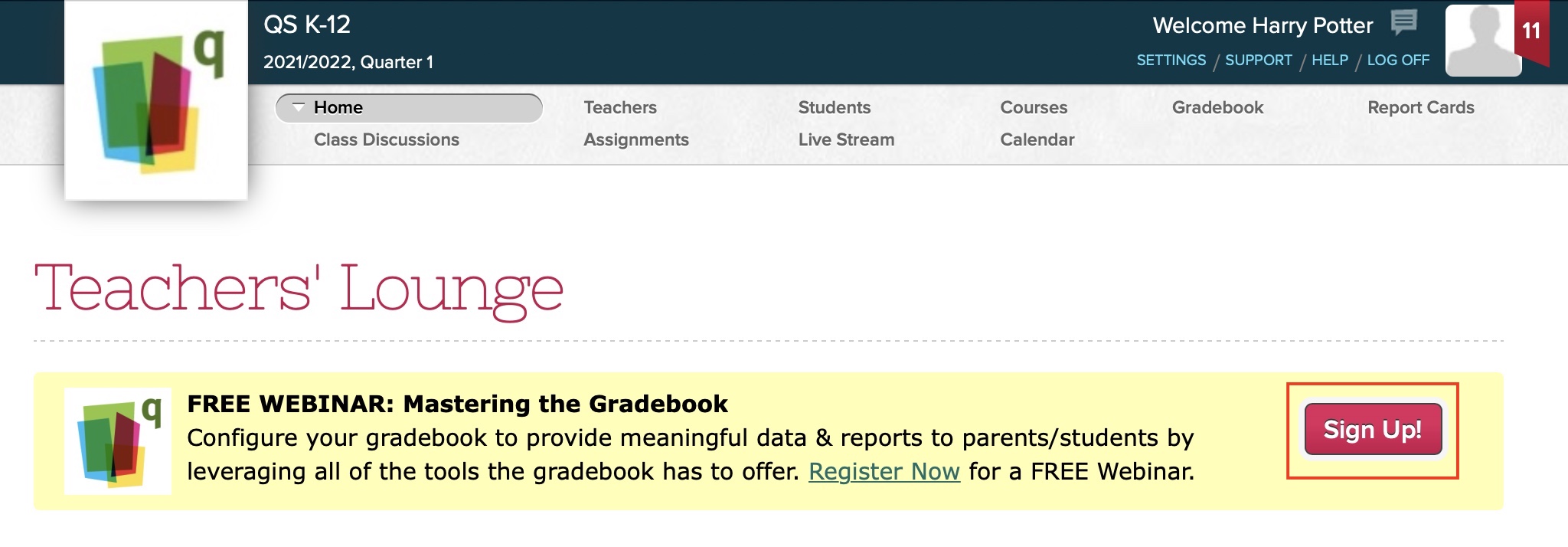
The Gradebook webinar will be held on April 20th – 01:00 PM (Eastern Time). Teachers, and administrators, who are interested in joining should follow the link available in the Home page of their account to sign up. We hope to see you there!
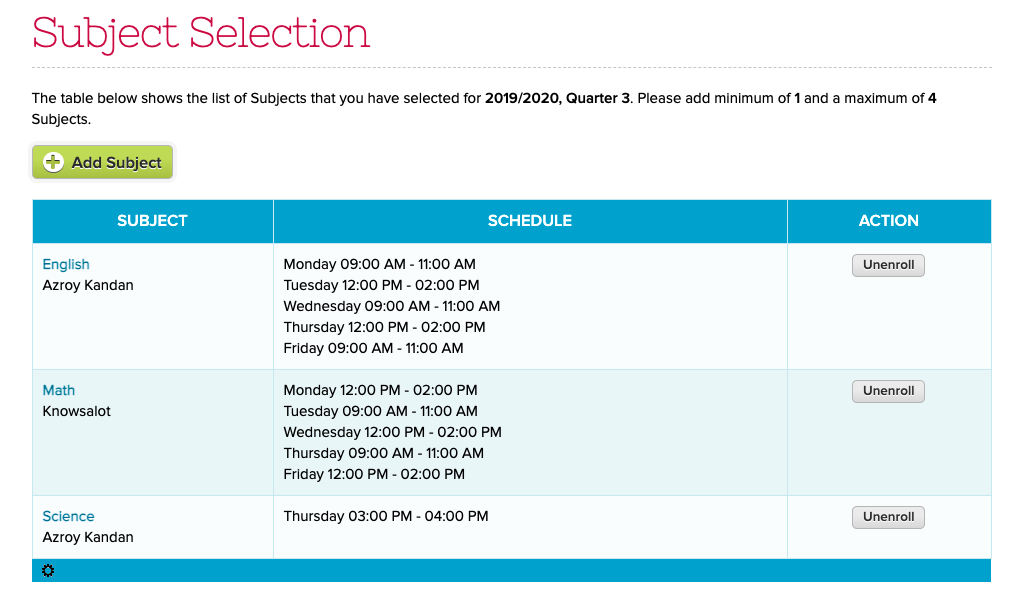
We recently released a new feature for students to Self-Enroll into courses. Students can review the courses they are enrolled in from within QuickSchools, and directly make changes. Here’s what the students can see from the Student Portal:
When selecting courses, the system can also check for conflicts based on the Simplified Scheduler:
As part of our Webinar Series for March, we recently completed two webinars on the topic of Google Classroom Integration — one for Administrators; and another for Teachers.
Our series continues with two more webinars this coming April, the first of which will be for Administrators. This first webinar for April will discuss our Admissions module.
The next webinar to keep an eye out for will be for Teachers, where we’ll go over our Gradebook module.
Come join us, and learn how to track and engage prospective students. Simplify the way you evaluate and admit new students into your institution.
The admissions webinar will be held on the 6th of April, at 01:00 PM (EST). Administrators can register to the webinar by clicking on link available once you log into QuickSchools (Limited Spaces available). See you guys there!
Our Google Classroom integration has been quite popular since its introduction back in late 2019. It’s received quite a lot of support from the schools that have it installed, as well as internally from our tech support and engineering teams. In short, the integration allows schools to pull grades from Google Classroom over to Quickschools, where report cards and transcripts can then be generated.
The integration itself can be a great time saver, as it removes the need for double entry into two systems. Of course, as with any integration between two separate systems, there are going to be nuances that may create differences between the expected behavior and the actual behavior. For that reason, we created the following Google Classroom troubleshooting guide:
This is an expedited Sprint (only 2 weeks instead of 3). We have a few beta features we’re pushing out, plus some miscellaneous performance enhancements and bug fixes.
New User Field in Interventions (introduced in previous release) is now reportable in Report Creator
Bug fix when deleting students
Timezone Bug fix when importing into Gradebook
Refactor framework for Email Messaging
New internal framework to support student subscription limits
Student Self-Enrollment (Beta)
This is a new feature to allow students to directly enroll into courses from the student portal (without using Course Requests from the Master Scheduler module). If the student is already enrolled into a courses, the student can unenroll from them:
New Self-Enrollment Feature for Students (Beta)
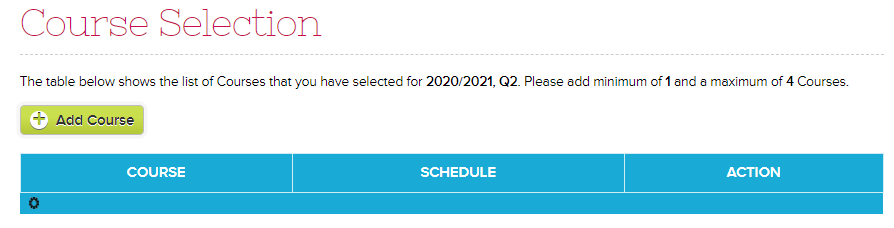
And there’s an “Add Course” button for students to select courses to enroll into:
The Online Payments module in Quickschools is a very useful tool, especially for schools that offer classes online. Parents and students can just pay via credit card from the comfort of their homes.
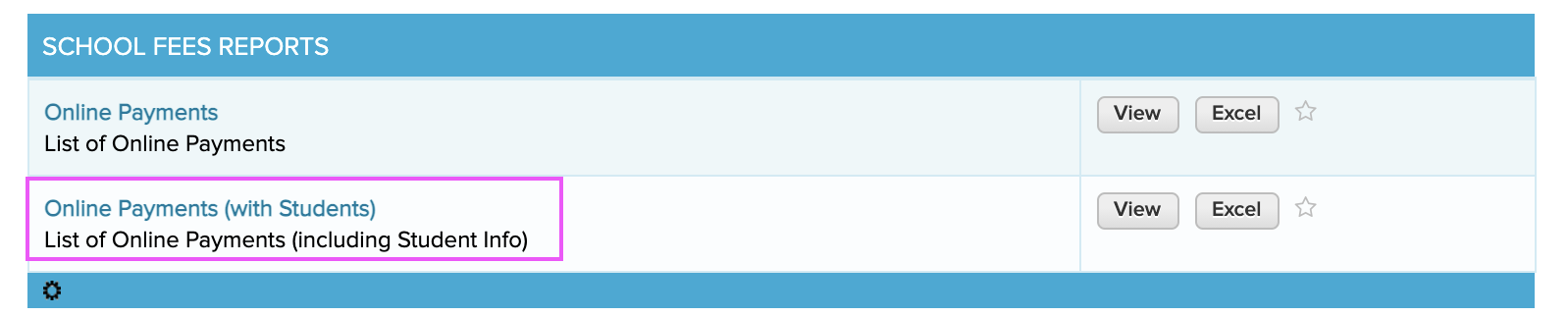
As a school administrator or a finance staff, you need to regularly track these payments. You can get the list of Online Payments by running a Summary Report called Online Payments (with Students).
The report lists the card holder and other information about the payment along with the student info for whom the payment is for.
One of the nice features about the Online Forms module in QuickSchools, is its ability to reduce work by the applicant by prefilling the fields where possible.
For example, if you have a form packet with multiple forms, where several forms make references to the same field (like the students name or address), as long as the fields are mapped correctly, once the applicant fills in the field on ONE of the forms, ALL forms within the packet will be automatically filled with the same information. How convenient is that? And it doesn’t stop there!
We’ve made strides to further improve the experience for applicants. And here we discuss 3 ways where applicants can make use of Pre-Fill functionality within our Online Forms app.
Mapping Fields to System Fields
So for users accessing the Online Forms from the Student or Parent Portal, any fields in the Form Packet that are mapped to a system field are automatically filled when the applicant starts a submission from their portal. This is because when parents / students access the Online Forms from their portal, the system is able to link the form with a student record, and the system can draw information from the linked student record, and pre-populate any fields mapped to system fields.
What this also means is that users accessing the Online Forms through a public URL will not get access to this feature. For that, check out the next section.
Starting a New Application for Public Forms
We have a new feature released recently that allows users to copy information from a previously submitted form into a new form. In order to utilize this feature, applicants simply need to click on the “Start New Application” link after completing a submission:
Applicants can quickly start a new application after submission
Once you start a new application, you’ll see a “Copy from Previous Submission” button for each form, allowing the user to pre-fill that form with all information previously submitted:
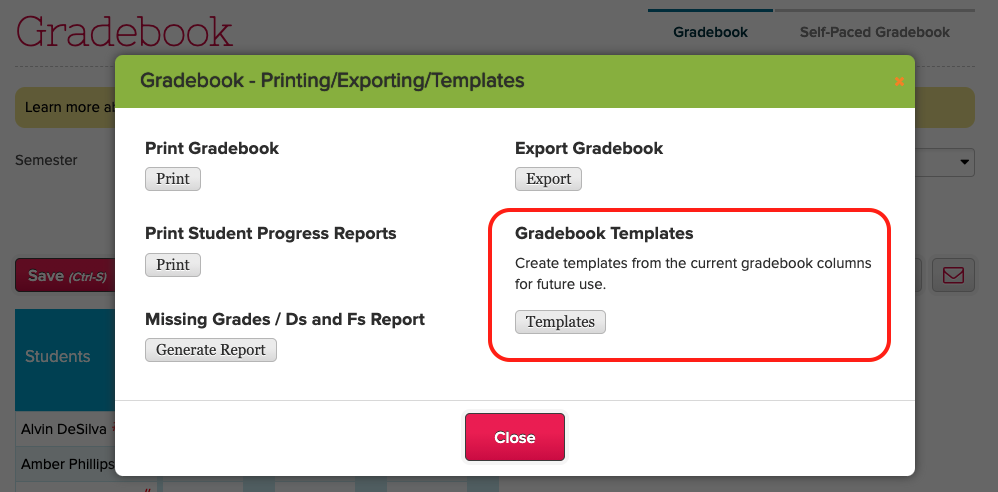
Use Gradebook Templates to copy columns between subjects
The Gradebook Template allows you to templatize an existing Gradebook, essentially allowing you to copy the columns in the current Gradebook, and insert them into another subject / course. Here we see several saved templates: