New Release – Jan 24, 2022

Here’s our second release for 2022. We continue to make improvements to the Orchestra Master Scheduler, PLUS, general improvements to our new Online Testing module (Alpha) and Student Information System.

Support multiple day combinations for a specific Course in Step 2

Here is a list of the latest QuickSchools improvements:

Master Scheduler Improvements

  • Support multiple day combinations for a specific Course in Step 2 (Image above)
  • Option to Clear Sections by department in Step 4
  • New feature to add/edit/move specific sections within the Weekly Schedule in Step 4
  • Re-add support for Teams in Weekly Schedule in Step 4
  • New Importer for Sections linked to Courses (for SIS)
  • UI Improvement for Sections with Weekly Schedule (for SIS)
  • Bug fix when adding Course Requests from the Student record
  • Bug fix when copying Next Course to new Enrollment Period
  • Bug fix when loading Course Requests in Step 2

LMS Improvements

  • Online Testing Framework Improvement (Beta)

General (Functional) Improvements

  • New History for Standards-Based Gradebook (See below)
  • Option to manually add orders to the Lunch Ordering app
  • Support for external Thank You page for Embedded Admissions Application Form
  • Support for required files for upload for Admissions Application

General Bug Fixes and System Improvements

  • Alerts module is not out of Beta (See below)
  • API Improvements for Trial Sign-Up
  • General improvements to the Standards-Based Gradebook
  • Bug fix student access with student portal is deactivated
  • Bug fix for Homework module accessing Archived Semesters

Other Private Beta Improvements

  • Hide “Link Children in Other Schools” tab for Group School
  • Hide inactive students from Parent Portal for Group School
  • Retain parent info for siblings are they are deactivated for Group School
  • Bug fix for maintaining teacher records for Group School

Standards-Based Gradebook History

The Gradebook History / Versioning App has been extended to include the Standards-Based Gradebook. This means that with the feature installed, you’ll see a history link at the bottom of the Gradebook:

Read More »
Thanks for Making Our Google Classroom Webinar a Success!

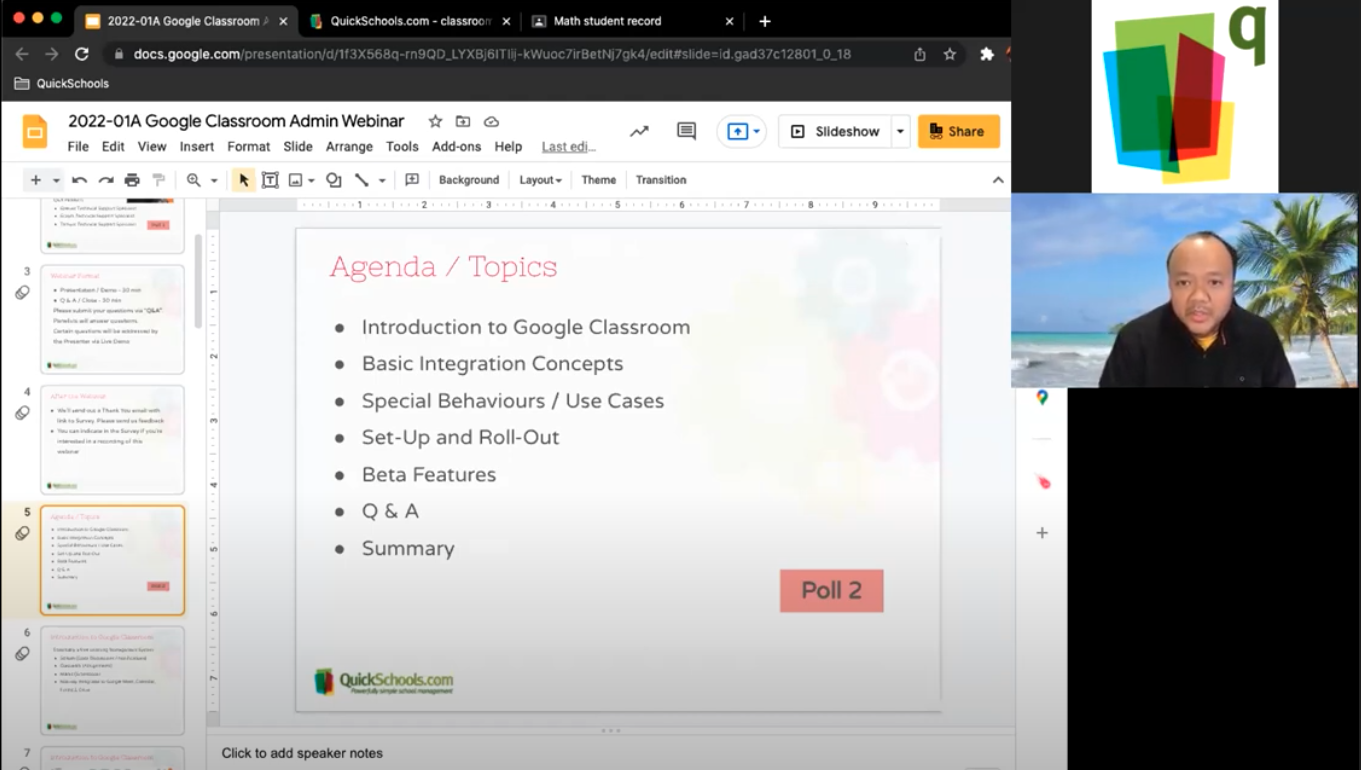
First, we’d like to thank everyone who attended the webinar on Google Classroom Integration for Admins on January 13th. We’re happy to be able to host our first 2022 webinar after a hiatus in December. We hope that you found the discussion helpful, and will continue to join us in future webinars.

QuickSchools webinar on Google Classroom
Our webinar presenter – Azroy Kandan – getting back in the groove after a short break for the holidays.

For further questions, you’re welcome to chat with us directly via our Live Chat Support. We’d also like to highlight that our blog and Help Center contain a lot of information on the topic. A few key articles include:

Overview

Setting up Google Classroom on your QuickSchools platform

Synchronizing Google Classroom with the Gradebook – Basic || Advance

Troubleshooting Guide

Finally, we’re sorry to announce that we’ll be cancelling our webinar on Google Classroom Integration for Teachers due to low demand. This webinar was scheduled for the end of January. Instead, we’ll be moving forward with our February webinar – Collecting and Managing Student Fees. Stay tuned for more details.

5 Reasons Why You Should Invest in a Student Information System

investing in a student information system

What is a student information system (SIS)? 

A Student Information System, or SIS, is an online software that helps institutions keep student data for easier and more efficient management. It collects school-wide data and keeps everything in one place, allowing easy access by administrators, teachers, students, and parents. Its main purpose is to organize and keep student records such as attendance, performance, grades, and the list goes on. In short, a SIS is a data management tool. The question is, should schools invest in a student information system?

Why is a student information system important?

A SIS is essential in schools and universities to ensure student data is safe yet accessible for daily administrative tasks. It is crucial that a SIS has the complete features to manage student affairs. In this digital age, an SIS is the key to efficient data management. 

invest in a student information system

Why should you invest in a student information system?

There are several important reasons why a school or university should invest in having its own student information system.

Read More »

Kickoff to QuickSchools’ 2022 Webinar Series

2022 is finally here! After a brief hiatus in December last year, QuickSchools is excited to bring back our monthly webinar series to our community.

We’ll kick off 2022 with one of our most requested webinars – Google Classroom Integration for Admins. This webinar will answer the following questions:

  • What is Google Classroom?
  • How does the integration work?
  • What are the quirks and limitations of Google Classroom integration with QuickSchools?
  • How do I set up and roll out Google Classroom on QuickSchools? Note: There’ll be a 10 min live demo on how to set up and roll out.

We’d like to emphasize that this webinar is geared for school administrators. We’ll be offering a separate Google Classroom webinar for teachers in the near future. More details to come later.

This webinar is interactive. Post questions and answer polls during the 30-minute presentation session. Engage in more detailed discussion during the follow-up, 30-minute Q&A session.

The Google Classroom Integration for Admins webinar is scheduled for Thursday, January 13 at 11 AM (PST) / 2 PM (EST). Register by logging on to your QuickSchools account. The registration link is available on the Teachers’ Lounge page.

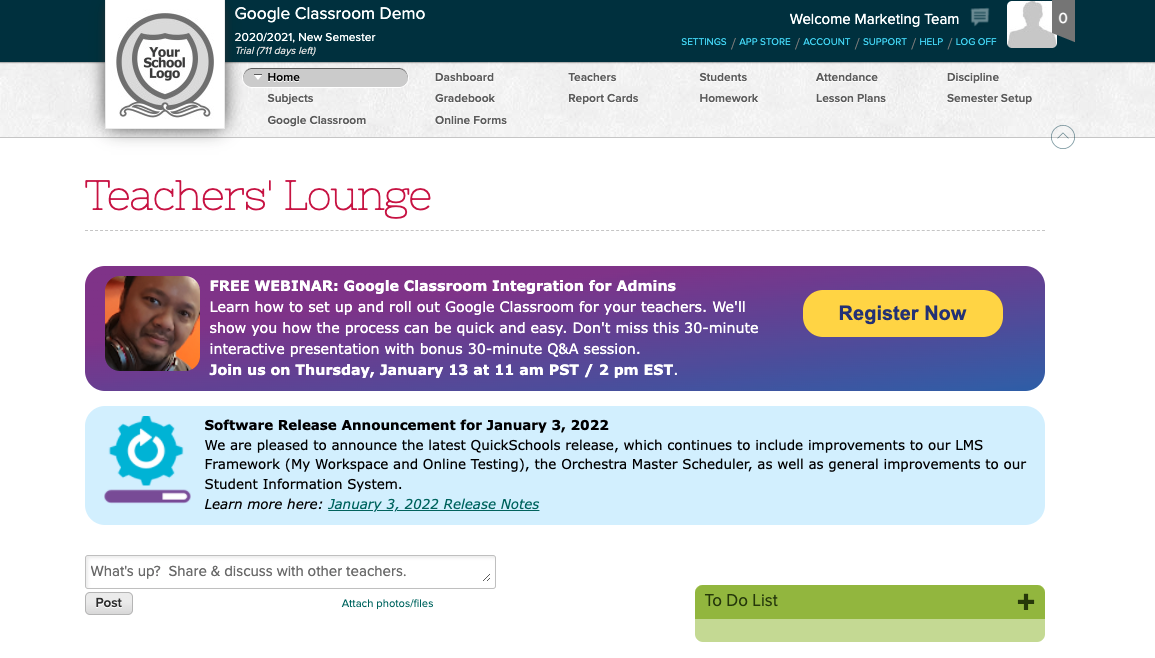
New Release – Jan 3, 2022

Welcome to 2022. And here is the first release of the year. We continue to make improvements to the Orchestra Master Scheduler, as well as the the Learn LMS module, PLUS, general improvements to our Student Information System.

Here is a list of the latest QuickSchools improvements:

Master Scheduler Improvements

  • Support for Triple Periods
  • Option to clear sections for a particular course
  • Re-add support for Teams in Weekly Schedule (Private Beta)
  • Bug fix Schedule PDF for invalid/orphaned section enrollments
  • Bug fix Step 2 Course Request report for students with “No course requests”
  • Bug fix Step 6 Finalize Sections when SIS is enabled

LMS Improvements

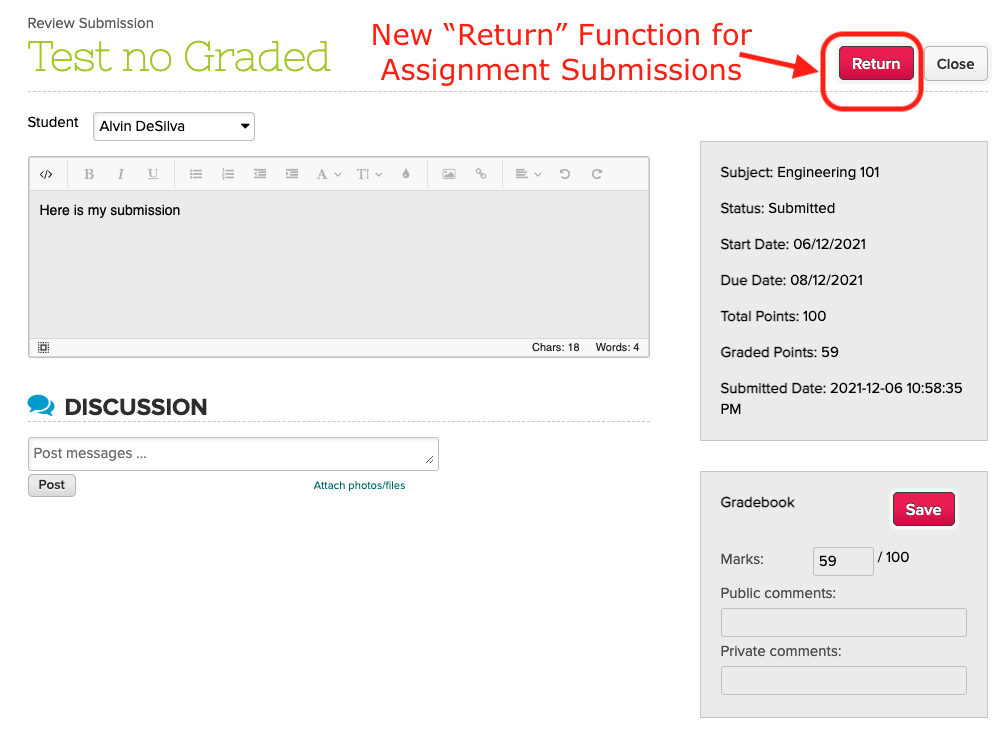
  • New option to “Return” an assignment (see above)
  • Reminder to save Assignment
  • Online Testing Framework Improvement (Alpha)

General (Functional) Improvements

  • New Semester Setup is enabled by default for new Trial Accounts
  • Ability to archive Academic Year (see below)
  • Support long descriptions for letter grade in Gradebook (see below)
  • Track history of emails sent from Gradebook (see below)
  • Show amount due for Fee Tracking in main Student Updates in Student and Parent Portals
  • New Payment Notes when making payment from Student/Parent Portals
  • Support Primary Payer in Report Creator

General Bug Fixes and System Improvements

  • Reposition the “Hide Announcements” button
  • API improvements for Mobile to support Class Discussions and Student Message Board
  • Bug accessing assignment when gradebook column is deleted while linked to a Scale Score.
  • Bug fix when enabling student name format without changing the format
  • Bug fix Error when adding subjects from the “Subject Setup” menu
  • Bug fix Subject Import by Subject ID 
  • Bug fix Summary Report accessing Student Profile Images
  • Bug fix Summary Report accessing deleted Custom Attendance Codes

Other Private Beta Improvements

  • Ability to disable comments for Class Discussions from Student and Parent Portal
  • Show Capacity when editing courses from the Student record
  • Support Mandatory Payment Notes when making payment from Student/Parent Portals
Read More »

Bringing 2021 to a close

I always found it surreal when it comes to writing end-of-year messages. Seriously, is it that time already? Where did the year go?

It’s been 2 solid years since Covid-19 was first detected. The rapid spread and deadly effect it had took the world by surprise. There was fear everywhere, many economies were devastated, livelihoods threatened (for some, vanished), mental health suffered, and worst of all, many of us experienced the loss of a family member, a close friend, or an acquaintance. It’s been absolutely unreal.

At QuickSchools, we saw first-hand how the pandemic wreaked havoc to several customers, especially those operating in places heavily reliant on travel and tourism where the economy simply tanked. Widespread income losses meant reduced enrollment and a severe loss in revenue that made running the school even more challenging. There was much uncertainty about what the future would hold and this was when we witnessed the incredible power of the human spirit, specifically from you, fellow educators.

Schools big and small all had to go online and they did so with a passion. On our end, we intensified our development on our integrations to several LMS, chiefly the Google Classroom app to make it a lot smoother. It is wonderful to see that many schools are using the integration to ensure data between the two systems are in sync.

2021 also ushered in the release of our second product dubbed Orchestra by QuickSchools. We welcome several wonderful schools to the QuickSchools family via Orchestra and we are super excited to help more customers on this awesome online master scheduler product in the years to come.

As usual, we released a ton of improvements throughout the year that we hope have made your experience on QuickSchools a little if not a lot better.

Looking further ahead, QuickSchools will continue with our mission to create useful tools for you, fellow educators! Our LMS, Learn by QuickSchools will be released by Q2 of this year and our CRM for education – Engage by QuickSchools – will follow suit later this year. Finally, we hope and pray that the pandemic will go away soon and may all of you and your families be safe from its harm until it’s truly gone and behind us.

Happy holidays and have a safe and healthy new year!

Top 5 Holiday Classroom Activities for Teachers

As the anticipation of one of the most significant holidays of the year builds, the school atmosphere is charged with a sense of joy and celebration. Educators navigating the festive season while still in the academic calendar have an excellent chance to blend the spirit of the holidays with engaging classroom activities. Let’s take a look at some fun arts and crafts classroom activities teachers may like to do with their students this holiday season.

These different activities are designed to boost creativity and knowledge, as well as be interactive and joyous. Feel free to adjust the theme to make it more suitable for your class. Let the following suggestions serve as inspiration for a week filled with festive learning:

Read More »

New Release – Dec 13, 2021

As we approach the end of the calendar year, our engineering team is focusing on general framework and infrastructure improvements, as well as miscellaneous bug fixes. We’re also continuing to make improvements to Alpha and Beta features for next year, like our Learning Management System (LMS), the Dashboard and Audit Trail.

quickschools gradebook

Here is a list of the latest QuickSchools improvements:

Master Scheduler Improvements

  • Hide Courses that are not offered in Step 4
  • Fix loading of Days and Frequency and Weekly Schedule is configured
  • Hide SIS-related fields when SIS is disabled

LMS Framework Improvements (Alpha)

  • My Workspace Chat
  • Online Testing

General (Functional) Improvements

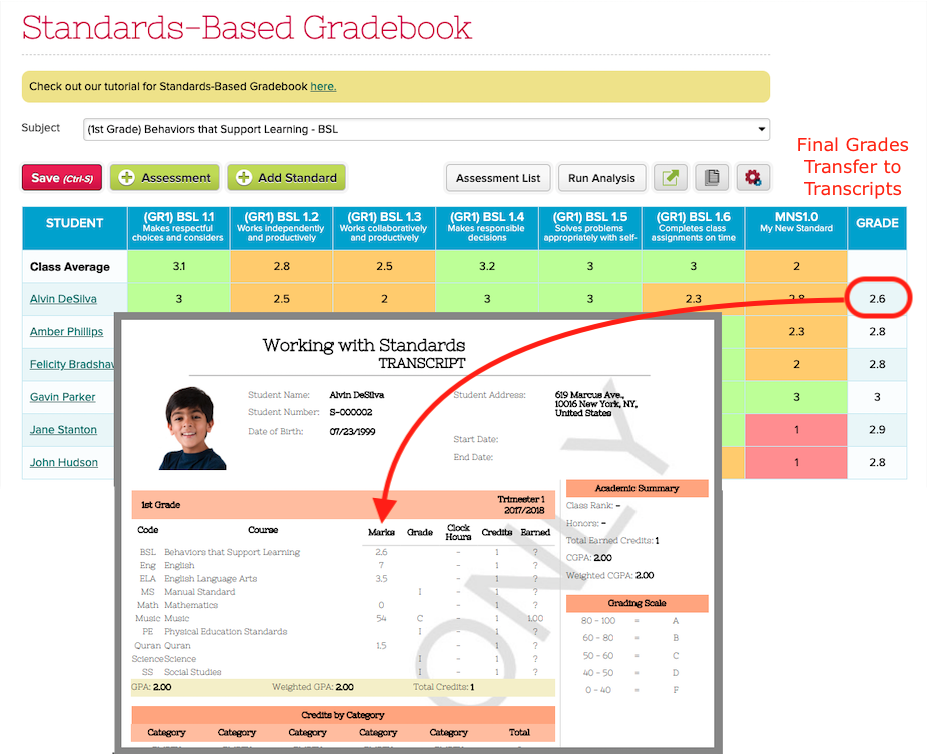
  • Integrate Final Grade from the Standards-Based Gradebook (SBG) to Transcripts
  • Ability to bulk sync Gradebook with Report Cards prior to locking (see below)
  • Improve support for Scale Score in Gradebook Templates (see below)
  • New Date Filter when Bulk Print Gradebook PDF (see below)
  • New Search for Teacher Documents
  • Show latest submission when reviewing/grading Assignments
  • Label for Sign-In / Sign-Out App
  • Support Capacity in Subject Importer
  • Remove white space from Student Number when calling Student API Resource
  • Support sync grades from Odysseyware / Ignitia based on Academic Semester Start/End Dates
  • Automatically update student full name when format is changed 
  • Reduce logo size in footer

General Bug Fixes and System Improvements

  • Fix Attendance Taken for Homeroom when Alternate Homeroom Teacher is enabled
  • Fix limit on student list in Montessori App
  • Properly delete subject enrollments where student is permanently deleted
  • Improvements to EMail Messaging via MailGun
  • Improve security for generated PDFs
  • Add Support for Start Date for Announcements

Other Private Beta Improvements

  • Improve KPI widget for Dashboard
  • Hide Attendance from Restricted Dates
  • Self-Enrollment Improvements
    • Improve how limits are handled
    • Option to Hide Self-Enrollment limits in instructions
  • Limit Enrollment by Capacity from Students listing
  • New importer for student usernames and passwords

Bulk Sync Gradebook with Report Cards

If you need to run reports on Report Cards prior to locking/publishing, and you have a hard time getting all your teachers to Submit Grades from Gradebook, we have a new feature that allows admins to pull the grades from all Gradebooks into the Report Cards. Check out the new “Sync Grades” button, available when you “Manage” Report Cards:

Read More »