Ever thought of using social media as an educational tool in your classroom? Maybe now is the time. It is a great tool that can enrich the learning experience and improve communication. Form a deeper connection between your school and students. For instance, students can be updated with events and happenings through the school’s social media profile. We look into ways how using social media in the classroom can be helpful in the classroom.
Summer is here, and we’re counting down the days to host our first summer webinar. Sign up and you’ll get an exclusive look into our Orchestra Master Scheduler!
Discussion highlights include:
A brief overview of the philosophy guiding design decisions for the Orchestra Master Scheduler (OMS)
Latest improvements which include reject analysis, allowing conflicts, and color-coding
Product roadmap
This webinar is suitable for school administrators as well as principals. In addition, we welcome current OMS users and those looking for a scheduling system to help them simplify their work.
As per usual, our webinar is interactive. The 30-minute presentation session includes a live demo. You’ll also get to post questions and answer polls. We’ll follow up with a 30-minute Q&A session. Here’s your chance to engage in a more detailed discussion with our panelists. We’d love to answer your questions and hear any suggestions/feedback from you.
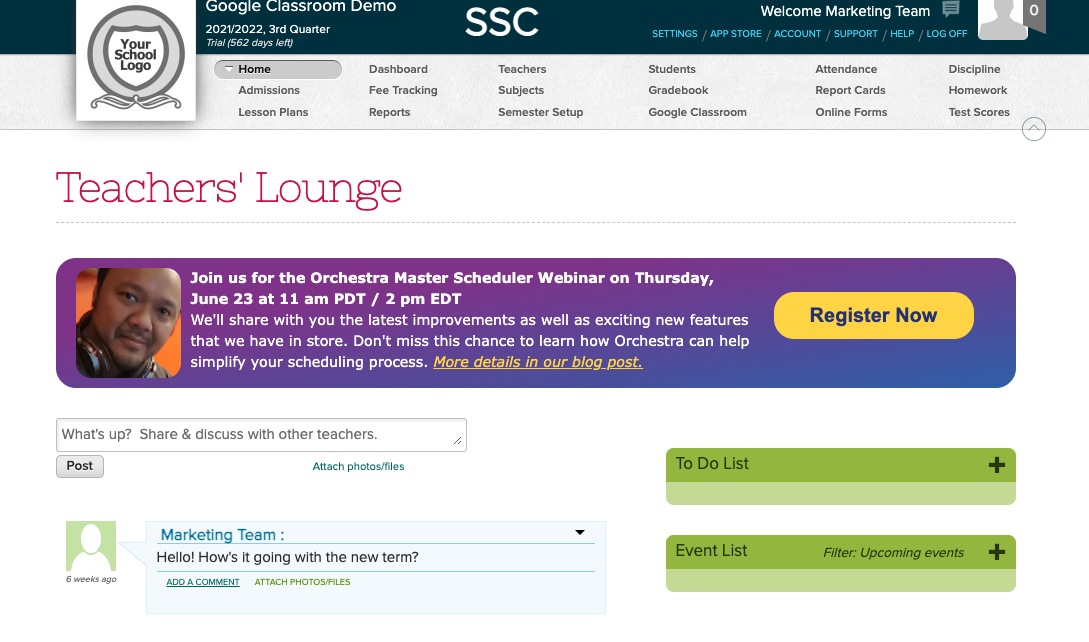
The Orchestra Master Schedulerwebinar will be held on Thursday, June 23 at 11 AM (PDT) / 2 PM (EDT). For current QuickSchools and Orchestra customers, you can register by logging on to your QuickSchools account. The registration link is available on the Teachers’ Lounge page. If you’re not currently our customer, please send an email to eruani@quickschools.com to let us know of your interest in attending our webinar.
Looking forward to hosting you!
Current QuickSchools and Orchestra customers can register by logging on to QuickSchools and clicking on the “Register Now” button on the Teachers’ Lounge page.
Social media has been around for some time. It allows users to post or react to content posted online. Many, if not most, students have access to a variety of different platforms. Some popular social media networks are Twitter, Instagram, SnapChat, Facebook, Instagram, Pinterest, and recently TikTok. More new platforms are emerging as we speak.
It is without a doubt that social media is great for news and entertainment. However, like all other things, has its pros and cons. Today we will be discussing the impacts of social media in the classroom, both the good and the bad.
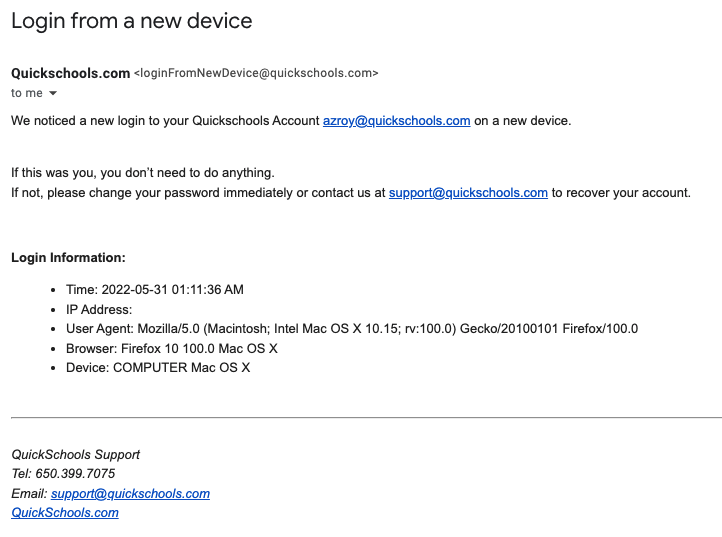
You may have received an email notification recently from QuickSchools letting you know about a new login to your account. This is a new security-related feature that was released recently. Basically, any time someone logs into your account either via a new IP address, or a new device, QuickSchools will send you an email notification.
Notification on “Login from New Device”
Recent Security Improvements
There are several other security-related features included in our recent release. In addition to new login, QuickSchools will also send out an email notification if you (1) change/reset your password, or (2) add/remove users to the School Admin role. Finally, with this new release, if you do change your password, anybody currently logged into your account will automatically be logged out.
If you notice any strange activity in your account, please change your password immediately. You should also contact your school’s administrative team, or contact QuickSchools support for assistance. We can help track down what might have happened to your account.
Security-Related Summary Reports
As a school administrator, you have access to Summary Reports that show user and login history. In particular, the “Portal Login History” Summary Report shows the history of all logins for any user in your school:
Today’s release contains several security-related improvements PLUS a mix of improvements to a variety of modules that include Orchestra Master Scheduler, Admissions, Standard-Based Gradebook, Fee Tracking, and the Report Creator, just to name a few.
Improved Security with New Email Notifications
Here is a list of the latest QuickSchools improvements:
Master Scheduler Improvements
Improve new “Scheduling Algorithm” in Step 4
Refresh list of Subject Areas when new subject area is added
Report Creator support for Day and Time in Bell Schedule
Security Improvements
Notification Email when logging in from New Device
Notification Email when School Admin user is added/removed
Notification Email when password is changed
Clear active sessions when password is changed
General (Functional) Improvements
Ability to relabel period names for Subject-Based and Period-Based Attendance (See below)
Ability to unselect radio button when taking attendance
Ability to schedule tasks for every other week (i.e. Bi-Weekly)
Reformat Student Name when converting Inquiry to Application (in the Admissions module), based on configured Student Name format
Report Creator support for (1) subject Custom Fields and (2) Online Payments
API Support for OAuth2
General Bug Fixes
Fix Subject line when using Email Template from the Admissions module
Fix Family Name tag when using Email Template from the Admissions module
Beta Improvements / Fixes
Bulk Charge Credit Card using Standard Charges (See Below)
Improve Search Student specifically by Student Name, Grade Level or Tag
Ability to hide “View Complete Record” from Student Portal
Ability to restrict deletion of Fee Tracking transactions to specific users/roles
Ability to disable “Add Standard” for teachers in the Standards-Based Gradebook
Ability to disable “Override Gradebook Settings” for teachers in the Standards-Based Gradebook
Ability to hide “Call Number” when creating new books in the Library App
Show Subject Abbreviation is Student Self-Enrollment History screen
REST API support for OneRoster v1.1
Improve framework for Integration via File Transfer (SFTP)
Relabel Attendance Periods
You can now relabel the period names for Period-based and Subject-based Attendance. Just click on the new “Customize Period Names” button under “Attendance” > “Settings”:
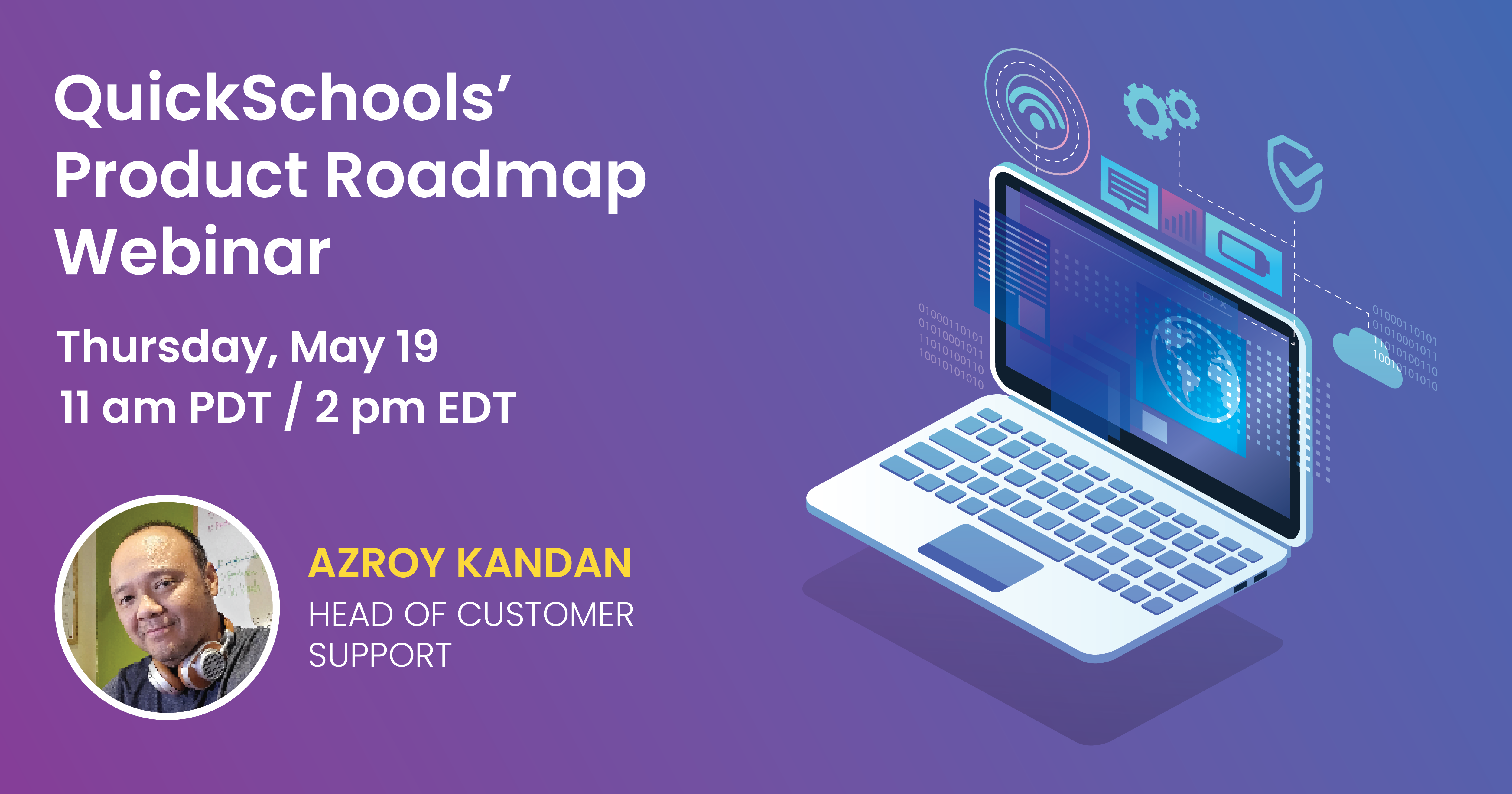
We’d like to thank all those who attended our Product Roadmap webinar on May 19. We hope that you gained a lot of useful information and enjoyed your time with us.
As usual, we sent a follow-up email along with a feedback survey to all participants. We’d appreciate it if you could complete and submit the survey back to us. We’d also appreciate any suggestions to help us improve future webinars.
If you’re interested in trying out some of the Beta features presented during the webinar, or have further questions, feel free to reach out to us via our Live Chat Support or email us directly at support@quickschools.com. Our Help Center also contains various how-to guides and answers to FAQs.
Last but not least, we hope that you’ll join us in our next webinar–QuickSchools’ Master Scheduler – scheduled on June 23. Registration will be opening soon!
We want you to have the best user experience with our software. That’s why we’re continuously improving it. We’ve come a long way, and have made many innovations to date. In case you missed it, here’s a list of major features released just for the past 2 years (from 2021 to May 2022).
Also, our developers are busy bees because our philosophy is to release improvements every 2 to 3 weeks. Here’s a catalogue of our Release Notes for 2022.
If you’re interested in learning more about future improvements for the rest of 2022, join us in our upcoming QuickSchools’ Product Roadmap webinar.
This webinar is the perfect chance for you to see a live demo, ask questions, and provide us with feedback or suggestions. Log on to your QuickSchools account and sign up from the Teachers’ Lounge page.
Learn about future improvements and help us shape QuickSchools for you!
Previously, we talked about digital literacy and how it is important for your students in the online world. We mentioned how important it is to introduce digital literacy programs in early childhood education. This will prepare children with the skills they require to engage in technology responsibly. On top of that, introducing them to digital literacy programs will also equip them with the right knowledge to prosper in this ever-evolving digital world. Today we will be discussing ways to make your school more digitally literate.