Coming Soon: Districts / Group Schools

Some time back, we talked about new district/group features that were coming out of QuickSchools R&D. These features are specifically around linking multiple schools together. This is not only helpful for districts, but also for franchise schools that have multiple sites. We’re tentatively calling this the “Enterprise Edition”. Just to elaborate on the new capabilities afforded by this new improvement, we wanted to share some screenshots.

Manage Teacher Access Across Multiple Sites

Once schools are linked together via the Enterprise Edition, you can control access for each teacher across multiple sites:
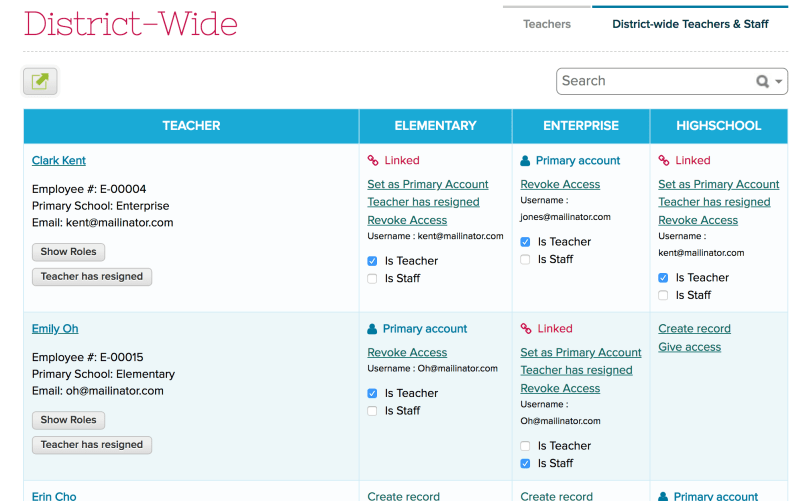
Screen Shot 2018-04-02 at 3.03.34 AM

Once access is given, teachers will be able to “Switch Schools” between sites that they have access to:

Screen Shot 2018-04-02 at 3.02.22 AM

The “Switch School” capability is also available to students and parents if configured.

Manage Students across Multiple Sites

It’s now possible to view all students within the group, and allow sites to transfer students between schools:Read More »

Announcing the New Support Site!

For many years, this blog has functioned as our living and breathing support documentation site- with each new feature we roll out, we’ve always done a blog post with a quick tutorial on how to configure things and get started. However, because of our constant development and improvements, at times valuable information gets buried in the stacks. Not ideal.

To help solve this, we built a new solution  – a comprehensive, consolidated site designed to do one thing only: make it easy to find and access information about everything QuickSchools & Apps.

So, without further ado,  we’re unveiling the new Support Site….

support.quickschools.com

Go check it out! In addition, you can find a link to it located in your account:

Support Site

Now, here are some tips on using this new platform …

Read More »

2015 Year in Review

2015 has come to a close, and what a memorable year it has been. We appreciate all the feedback and support that you’ve provided us this past year, to help us evolve QuickSchools into what it has become today. And we’ll continue to make improvements with your help.

Here are some highlights on a few improvements made this year:

Students Module

Mass Parent Messaging

Private Messaging

Gradebook

Read More »

BETA: Yearlong Attendance in Student Record

If you would like to have the Attendance tab in the student record show attendance data for the entire school year, this is now possible (in beta only) thanks to several requests we’ve received. You’ll need to contact us to set it up (you can just chat in or email us at support@quickschools.com), and we’ll be more than happy to enable this new capability.

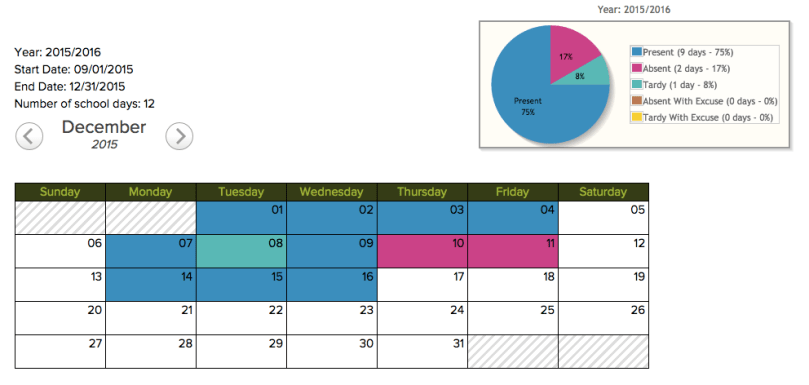
Here’s a preview of what the attendance tab will look like using some dummy data:

Screen Shot 2015-12-16 at 9.57.46 AM.png

Locked Search

We’ve just released a new feature in QuickSchools that will allow you to save your search parameters as you move between screens. This would be helpful as you’re reviewing the a specific student record, and then moving to other modules like Discipline. Here’s how it works:

QuickSchools Locked Search

Simply click on the red Lock icon to turn on the feature. And whatever you type into the search box will be saved moving forward. You can unlock by clicking on the red Lock icon again.

We’re still adding the capability to our many screens. Right now, it’s only available on a few modules. But if you find this feature useful, and you’d like it enabled on specific screens/modules, do let us know. We’re looking to prioritize these.

Happy Searching!

New Merits App

QuickSchools has finally released a new Merits App available on our App Store:

New Merit App on App Store

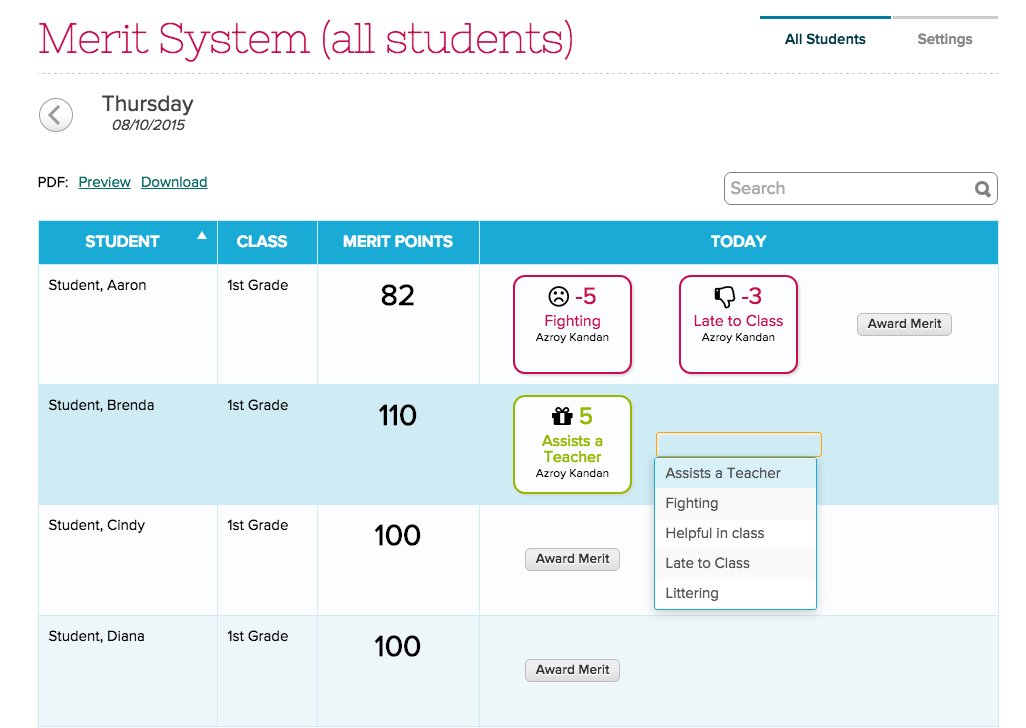
With this app, you can allow teachers to very easily award/assign Merit Items with preset points (both Positive and Negative):

Teachers can assign Merits to students

As an administrator, you can configure the following:

  • list of Merit Items and their corresponding positive/negative points
  • total number of merit items that can be awarded/assigned to a student on any given day
  • total number of merit points that can be applied to a student on any given day
  • initial number of points (starting points) for students at the beginning of the term
  • point floor (i.e. Merit Points can never go below the point floor for each student)
Read More »

Caller ID for Voice Messaging

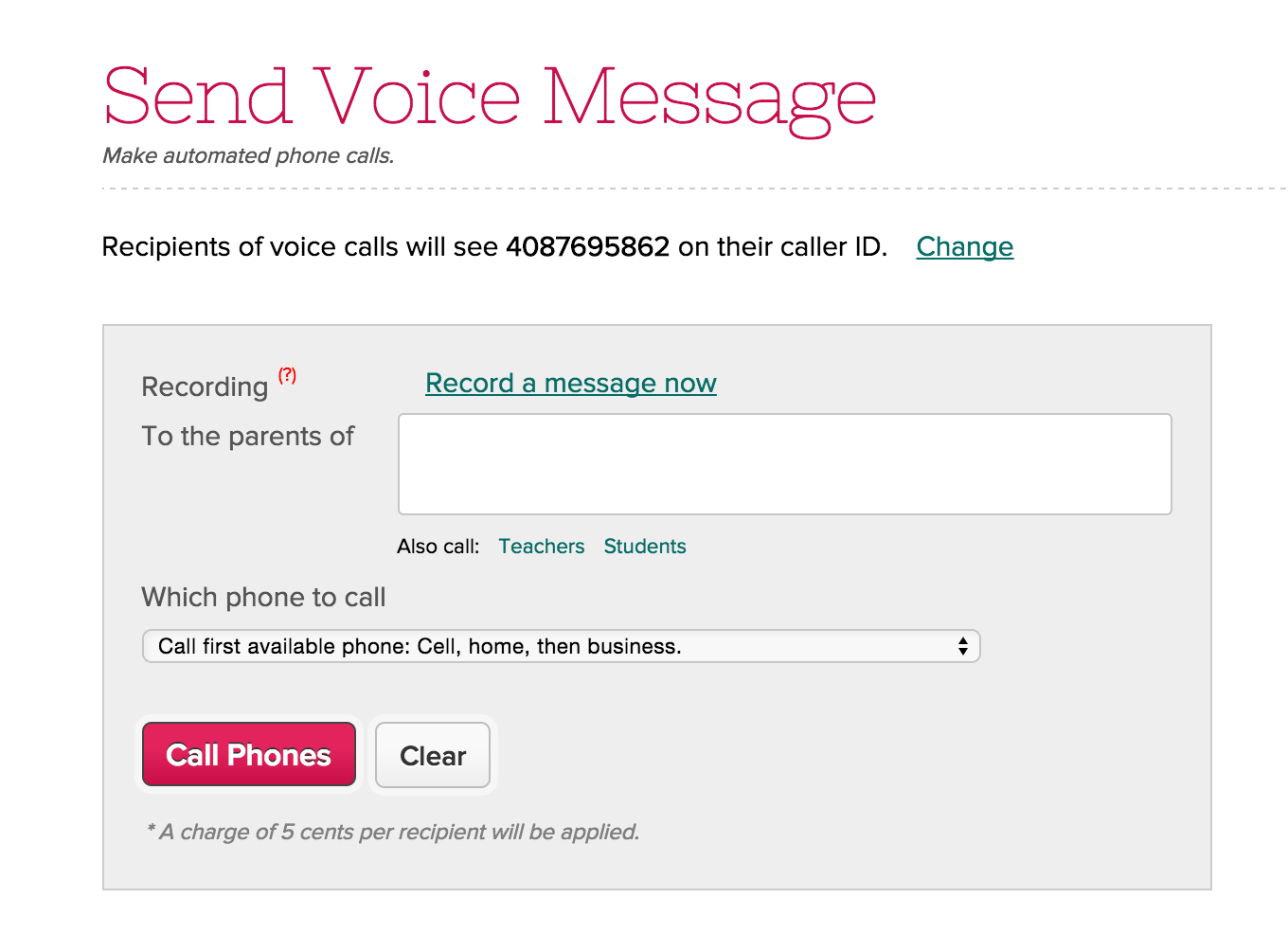
We have a new feature in Mass Parent Messaging (still in beta as of Aug 31, 2015), where you can now specify your own phone number for caller ID when sending out voice messaging. This process does require that you verify your phone number, but once verified, all calls that you make will have your specified phone number, and when parents call back, they will reach you directly. Here’s how you set it up:

Go to “Parent Messaging” > “Voice Message”, and click on the “Change” link if you’d like to change the caller ID from what has been currently set:

Set Caller ID for Voice Messaging

Then on the pop-up dialog box, specify the number you’d like to use:Read More »

Lesson Plans by Month & Copy Lessons from Archive (Private Beta)

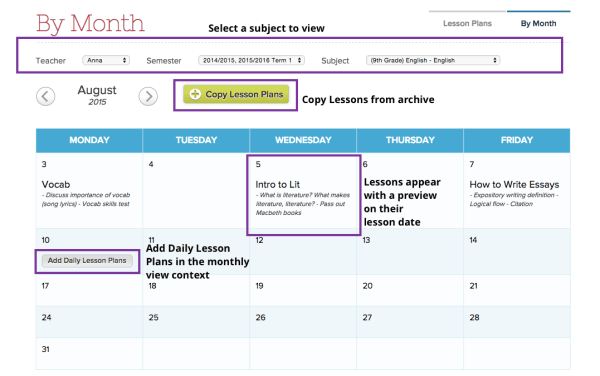
We’ve been building out from our Lesson Plans by Subject and Lesson Plan Dates updates and have some cool new views to share. These work with the Lesson Plans by Subject feature and allow teachers to view a long-term calendar of lessons as well as copy them forward from the school archive of past terms’ lessons. Here’s a quick look at the setup.

The Lesson Plans by Month view works a lot like the the Lesson Plans by Subject view, and even the Gradebook. Simply select a subject that you’re teaching and the lesson plans you have setup for the current term view will appear on their lesson date. Also, you can mouse over a day, click the “Add Daily Lesson” button to add a new lesson for that day.

by Month

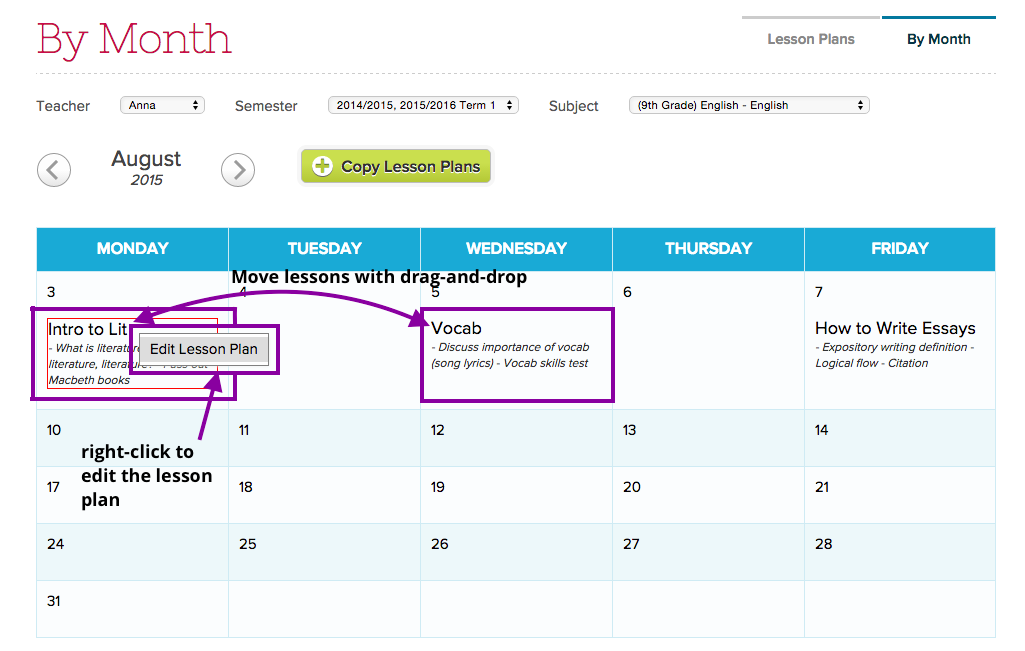
You can drag and drop the lesson around to a different day, and right click to edit the lesson:

Edit Lesson

In addition, one of the coolest features of the by Month view is that “Copy Lessons” button at the top. It directs you to a wizard that helps you migrate past terms’ lessons forward so as to view and update lessons for a new term. From the wizard, you can select which term and subject you’d like copy forward from the archive.Read More »