New Self-Paced Gradebook

We’ve introduced a new way for entering grades into your Gradebook on QuickSchools. This new style of data entry is by student instead of by subject, and should prove useful for schools that provide self-paced learning for students that are on a similar curriculum. It should also help one-on-one tutoring programs where multiple students undergo the same lessons, but at different times. We’re calling it the new Self-Paced Gradebook.

Here’s what the new screen looks like:

Self-Paced Gradebook

You can now maintain a single Gradebook for all your students undergoing the same curriculum in the same subject/course. After completing a lesson with a student, instead of selecting the subject you teach, you can now instead select the student, and update the grades accordingly. You can also maintain a different set of gradebook dates that is specific to the student. Everything else works pretty much the same.

To turn on the Self-Paced Gradebook, you’ll need to access the “Features” page and click on “Configure” next to the “Report Cards / Gradebook” Module. The Configuration pop-up now has an option to enable the Self-Paced Gradebook:

Read More »
Parents Making Payments Online

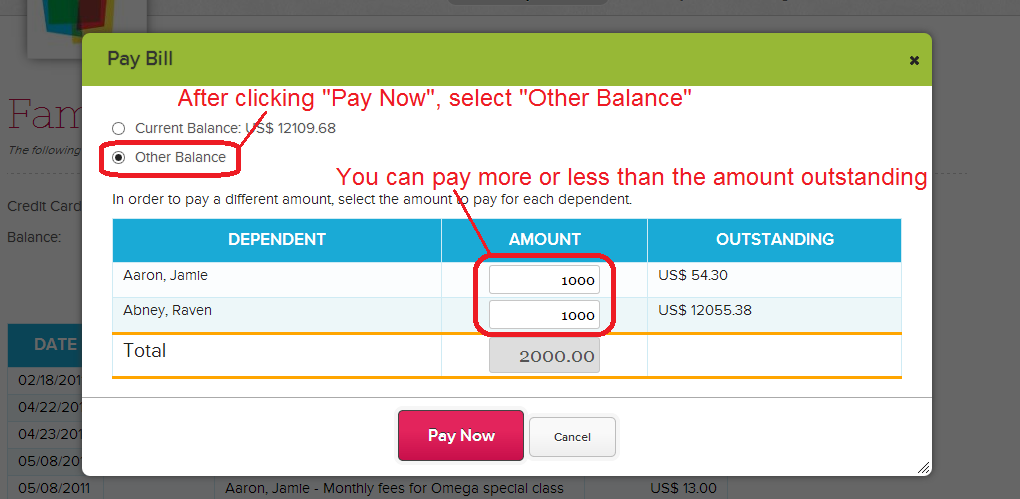
Late last year, we introduced the ability for Parents to Pay Online via Stripe (along with Family Billing). Just to re-iterate, schools are free to charge any amount to parents/students via the Fee Tracking module. But also, parents can pay any amount via their QuickSchools portal:

Parents Paying Online

So for schools that want to charge for the year, you can enter a yearly fee, and have parents pay monthly. The system will always show the amount outstanding. Alternatively, for schools that want to work on a prepay system, parents can pay any amount upfront, and then the school can charge monthly based on usage.

If you have any questions about the Online Payments module that we offer, please leave a comment, or come chat with us online. We look forward to any feedback you may have for us.

QuickSchools for Home Schools

If you’re a home school and you’d like to produce high quality report cards and transcripts for your students to take to college, then QuickSchools is for you. For as little as $50 a month on the Apollo Plan, you can manage all the data that a more established school tracks, which they probably paid tens of thousands of dollars to use.

Here’s a summary of benefits for Home Schools using QuickSchools:

  • Customized Report Cards and Transcripts: Our Report Cards and Transcripts are REALLY easy to use. There’s a multitude of templates to choose from, each with its own set of configuration elements.
  • Keep track of other important data: You can create custom fields, and track other information like attendance and discipline. If you have State Reports to produce, we can help you with that as well.
  • Full access to our fantastic online Chat Support: Our online Chat Support is available nights and weekends, to help you set up your account, and your report cards.
  • Minimum charge is less than fifty bucks a month!

If you haven’t tried us out already, sign up for a free trial today, and come chat with us for advice. We’d love to hear from you.

QuickSchools Training Packs

Good news for schools looking for an easy way to get administrators and staff quickly ramped up with QuickSchools. We’re now offering training packs which will include two separate 1-hour training sessions. The first session is for school administrators, while the second training is for teachers and staff.

How it works

The training will be conducted via an online meeting / webinar (We typically use GoToMeeting, Fuze, or Join.me). If you’re interested in the training pack, contact us to arrange times for your admin training and your teacher training (they don’t have to be at the same time, or on the same day). We’ll send you a link for the webinar, and the training will be done online.

We recommend having a projector ready for training sessions with a lot of participants. It helps if each participant has a laptop, so they can walk through the various parts of the software, as we’re explaining the features and modules.

Once the training sessions are completed, you will see a bill for the training pack on your Account page. If you’re on a credit card subscription, you will be charged automatically in your next billing cycle.

Read More »

FundRabbit – Donor Management

With the recent release of our new QuickSchools App Store, we’ve also released the long awaited Fundraising and Donor Management app called FundRabbit. Here are some of the things you can do with the initial release of FundRabbit:

  • Create and Track Fundraising Projects
  • Create and Track Donors
  • Create and Track Donations Pledged / Received
  • Create Reminders to stay in touch with Donors.

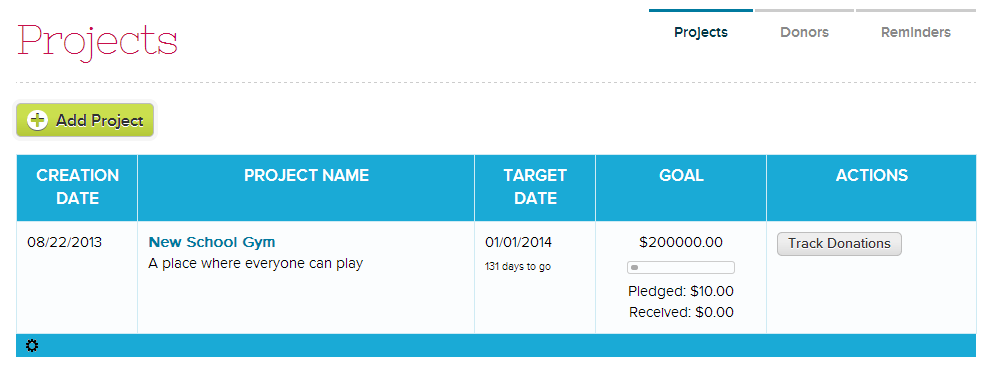
The FundRabbit app should be fairly straight forward to navigate. And as always, we welcome feedback for improvement. Here are some screenshots of the initial release:

Manage Fundraising Projects on FundRabbit

For each Project, you can set a target date and a fundraising goal in terms of a dollar amount. You can keep track of all donors for each project as well.Read More »

New QuickSchools AppStore

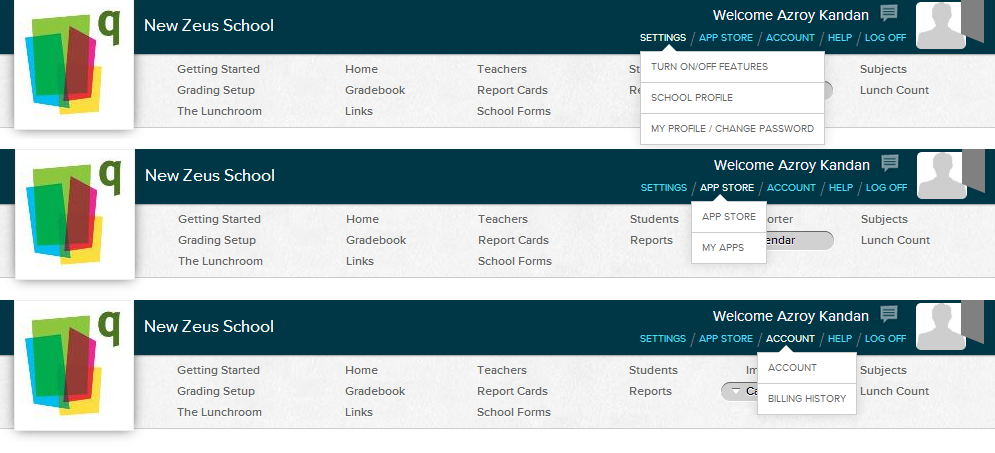
The new QuickSchools AppStore is now available to school administrators. Your top menu should now look like the following:

New Consolidated Menu for App Store

Notice that we’ve combined some of the menus into a pop-up style interface:

  • The old “School Settings”, “Features” and “My Profile” links now reside under the main “Settings” link.
  • There is a new “App Store” link for sub-menus for “App Store” and “My Apps”.
  •  Finally, the “Account” link now has sub-menus for both “Account” and “Billing History”.

App Store

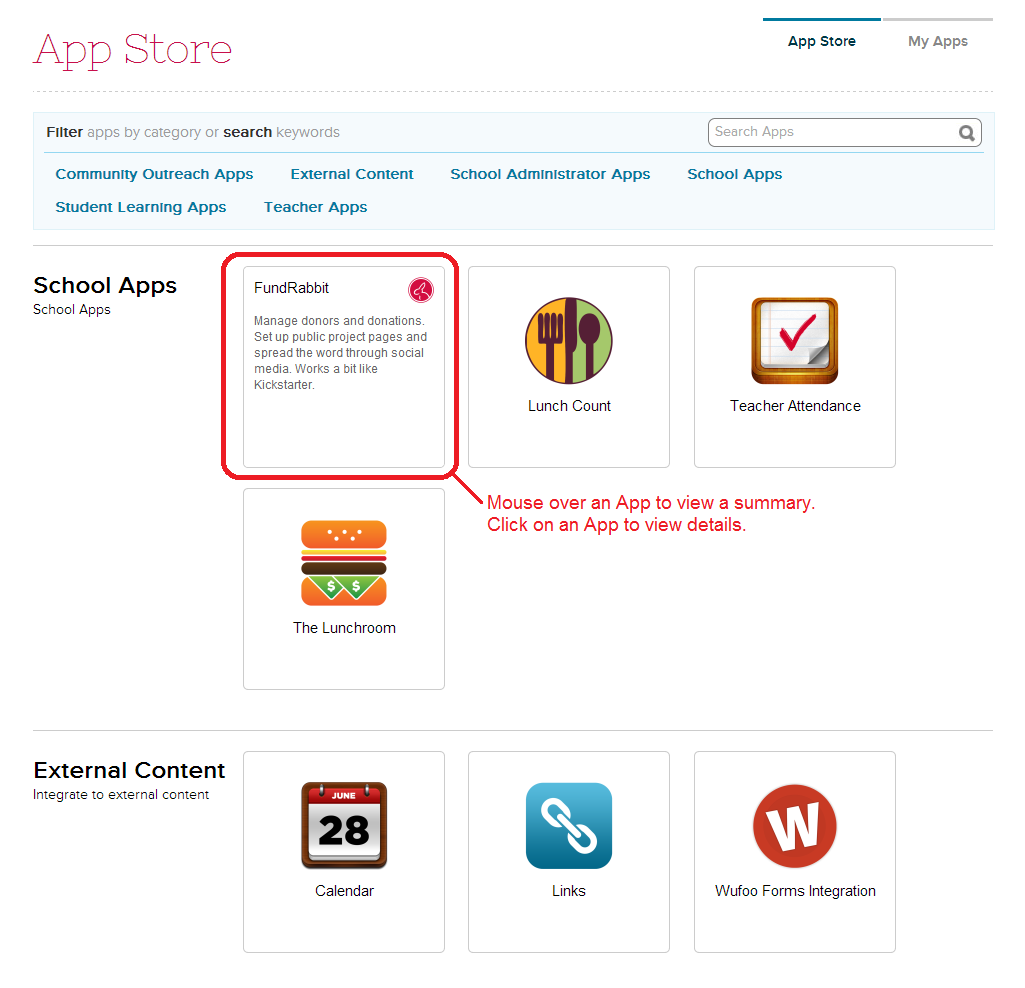
The App Store menu now shows a list of apps available for installation onto your account:

List of Apps
List of Apps

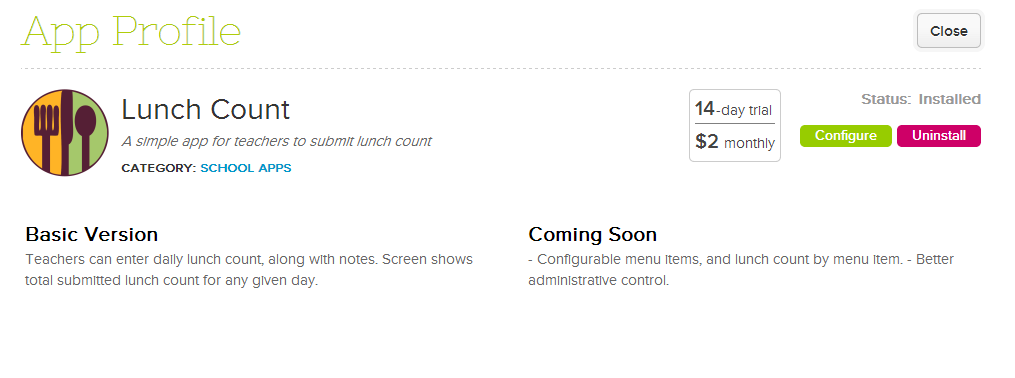
When you move your mouse over an App icon, a summary about the App will appear. You can then click on the icon to view the App Profile:

Read More »

Custom Fields for Lesson Plans

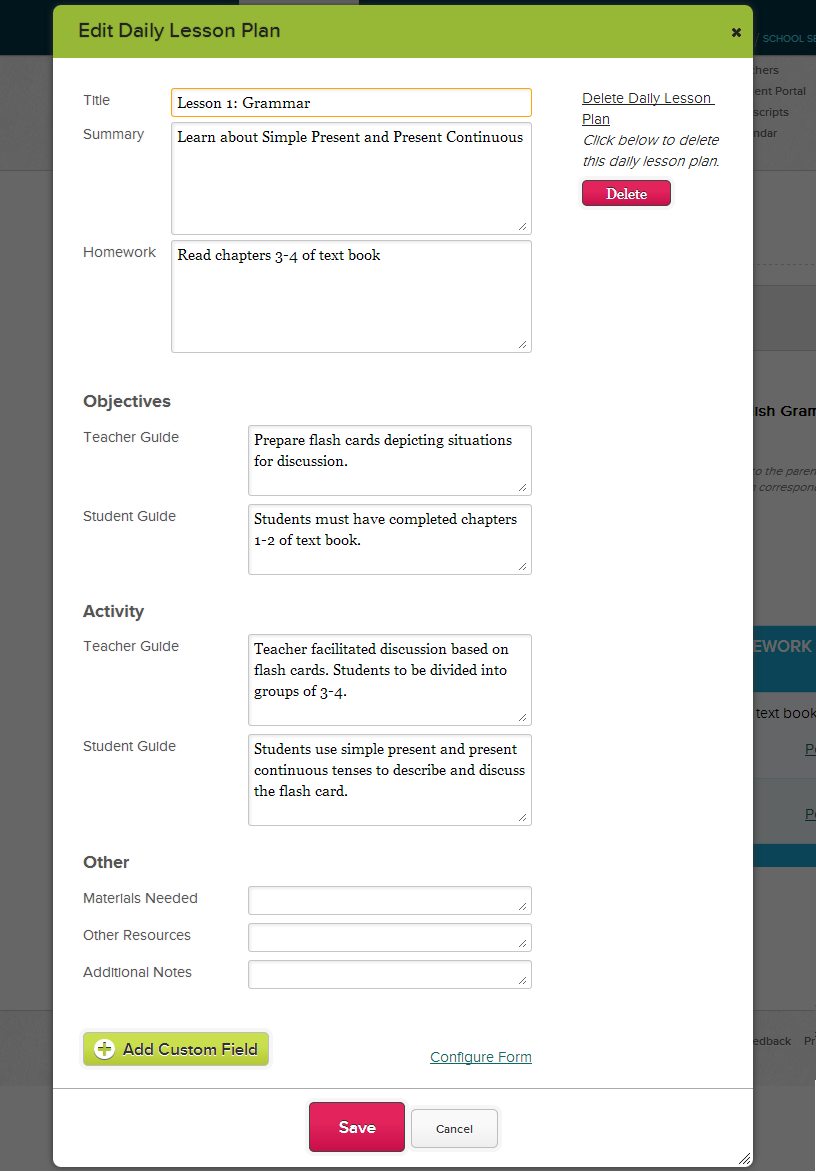
You guessed it! Just like the title says, our QuickSchools Lesson Plans module now supports custom fields. When creating a Custom Field, it is currently school-wide. Here’s an example of what your Daily Lesson Plan can look like:

Custom Fields for Lesson Plans

You can read more about out Custom Fields framework here:

https://www.quickschools.com/blog/2013/05/02/new-module-based-custom-fields/

Just a quick reminder, you can only select a subject for the Lesson Plans, if you have the Homework module turned on. So with the Homework module turned on, once you’ve linked the Lesson Plans to a subject, you can then post homework assignments to that subject from the Lesson Plans:Read More »