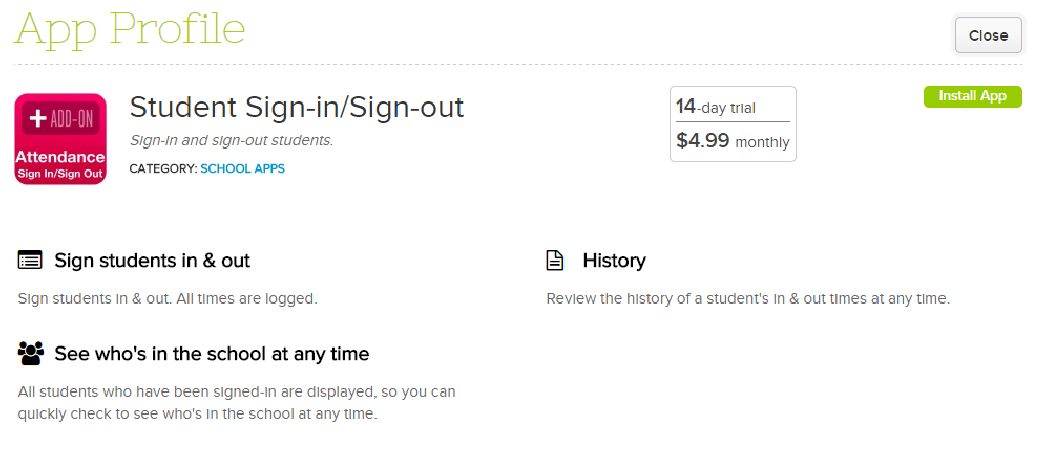
There is another app in our App Store. For schools that prefer a sign-in / sign-out sheet to take attendance; or for those who need a Sign-In/Sign-Out Sheet app for daycare or an after school program, we now have it in our QuickSchools app store:
Sign-In / Sign-Out App on QuickSchools
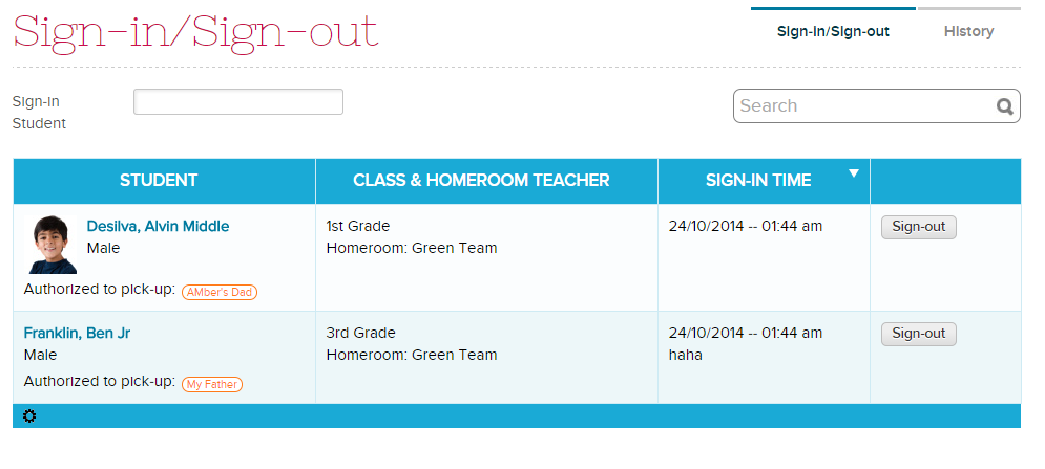
The app works pretty simply. You can enable the Sign-In Sheet for specific teachers. Then, use the student selector to sign students in, When a student leaves, click on the “Sign-Out” button to remove the student from the list:
Sign-In / Sign-Out Sheet
When you sign a student in, you can add remarks. You can also enable a “Signature” field for parents to fill in their names. The app will track the time and user (in this case the teacher) when a student is signed in and out:
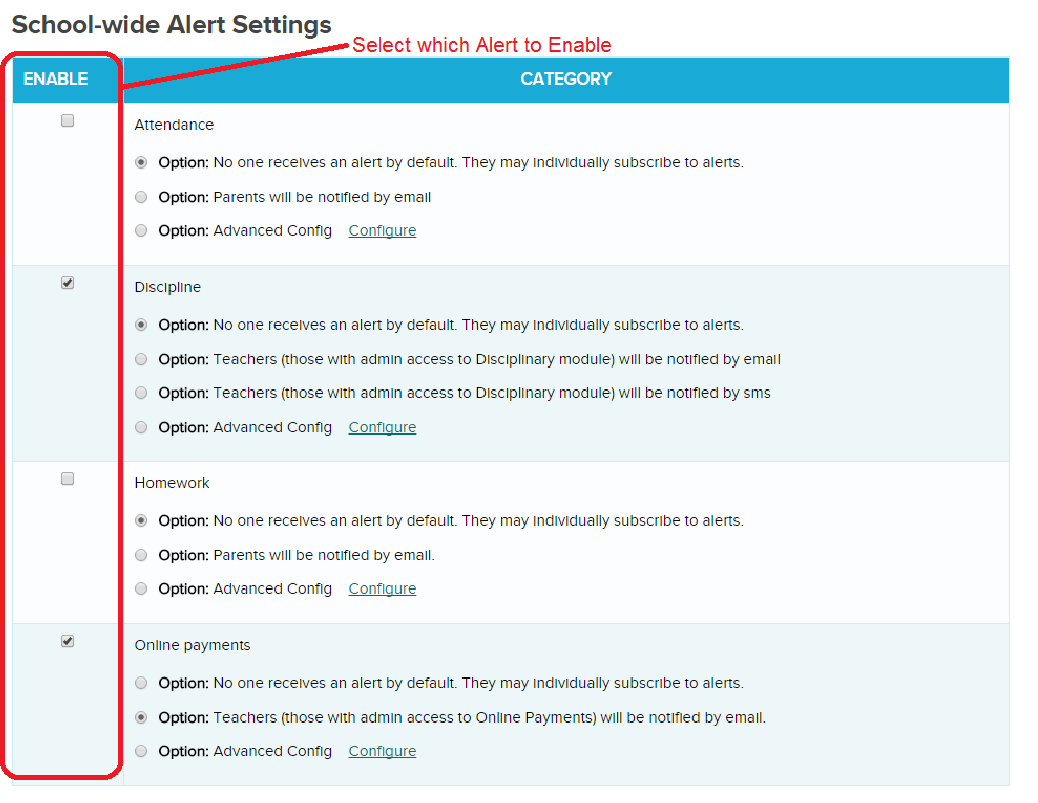
Some good news! QuickSchools has released an early beta version of our Alert Notifications module. We currently support only the following events, but once an alert is enabled, users can decide how to receive alerts. Current list of events:
Attendance: Parents can receive notifications when attendance is taken for their students.
Discipline: Administrators can receive notification when a new disciplinary incident is created.
Homework: Parents can be notified when homework is assigned.
Online Payments: Administrators can be notified when an Online Payment is received.
The following section appears at the bottom of the “Settings” > “School Profile” page if you have Alerts enabled on your account:
Enable Alerts for your users in QuickSchools (Private Beta)
Once an Alert is enabled, users can override any school-wide default preferences, and set their own personal preferences on how to receive notifications. The Preferences are located at the bottom of the “Settings” > “My Profile / Change Password” screen as follows:Read More »
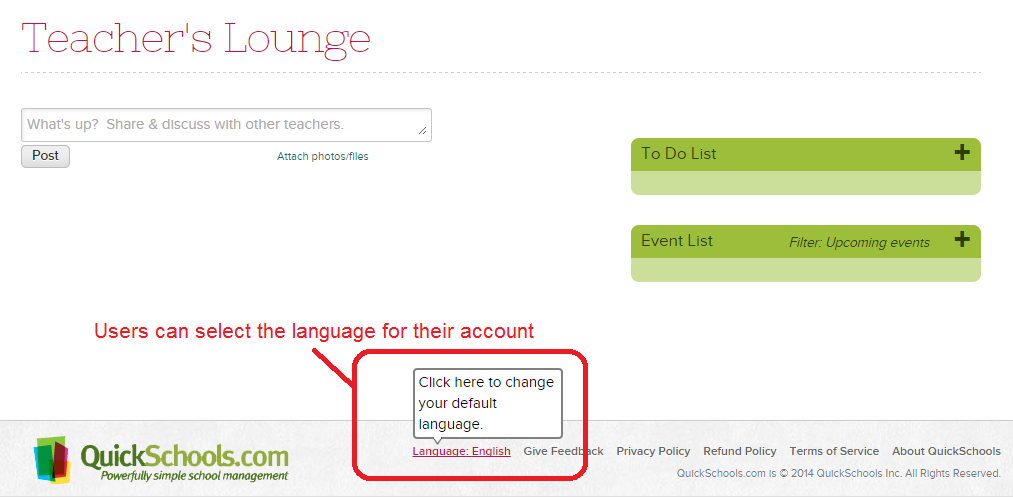
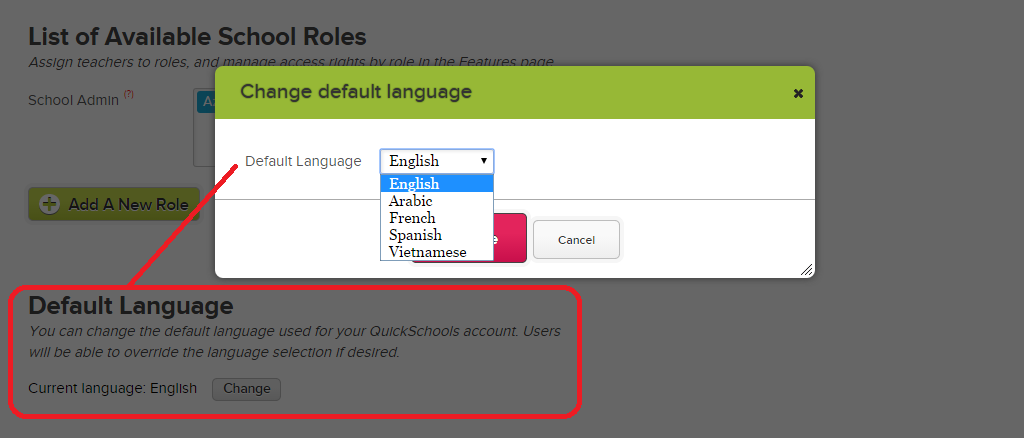
Each school can also set the default language for all users in their account. This screen is available to school administrators on the “Settings” > “School Profile” page:
Change the Default Language for your Account
If you’d like us to support a new language that is not listed, do let us know. We use a service called gengo.com to quickly introduce a new language (when there’s enough demand). Once translations come back, we can actually tweak them to account for context.Read More »
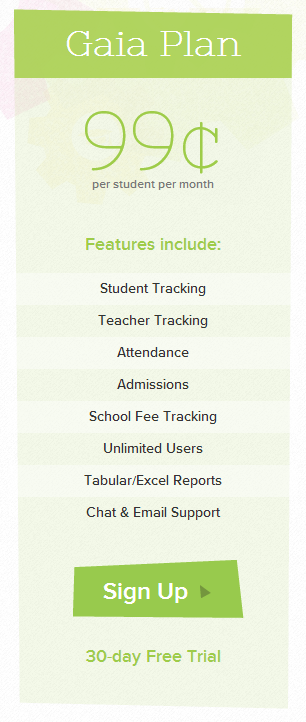
For preschools in particular, the Gaia Plan is quite useful, as it provides an entry-level set of features which incorporates all the benefits mentioned above. And with our new QuickSchools App Store, you can also pick-and-choose specific apps that suit your school.
QuickSchools Gaia Plan
Here are some benefits to starting with the Gaia Plan:Read More »
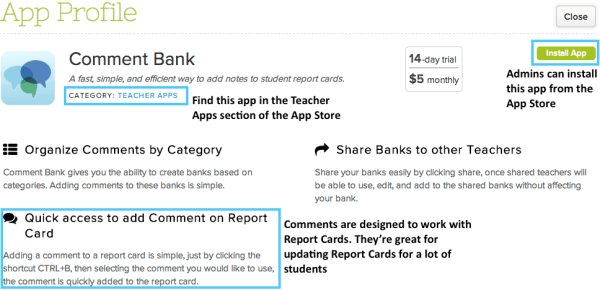
Have you seen the new Comments Bank app? It let’s schools create a system of comments for adding to Report Cards, which makes it a great tool for schools with a lot of students. If it sounds like it might be useful to you, read on! We’ll be taking a quick look at the app and how to use it.
Admins can install the app from the App Store. Head to the Teacher Apps section to find it.
School is OUT! And what that means is, you can expect many new improvements in QuickSchools before the new 2014-2015 school year starts in the fall. Be sure to let us know what features you’d like to see in future releases.
Many of you have requested the ability to note down when a payment is due for specific fees. And so we’ve built in a new to do just that. But in order to track whether a fee deadline has been met, we’ve also built-in the ability to allocate payments to fees (this is typical for accounting programs).
To turn on the feature, just go to the “Settings” > “Turn Features On/Off” and click on the “Configure” link next to the “Fee Tracking” module:
Turn on Fee Deadline and Payment Allocation
Just make sure to check off “Turn on fee deadlines & payment allocations”, and you’re all set.
IMPORTANT: It’s important to note that once you turn on this feature all payments will need to be allocated to a fee/charge (otherwise the system will warn you of unallocated payments). So for those who have been using the Fee Tracking module for a while, it can be difficult to transition to this new method. Please contact our support team for more info.
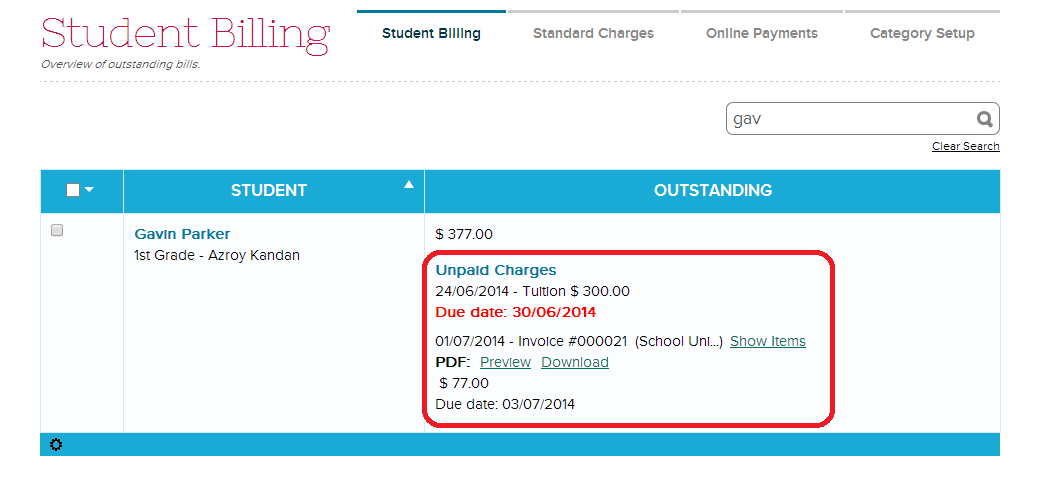
Once the method is enabled, your “Fee Tracking” > “Student Billing” List will display all Unpaid Charges:
Student Billing / Unpaid Charges
When you click on a record, every payment will have an “Allocate” link, which will allow you to allocate payments to previous fees/charges. The “Allocate” link will always be displayed, even if the payment has already been allocated, in the event you’d like to re-allocate the payment differently:
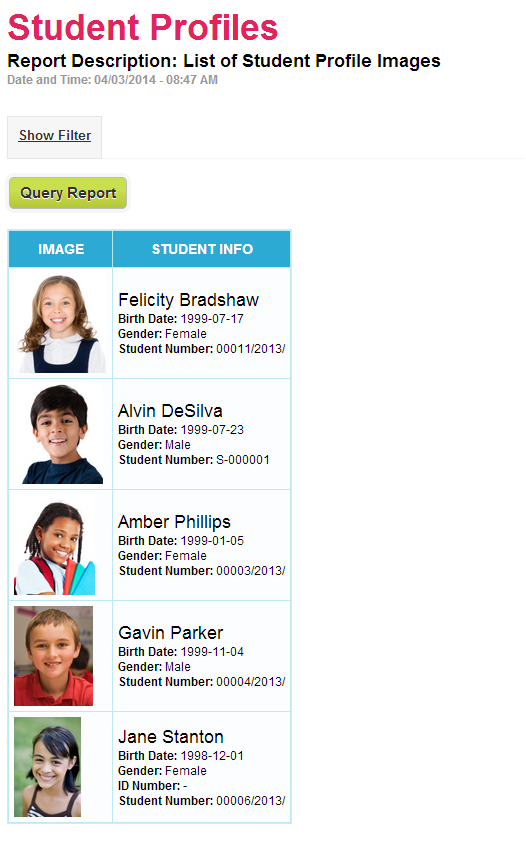
We’re excited to introduce yet another new report which displays profile images in QuickSchools. Here’s what it looks like:
Student Profile Images Report
This report is available to all school administrators. Just search for the text “Profile” under the “Reports” menu. Feel free to add it to your “Favorites” as well:Read More »
At QuickSchools, we want to be the best that we can be at providing the loveliest school administration system around. And that takes a lot of hard work, dedication and love. This is why we’ve chosen to focus our energy on a few modules as you can see on our Pricing Page.
QuickSchools Pricing Plan
As part of our service to you, we’ll constantly be improving these features based on your feedback. If more of you want a certain feature, that’s what we’ll work on first. So what happens when a school wants something that’s not on our list?
Enter the QuickSchools App Store
The QuickSchools App Store is our answer to providing additional features that may not be part of our core offering. Having an App Store provides a few advantages: