New Release – November 22, 2022

Today’s release lays the groundwork for our new Payment Plan module. We expect an early beta version to be released in the next month. The remaining improvements focus on our Orchestra Master Scheduler, Lunch Ordering app, and our SFTP Importer (Beta), plus other general improvements and bug fixes.

New “Conflicts” by Department in Step 5 of the Orchestra Master Scheduler

Here is a list of the latest QuickSchools improvements:

Master Scheduler Improvements

  • Set default Next Course for Year-Long Courses in Course Catalog
  • Preview / Download student Schedule PDF from Step 5
  • Show Conflicts in “% Complete” Breakdown by Department in Step 5
  • Bug Fix when Link / Remove Section with custom Day labels in Step 4

Lunch Ordering App

  • Customers can view/print paid orders

General Bug Fixes

  • New option to Skip Invoices in QuickBooks Integration App (see below)
  • Show negative amounts properly in “Billing History”
  • Bug fix unenrolling students in Group Schools
  • Bug fix schedules tasks that “Repeat every weekday”
  • Bug fix when submitting grades from Gradebook to Report cards
  • Bug fix when displaying total score in Online Tests 
  • General Security Updates

Beta Improvements / Fixes

  • Payment Plan Framework (Early Alpha)
  • SFTP Importer (Beta) support to deactivate old students
  • SFTP Importer (Beta) support to delete old course requests
  • API Improvements to support Engage CRM
  • Bug Fix on new Sections tab for Teacher Portal
  • Add support for Notes to Parent Portal

Option to Hide Invoices for QuickBooks Integration

This is a new feature to help hide transactions that may already have been exported to QuickBooks outside of QuickSchools:

Read More »
New Release – October 31, 2022

Today’s release focuses on continued improvements to our Orchestra Master Scheduler and  Lunch Ordering app, plus general improvements and bug fixes to our Student Information System (SIS).

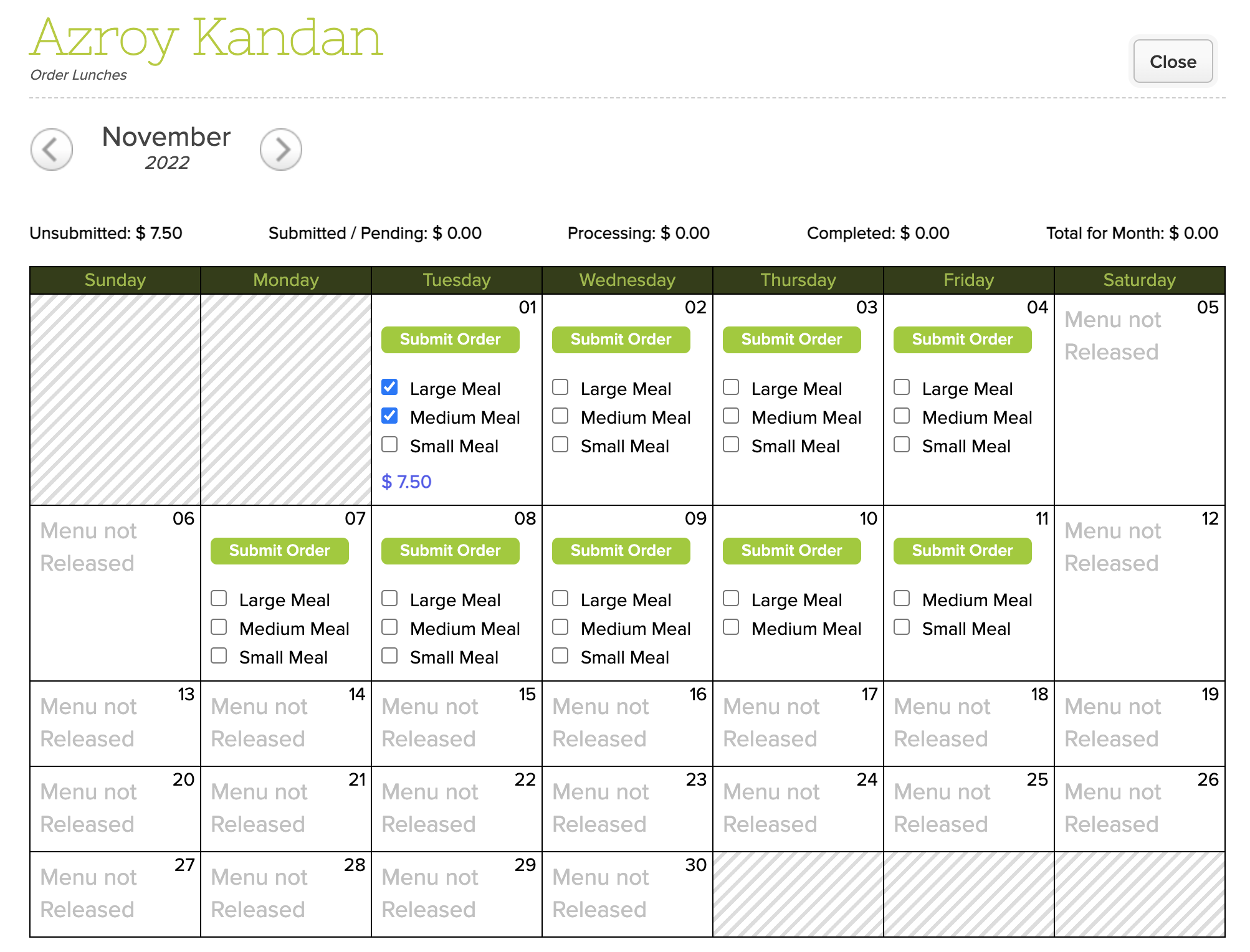
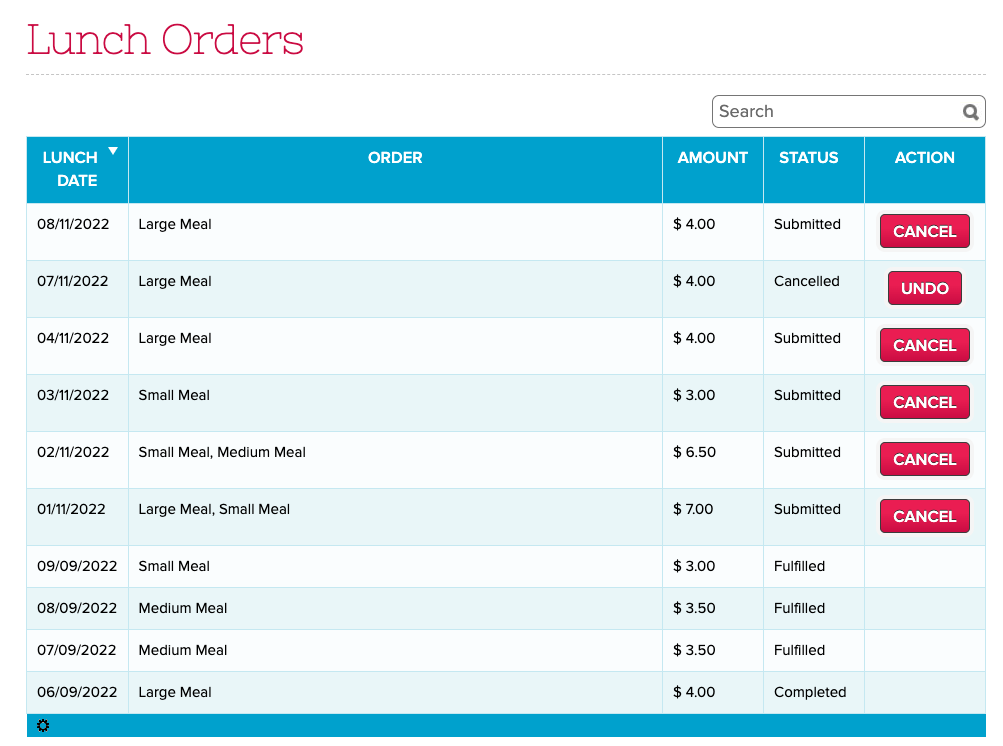
Updated “Lunch Orders” listing for Parents and Teachers

Here is a list of the latest QuickSchools improvements:

Master Scheduler Improvements

  • Search Students in Step 5 by Student Number
  • Option to display Student Number in Step 5
  • Option to show internal Section ID in Step 4 and 5
  • Option to show roster directly  to Teachers via their portal
  • Bug Fix Course Requests when Course is excluded from Enrollment Period

Lunch Ordering App

  • Improve Lunch History screen to support sort, search and additional functions (See Above)
  • History for Bulk Cancel Lunch
  • Ability to Undo Bulk Cancel Lunch
  • Support for Lunch Day Labels
  • Bug Fix Deleted Lunch Orders when all individual meals are removed

General Bug Fixes

  • New “Schedule” tab for Student & Parent Portals for Simplified Schedule (See below)
  • Links in Notes for Simplified Schedule are now clickable (See below)
  • Links in Notes for Generated PDF from Simplified Schedule are also clickable (See below)
  • Update Note for cost of paid Text Messaging
  • Bug Fix Customer Dropdown for QuickBooks Integration App.

Beta Improvements / Fixes

  • Option to force full online payments in students / parents (i.e. remove option to pay any amount)
  • Improve support for Weekly Schedule in “Courses & Sections”
  • Bug fix Gradebook when missing Add Date in “Courses & Sections”
  • Miscellaneous Improvements to the SFTP Importer (Beta)
  • Support Custom Emails for Scheduled Emails
  • Bug fix revoking access to Teachers for Group Schools
  • Remove “View Enrollment History” for Group Schools
  • Expand data dictionary for Summary Reports
  • General Security Updates

Schedule for Student and Parent Portals

If your school is using the Simplified Schedule, both the Student and Parent Portals now have a dedicated “Schedule” tab that quickly shows you the class schedule:

Read More »

Lunch Ordering App (Comparison)

As you may have noticed, we’ve released a new version of the Lunch Ordering App which supports Online Payments. However, the original version in QuickSchools still works for schools that want to collect lunch payments via traditional means. But what are the differences between the new and old versions of the Lunch Ordering App? Here, we discuss the differences, as well as pros and cons.

Original Lunch Ordering AppLunch Ordering with Online Payments
Fulfill then ChargeCharge then Fulfill
Integrates to Fee TrackingIntegrates to Online Payments
Tried and TrueNew (Still in Beta)

Fee Tracking vs. Online Payments

Original Lunch Ordering App with Fee Tracking

The original Lunch Ordering App was designed to allow parents to submit orders freely (before the cut-off date). Parents would only be charged AFTER orders were fulfilled. Once fulfilled, the school would bill the parents via the Fee Tracking module. Parents can then make payments to the school per the usual means. If changes are required after the cut-off date, administrators can edit the orders, up until the orders are fulfilled.

Read More »

New Release – October 11, 2022

We’ve had several mini-releases since our major release on September 12, which focused on improvements to Email Messaging and Alerts. Today’s release however focuses primarily on our Lunch Ordering / Shopping Cart feature plus improvements to our Importer via SFTP.

quickschools sis

Here is a list of the latest QuickSchools improvements:

Master Scheduler Improvements

  • Show Day information on “Course Requests” tab on student record

Lunch Ordering App

  • Admin can Edit Lunch Orders
  • Ability to sort Meal Types
  • When credit is used up, users can pay for Balance Owing via Shopping Cart
  • Hide inactive students from Parent Portal
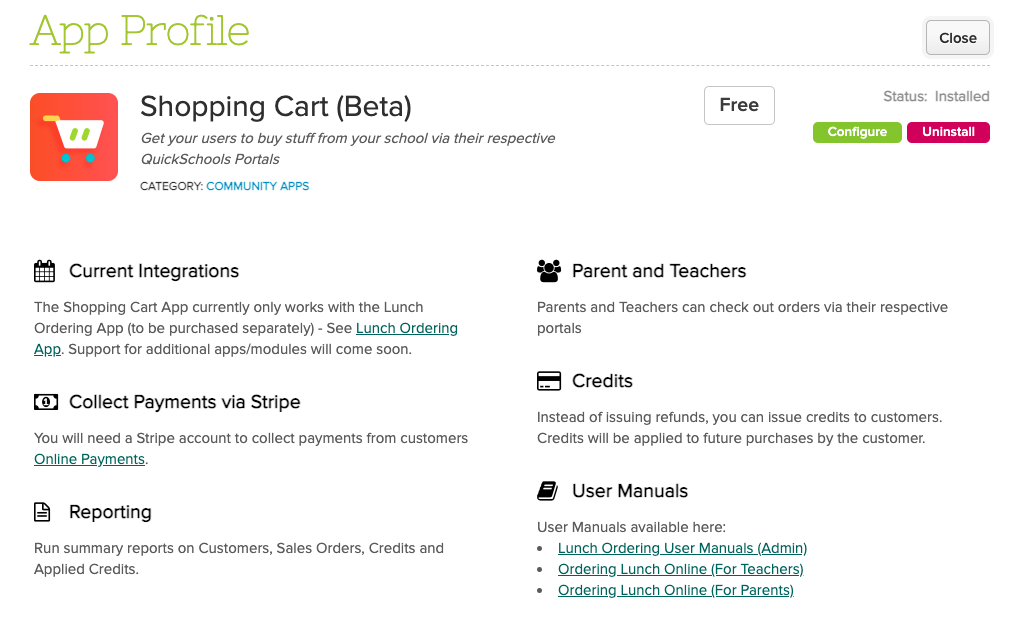
  • Show shopping cart icon on main menu (See above)
  • General improvements to Shopping Cart experience
  • Bug Fix for orders submitted on weekends

General Bug Fixes

  • Update Integration Schoology

Beta Improvements / Fixes

  • Audit Trail support for Student Tags
  • Miscellaneous improvements to Scheduled Summary Reports (See below)
  • Miscellaneous Improvements to the SFTP Importer (Beta)
  • Support Transfer of Documents when transferring students (Group School)
  • Fix Admissions Embed Code for Group School

Scheduled Summary Reports

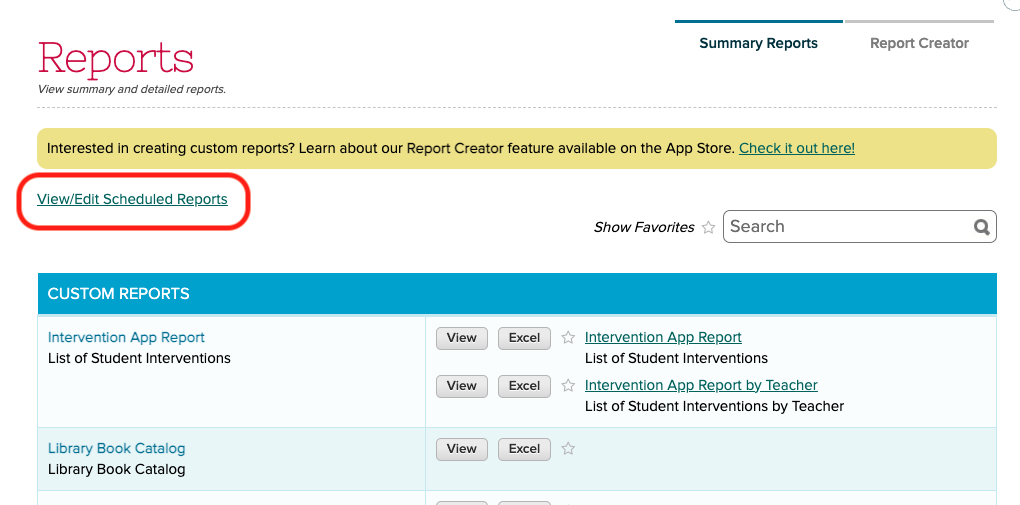
We recently added support to schedule Summary Emails to be emailed to users. This feature has since been refined. This feature is available when clicking on the “View/Edit Scheduled Reports” link under “Reports” > “Summary Reports”:

quickschools report

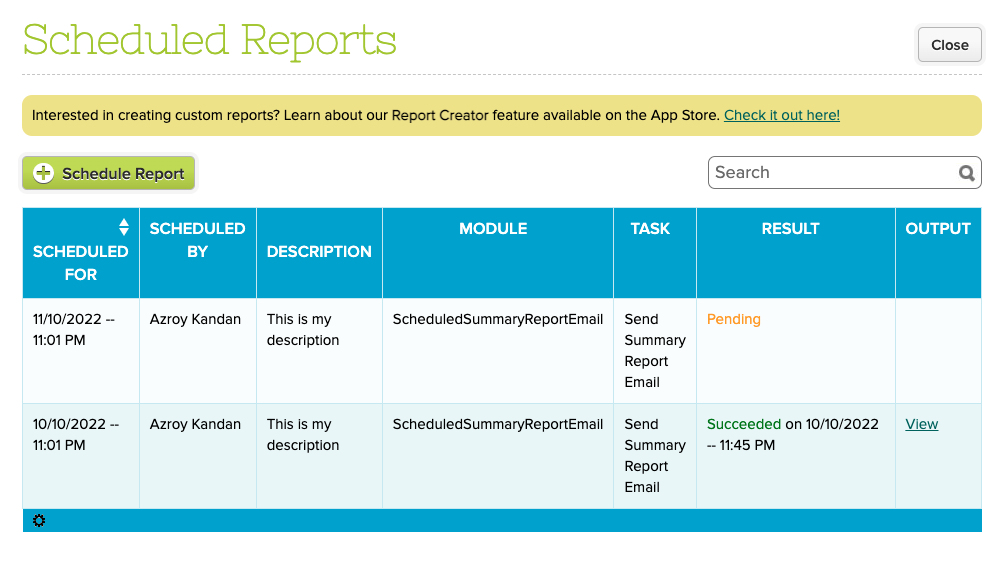
From here, you can view completed as well as pending reports:

scheduled reports


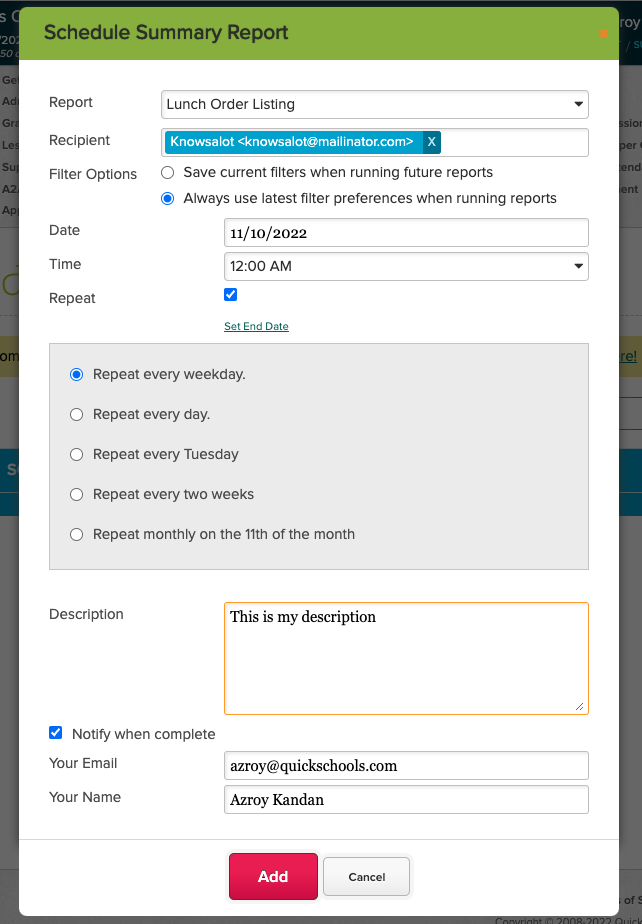
Clicking the “Schedule Report” button allows you to schedule a report to be emailed out:

schedule summary report

You can specify a report as well as multiple recipients. You also specify the frequency of the report. In addition to the attached report, the email to the recipient will also contain information about the report being sent:

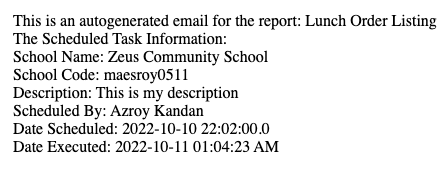
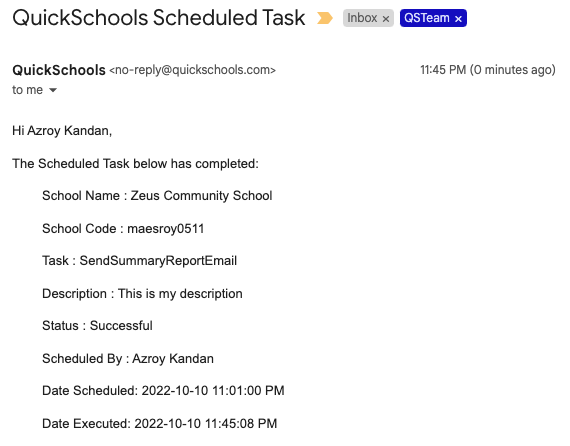
NOTE: With this new release, if the report is empty, an email will NOT be sent to the recipient. However, you can use the “Notify when complete” section, to receive an email notification even when the report is empty. Here’s what the notification email looks like:

quickschools scheduled task

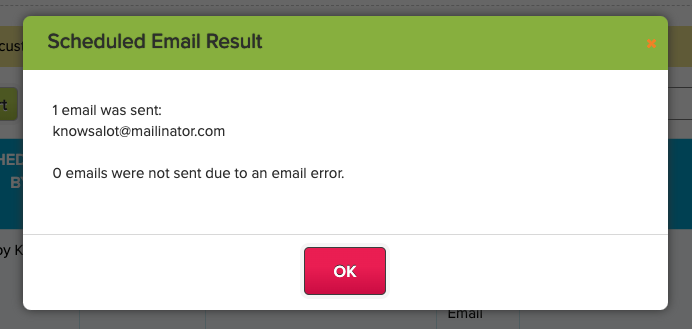
Finally, you can view the status of completed tasks directly on screen, by clicking on the “View” link from the list of scheduled reports:

scheduled email result

Do let us know if you have any questions or suggestions for improvement.

Mini Release – September 19, 2022

Today’s QuickSchools mini-release contains a new feature for the Orchestra Master Scheduler, plus a minor improvements to the recently launched Lunch Ordering App. 

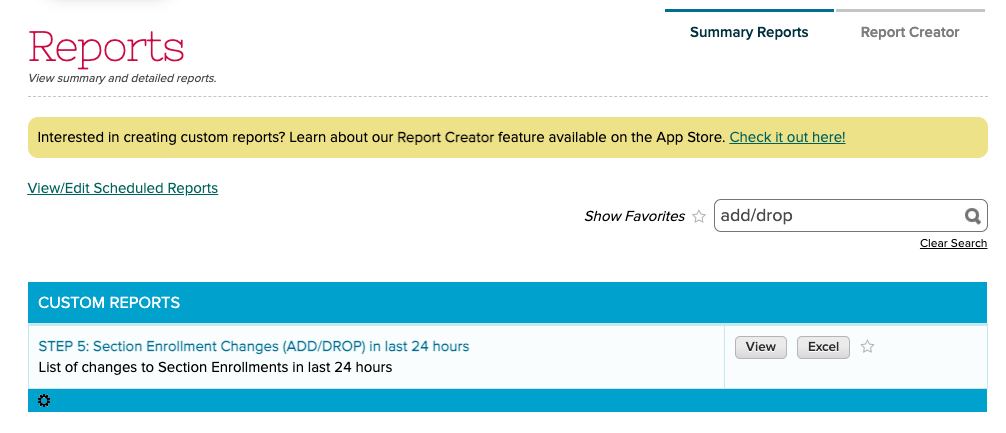
quickschools reports

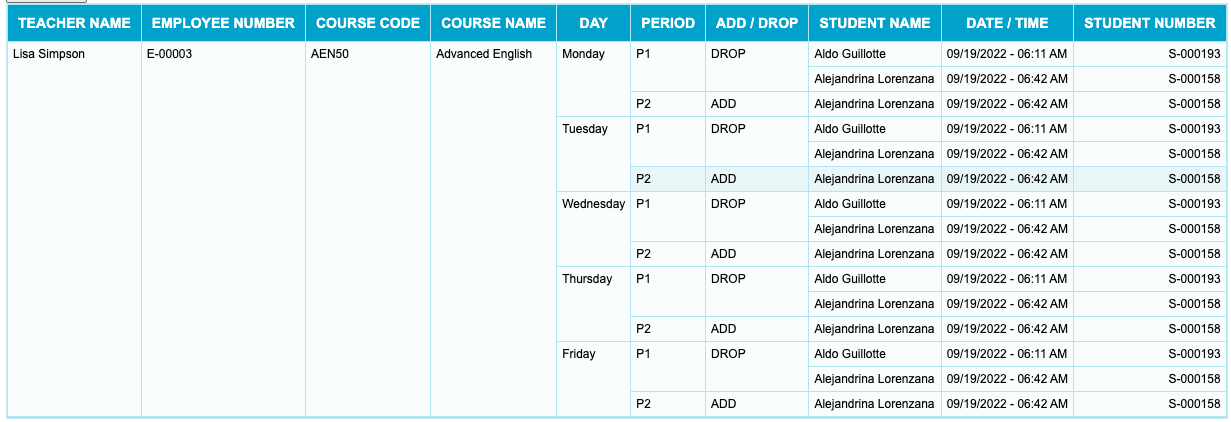
The Orchestra Master Scheduler is now able to track changes to Section Assignments in Step 5. These changes can be viewed via the new “STEP 5: Section Enrollment Changes (ADD/DROP) in last 24 hours” Summary Report. Here’s an example of what the report looks like:

configure reports

When scheduling Summary Reports, there is now an option to either (1) save the current filters in your report, or (2) always use the most recently used filters for a report:

Read More »

New Release – September 12, 2022

Today’s release focuses on improvements to our Lunch Ordering app plus improvements to our Importer via SFTP and DropBox.

Here is a list of the latest QuickSchools improvements:

Master Scheduler Improvements

  • Bug Fix when moving one section within a linked group in Step 4
  • Bug Fix when overriding the Target Section Size in Step 4

Lunch Ordering App

  • Order History for Users
  • Late Fee / Lunch Mark-Up
  • Ability to Cancel Order
  • Ability to Undo Cancelled Order
  • Ability for Admin to Bulk Cancel Meal
  • Configure Meal Type for Parents vs. Teachers

General (Functional) Improvements

  • Improve Summary Reports support for “Courses & Sections”
  • Improve Framework for Schedule Tasks
  • Improve Cache for Roles and Permissions

General Bug Fixes

  • Update Authentication to Schoology
  • Fix Private Messaging linked to Students with Revoked access

Beta Improvements / Fixes

  • Miscellaneous Improvements to the SFTP Importer (Beta)
  • New Importer Support via DropBox (Beta)

Ordering Lunch Online (for Parents)

This article describes how parents can use the new Lunch Ordering App (with Shopping Cart) to submit and pay for orders online on the QuickSchools Parent Portal. 

The summary of steps are as follows:

  • Go to the “Lunch Ordering” menu
  • Select a Student
  • Select Meal(s)
  • Click on the Shopping Cart to Check out
  • Click “Pay Now” and follow the checkout process
  • Enter Credit Card information (or select a previously saved credit card)
  • Confirm credit card details

Select a Student

The Lunch Ordering screen will list all students you have access to on the Parent Portal:

lunch orders with quickschools

Click on a student to begin the process.

Select Meal(s)

This screen shows all the available meals to be purchased. Simply click on a the checkbox to add a meal to the shopping cart:

Read More »