Progress Reports from Gradebook

It’s that time of year where you’re scrambling to send parents / students some information about their academic performance. In many cases, you can send home a report card via our Report Cards module. But if you’re looking for something quick and easy, you could optionally send a snapshot of the Gradebook, and use that as a Progress Report in QuickSchools.
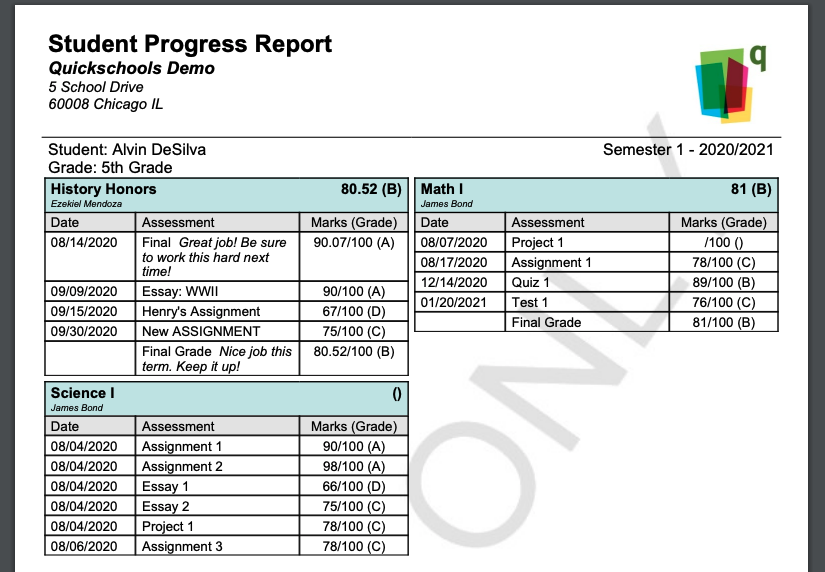
student progress report

Here’s how it works:

What is in the Progress Report

If enabled, Students and Parents can actually access grades from the Gradebook directly from their portal. 

  • Only published and public information is available. So unpublished/hidden columns and subjects are invisible, as well as any Private Comments
  • If your gradebook has a published formula, the system will display a running calculation for that formula

Emailing Progress Reports

As an administrator, you can bulk email the current Progress Reports from the Gradebooks, from the main Students Listing. Simply select the students via the check boxes on the left, and select “Bulk Email Gradebook” from the table menu:

Read More »
Webinar Series

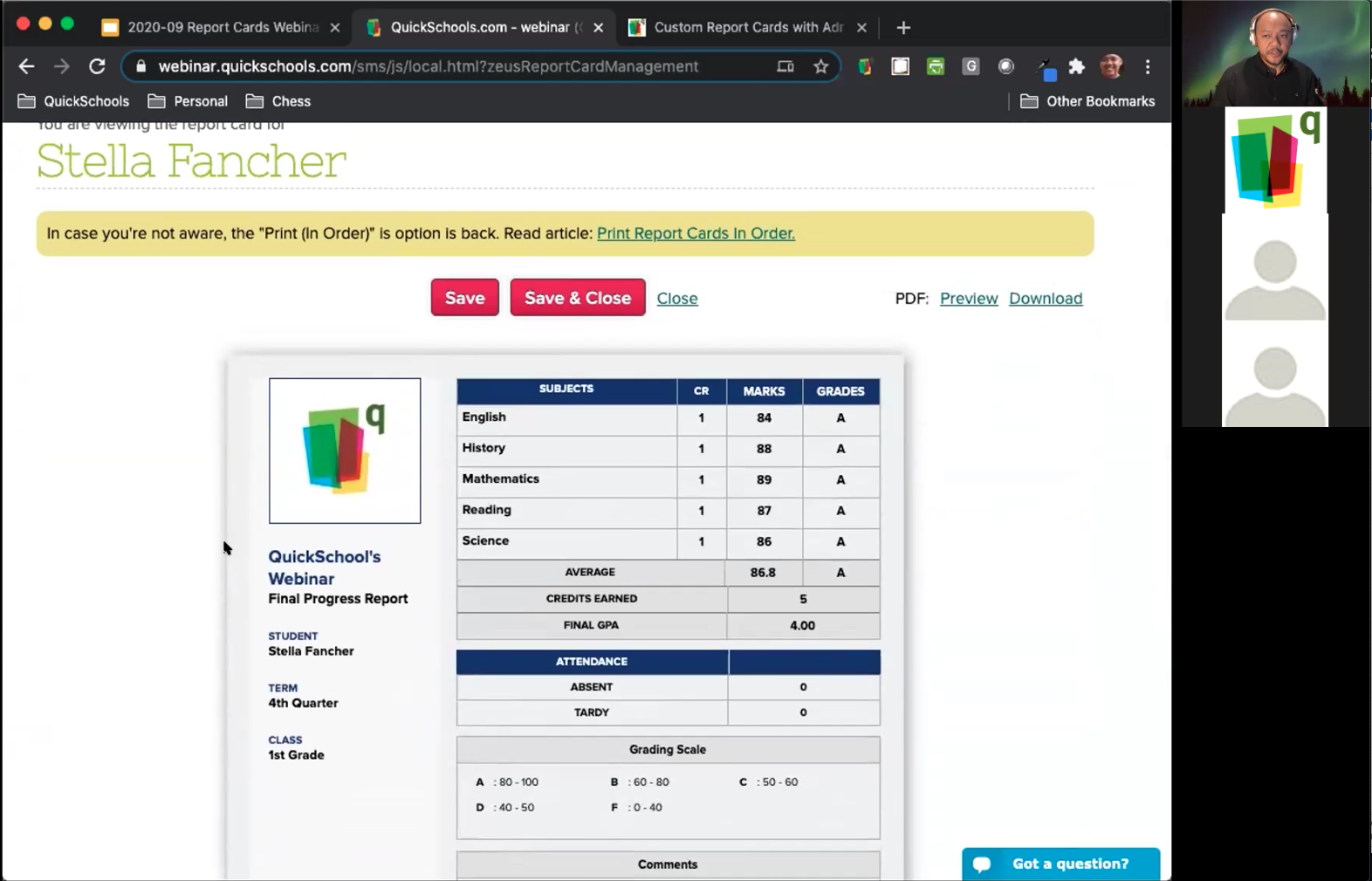
After more than a decade in the business, we finally ran our first QuickSchools webinar this past Wednesday (Sept 30), on the topic of customizing Report Cards. 

First QuickSchools Webinar on Customizing Report Cards

We had a pretty good turn out, and were delighted with the response that we received. For those interested in our Report Cards module, we recently posted an article about our Report Cards here:

https://www.quickschools.com/blog/2020/09/22/what-makes-our-report-cards-special/

So what’s next?

We’re looking to continue our webinar series on the subject of Transcripts, hopefully in early December. Keep a look out for the announcement. 

Thanks to all who participated!

New Release – Sept 28, 2020

The LMS features are coming along nicely. We’ll soon be moving this app out of Beta. Here are the latest improvements in QuickSchools:

LMS: Assignments and Live Stream modules (Beta)

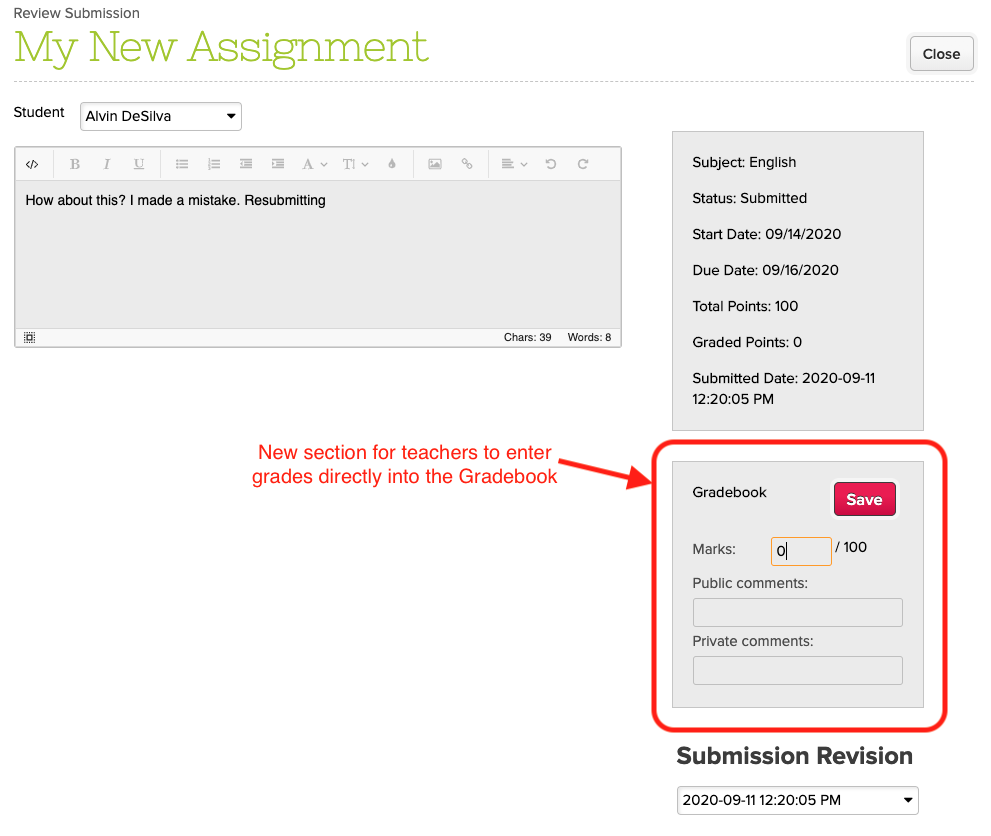
  • Teachers can enter grades directly from the Assignments module
  • Parents can access the Live Stream and Calendar from the Parent Portal
  • Redefine Assignment Types to Online, In Person or No Submission
  • Improve Revision History for Student Portal
  • Class Discussion threads can be pinned to the top
  • General Refinements and bug Fixes to the Assignments listing

Google Classroom Integration Improvements

  • Update description for Manual Sync
  • Fix bug when running manual sync while sync is already scheduled
  • Bug fix when syncing columns from outside the active academic term
  • Bug fix when generating Gradebook PDF

Report Creator Improvements

  • Ability for users to remove Shared Reports
  • Additions to the Data Dictionary
    • Online Forms Submitted Email and Reference Number
    • Fee Tracking Due Date
  • Bug Fix when reporting on deleted Online Form Submissions

Other General Improvements

  • Ability to schedule tasks weekly
  • Improved Support for deletion of Meal Types in Lunch Orders App
  • Support for Conflicts in the Simplified Scheduler via the App Store
  • Miscellaneous Bug Fix when viewing Online Form Submissions
  • Support long category names in the Gradebook
  • Bug fix when generating Missing Grades / Ds and Fs Report
  • Improve file name when accessing report cards from student record
  • Bug fix with Attachments in Email History

NOTE: We had to two patch releases since our last major release on September 7:

  • Sept 15 – QuickBooks Improvements
  • Sept 11 – Assignments for Parent Portal

LMS Improvements

The Assignments Submissions page for teachers now includes an area to enter grades, while automatically appear in the Gradebook:

Enter Grades into the Gradebook directly from the Assignments module

Students now have access to the Revision History when viewing submissions from their portal:

Read More »

Quickschools Basics: New User Guide

As with many other systems, there are certain aspects of Quickschools that all users need to be familiar with. Below, we share details useful to all new users, including:

Logging In

Before you begin using Quickschools, you first need to be invited to join the school’s existing account. Only school administrators will be able to send an invite, so you may need to contact the school directly.

The invitation will be sent to the email address the school has on file for you. The email will include the school’s unique URL, your username, and your temporary password. Be sure to save the URL as it will be needed to log in in the future.

The email will provide you with details on how to log in

After you follow the link provided, simply enter in your username and password to log in.

Enter in your username and password to log in
Read More »

What makes our Report Cards Special

The Report Cards module within QuickSchools has been a labor of love since we launched over 10 years ago. QuickSchools provides the flexibility for schools to quickly and easily customize their own beautiful report cards from our existing library of templates. And for schools that need a little something extra, we can build new templates that fit your needs exactly.

We wanted to highlight a few key features that make QuickSchools different from our competitors.

Extensive Library of Report Card Templates

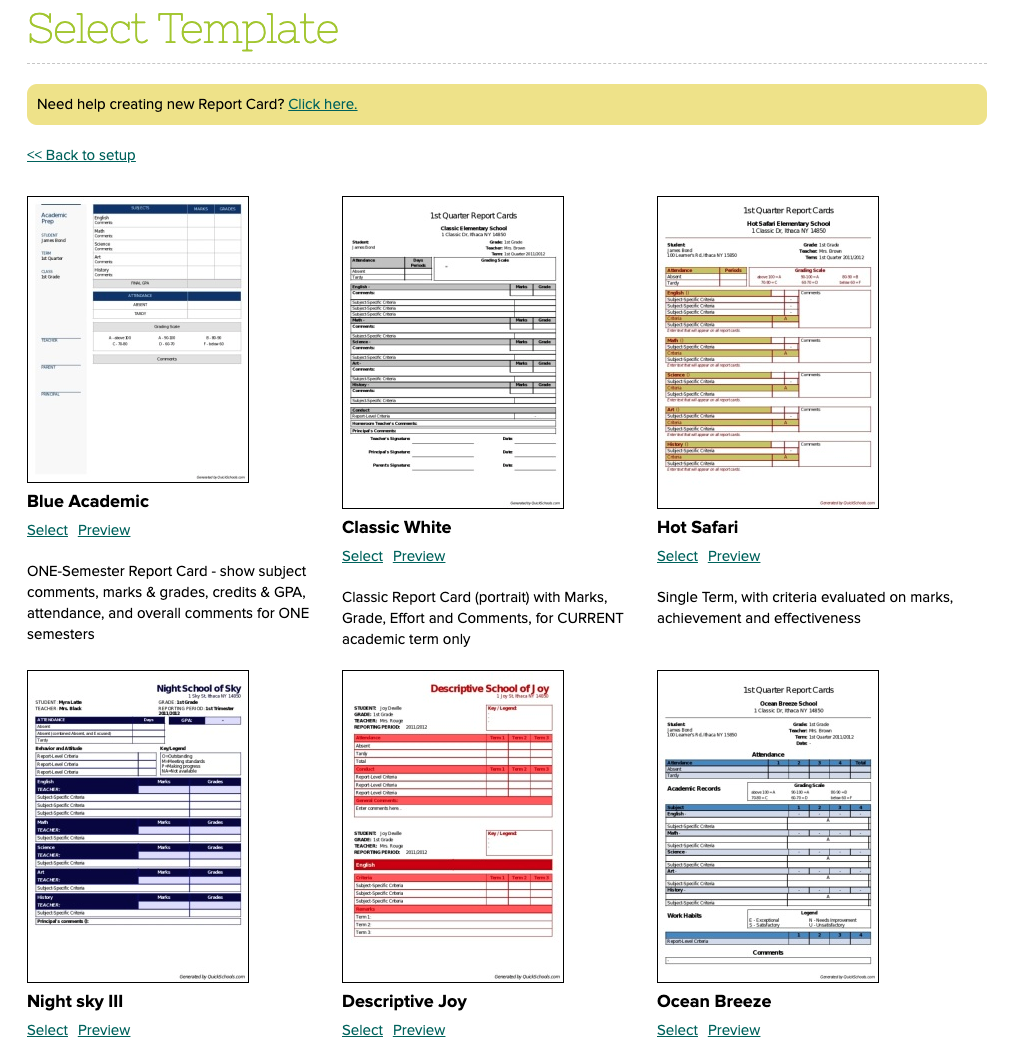
We have a library of templates to choose from, each with its own use case: 

quickschools report card templates
QuickSchools Library of Report Card Templates

We have templates that handle various scenarios, including:

Don’t see a template you like? Send us a sample of what you’d like your report cards to look like, and we can recommend one to you. We may have a hidden template that we can simply share with you. If you have something completely unique, we can build new templates to specification for a fee.

Different Templates for Different Scenarios

You can use different templates for different scenarios. For example, you could produce a monthly Progress Report, followed by an end of term report card, both with different templates. 

Read More »

Private Messaging: A Summary

Among the many communication features we offer within Quickschools, Private Messaging is one we expect to be increasingly utilized as schools transition to a virtual setting. If you have not used this feature before, here’s a quick summary on what it offers.

Private messaging is available on the upper right, next to your name

Before you begin using it, you’ll want to make sure that the feature is properly configured. Teachers and Admins can message each other right away, but it needs to be enabled for Students and Parents. These settings can be found while configuring the Parent Portal and Student Portal in the “Turn Features On/Off” page:

Configure the Parent Portal and Student Portal to enable Private Messaging
Read More »

New Release (Patch) – Sept 15, 2020

We had an emergency patch deployed this morning to fix a limit that was set to the list of customers that appeared in the QuickBooks Integration app. We took this opportunity to also update the dropdowns to the new Searchable Dropdowns. So when selecting a customer, you can type in part of the name, and the dropdown in QuickSchools will filter the results to match:

Map Students in QuickSchools with Customers in QuickBooks Online

We made similar changes to the mapping screen for products too:

Read More »

New Release (Patch) – Sept 11, 2020

We’ve had huge interest in the new Online Learning improvements we’ve been working on, so much so that we’ve had to add additional support for Assignments in the Parent Portal. This will come in handy for the lower grade levels where students aren’t old enough to use a Student Portal, and rely on parents to access their assignments. Here’s what’s included in today’s patch release to QuickSchools:

Assignments via Parent Portal

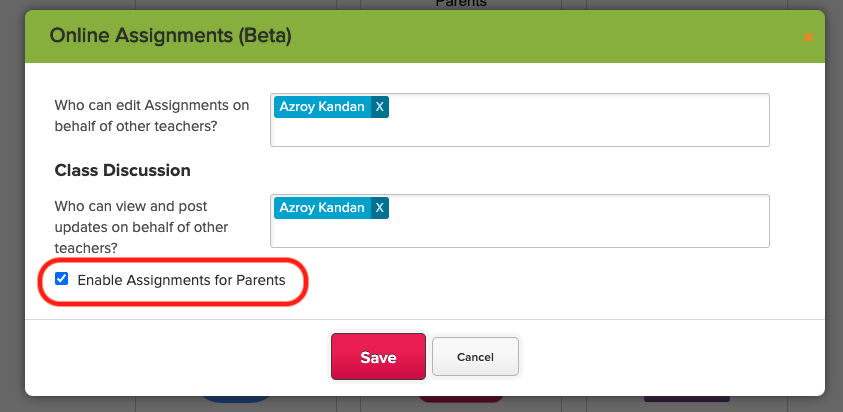
When configuring the Assignments module, there is a new setting to “Enable Assignments for Parents”:

online assignments in beta

With this setting enabled, parents will be able to access Assignments for students in their care:

Read More »