Running a school is both rewarding and overwhelming. The things that have to be done in order to manage a school is a long list. From managing students and teachers, fees, admissions, report cards…the list goes on. This is why having school management system software that can help aid the school is important.
QuickSchools provides school administrators with a flexible transcript module, allowing schools to produce professional-looking transcripts.
You can easily create transcripts by using one of the templates available from our comprehensive library. Or, you can choose to design your own transcript and fully customize it to fit your school branding.
We curated the following articles to help you learn more about our transcript module:
We’ve had several mini-releases since our major release on September 12, which focused on improvements to Email Messaging and Alerts. Today’s release however focuses primarily on our Lunch Ordering / Shopping Cart feature plus improvements to our Importer via SFTP.
Here is a list of the latest QuickSchools improvements:
Master Scheduler Improvements
Show Day information on “Course Requests” tab on student record
Lunch Ordering App
Admin can Edit Lunch Orders
Ability to sort Meal Types
When credit is used up, users can pay for Balance Owing via Shopping Cart
Hide inactive students from Parent Portal
Show shopping cart icon on main menu (See above)
General improvements to Shopping Cart experience
Bug Fix for orders submitted on weekends
General Bug Fixes
Update Integration Schoology
Beta Improvements / Fixes
Audit Trail support for Student Tags
Miscellaneous improvements to Scheduled Summary Reports (See below)
Miscellaneous Improvements to the SFTP Importer (Beta)
Support Transfer of Documents when transferring students (Group School)
Fix Admissions Embed Code for Group School
Scheduled Summary Reports
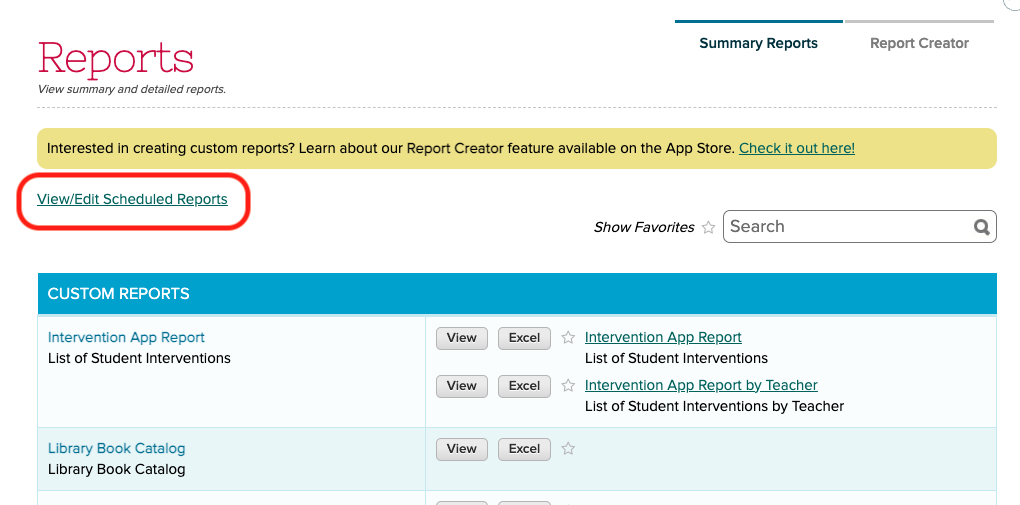
We recently added support to schedule Summary Emails to be emailed to users. This feature has since been refined. This feature is available when clicking on the “View/Edit Scheduled Reports” link under “Reports” > “Summary Reports”:
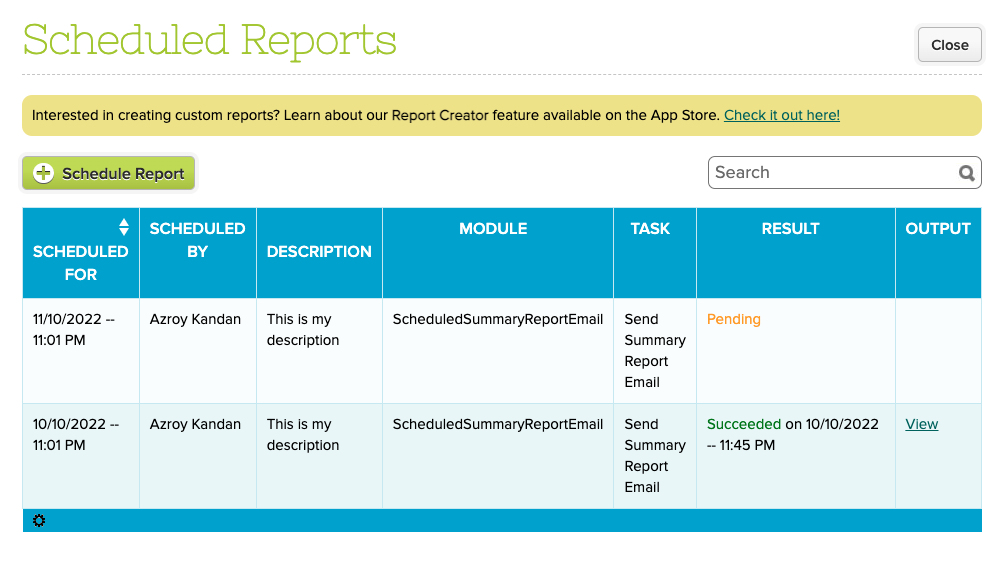
From here, you can view completed as well as pending reports:
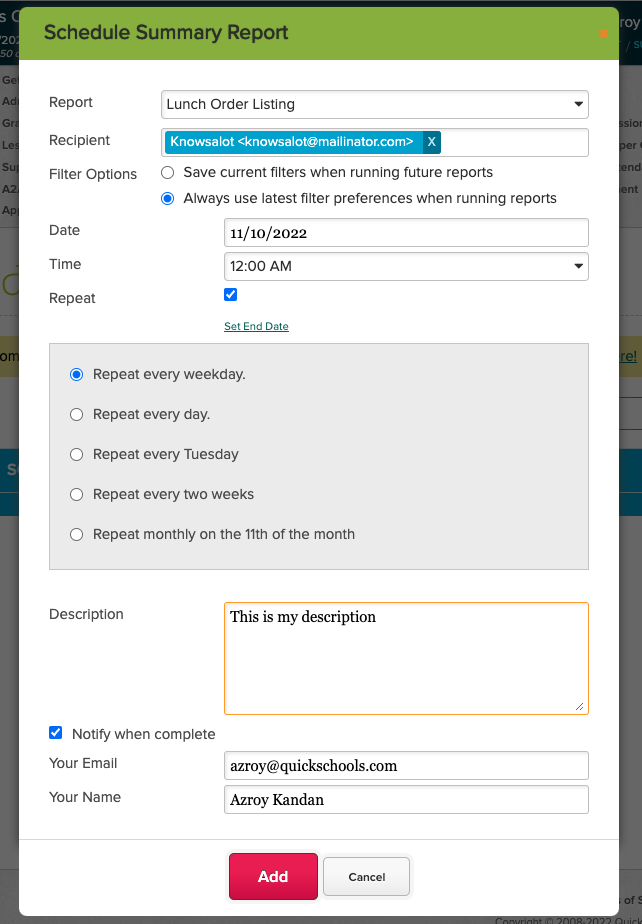
Clicking the “Schedule Report” button allows you to schedule a report to be emailed out:
You can specify a report as well as multiple recipients. You also specify the frequency of the report. In addition to the attached report, the email to the recipient will also contain information about the report being sent:
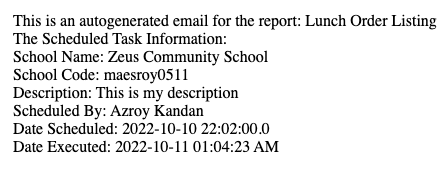
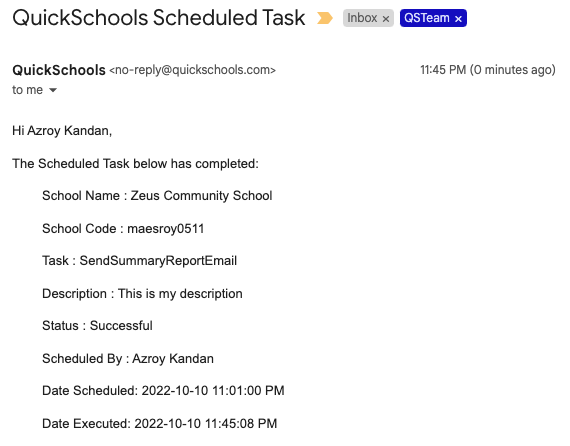
NOTE: With this new release, if the report is empty, an email will NOT be sent to the recipient. However, you can use the “Notify when complete” section, to receive an email notification even when the report is empty. Here’s what the notification email looks like:
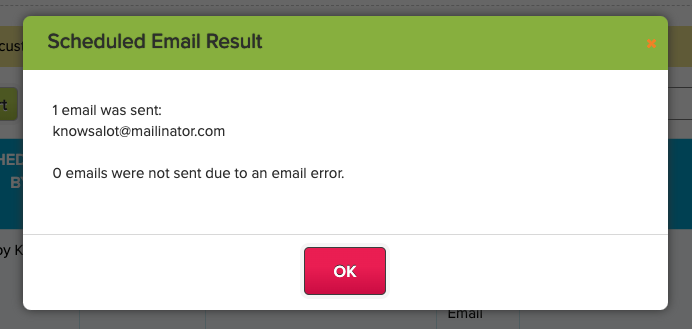
Finally, you can view the status of completed tasks directly on screen, by clicking on the “View” link from the list of scheduled reports:
Do let us know if you have any questions or suggestions for improvement.
We’re reaching that time of the year when a majority of schools within the QuickSchools community will need to produce transcripts for recent graduates and/or college admissions purposes. Keeping this in mind, our October webinar will center on the QuickSchools’ Transcripts module.
Join us and learn how to leverage the full capabilities of our Transcripts module. At the end of this event, you’ll learn the easiest way to create elegant transcripts that will highlight student achievement and convey your school brand.
QuickSchools’ Creating Professional Transcripts webinar is geared towards school administrators, and suitable for all levels of users. We’ll first provide an overview of the basic features in the Transcripts module, before covering more intermediate and advanced concepts. Key discussion points include:
Transcripts overview: general behavior of the Transcripts module
Transcripts configurations and customizations
Administrative capabilities: advanced search, bulk print/download and reporting data
Live demo showcasing different styles of transcripts available in the QuickSchools library
We hope that you’ll take advantage of this interactive webinar. Post questions and answer polls during the 30-minute presentation session, and discuss further details during the follow-up, 30-minute Q&A session.
This webinar is scheduled for Thursday, October 20th at 11 AM (PT) / 2 PM (ET). School administrators can sign up by logging in to their QuickSchools account. The announcement and registration link are available on Teachers’ Lounge.
Cloud-based and on-premises student information systems (SIS) both serve the same purpose. They ensure smooth operations for your school by managing, tracking, and creating reports from student data and other school information to maintain efficiency. The main difference is how and where these systems are hosted and how well they work for your specific needs.
To all attendees, we appreciate your participation in our September webinar. We hope that you enjoyed yourselves and found our presentation informative.
As per usual, we sent a follow-up email (with a feedback survey) to all participants. We hope that you’d take the time to complete and submit the survey back to us. We’ll do our best to incorporate your feedback and suggestions in future webinars.
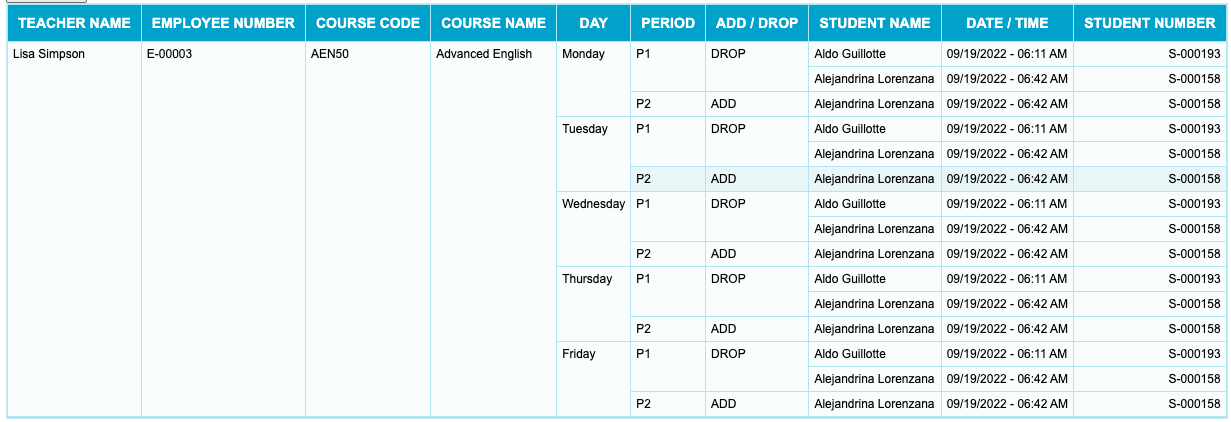
Today’s QuickSchools mini-release contains a new feature for the Orchestra Master Scheduler, plus a minor improvements to the recently launched Lunch Ordering App.
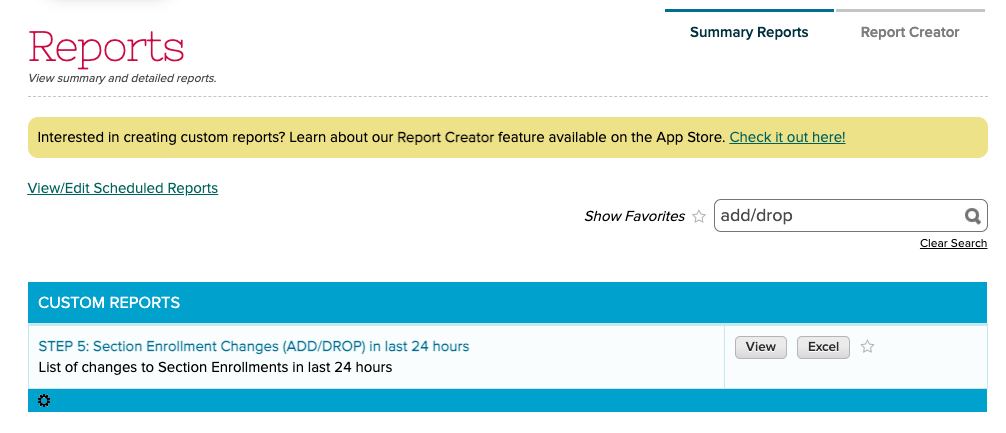
The Orchestra Master Scheduler is now able to track changes to Section Assignments in Step 5. These changes can be viewed via the new “STEP 5: Section Enrollment Changes (ADD/DROP) in last 24 hours” Summary Report. Here’s an example of what the report looks like:
When scheduling Summary Reports, there is now an option to either (1) save the current filters in your report, or (2) always use the most recently used filters for a report:
Do you have a hard time managing your school fee payments? The amount of time and energy spent in organizing and collecting school tuition is not an easy task, though it may seem simple and straightforward. We understand the frustration. Fee management is definitely complicated and challenging.
QuickSchools always aims to offer a user-friendly, robust, and effective student information system. Not only for school administrators and faculty members but also for students and their parents. We know how vital it is for schools to keep their accounts updated in order to maintain productivity. It helps to provide the best for their students. With QuickSchools, you can now reduce payment delays and improve cash flow as well as boost organization efforts. Trying to keep track of various fee structures, different payment plans, and scholarships offered to students, as well as the dissimilar discounts on fees can be truly overwhelming. Especially without proper assistance.