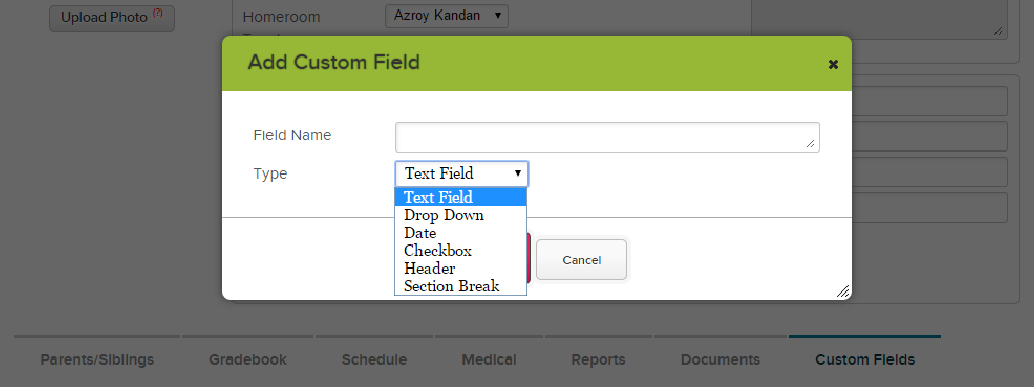
When we first introduced Module-Based Custom fields last year at QuickSchools, we only had support for text fields and dropdowns (in addition to Headers and Section breaks for formatting). Soon after, we introduced the Date field. And now we’re happy to support check boxes too, as a custom field type for all related modules.
QuickSchools Custom Check Boxes
Please do let us know of any other improvements you’d like to see. We’d love to hear your feedback!
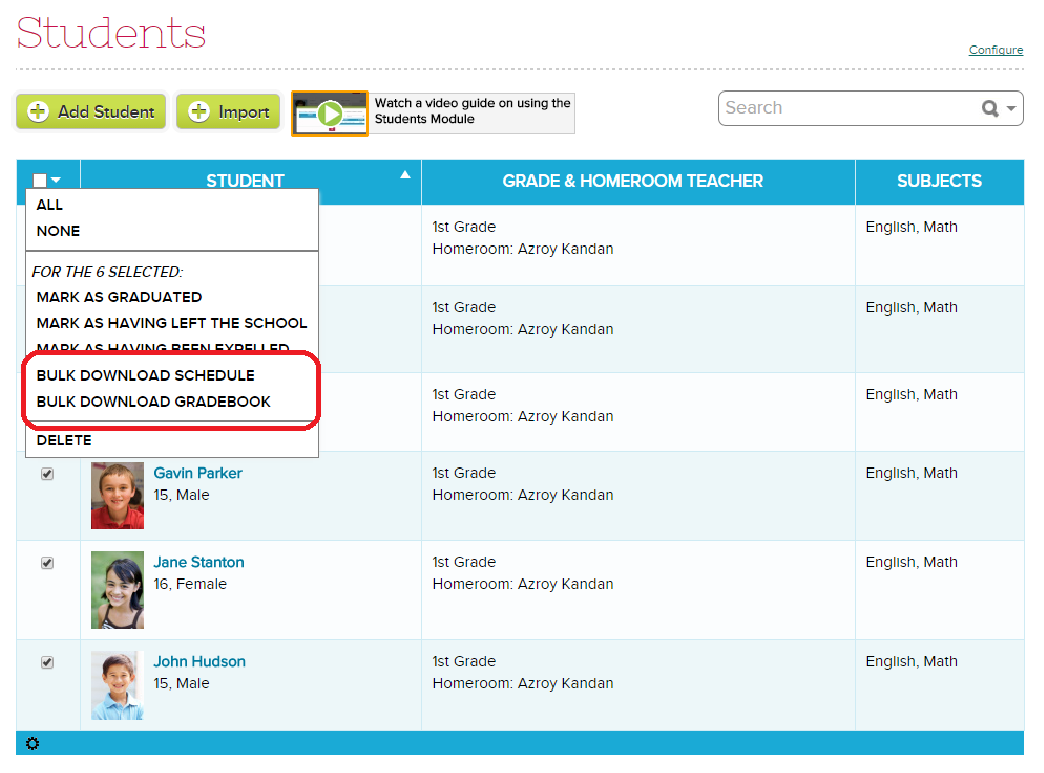
Just go to the Students listing in QuickSchools, select the students you’d like to download the PDFs for, and then select the action from the dropdown on the top left. This will produce a zip file containing all the PDFs fpr each selected student. Let us know how it works!
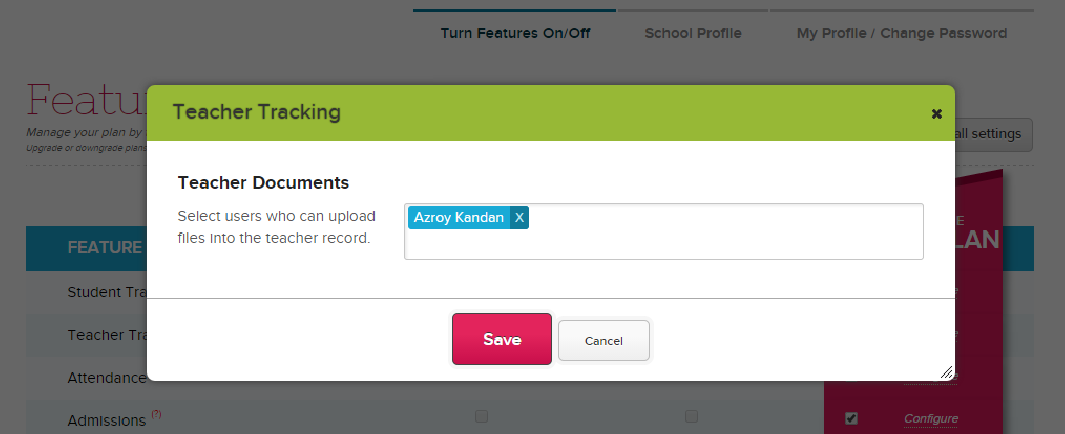
Some good news. The Teachers module now supports a Documents tab (just like for Students). To enable the feature on your QuickSchools account, just go to the “Features” page, and click on the “Configure” link next to the “Teacher Tracking” module:
Documents tab for Teachers
One thing to note: If you are an administrator and have access to “Teacher Documents”, then you will have access to the Documents tab for all teachers. However, if you are not a school administrator, you will only have access to your own Documents tab, and not that of others.
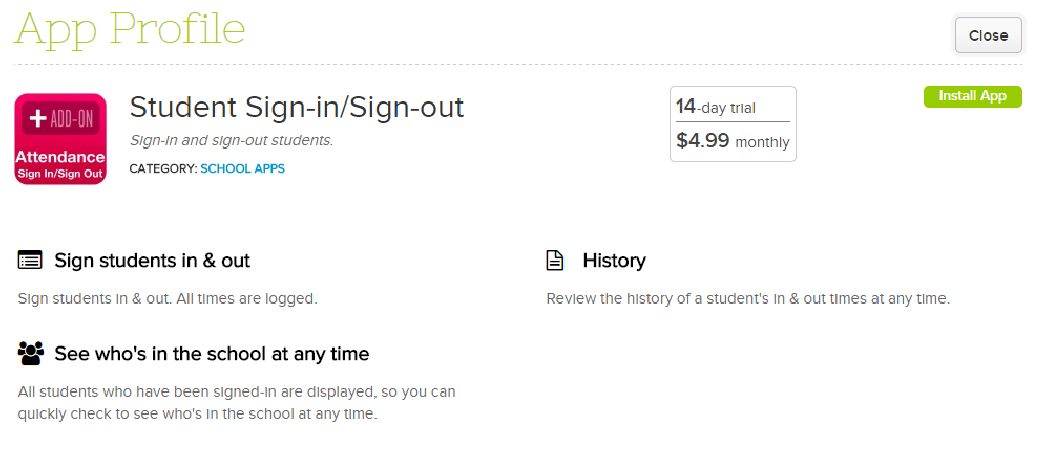
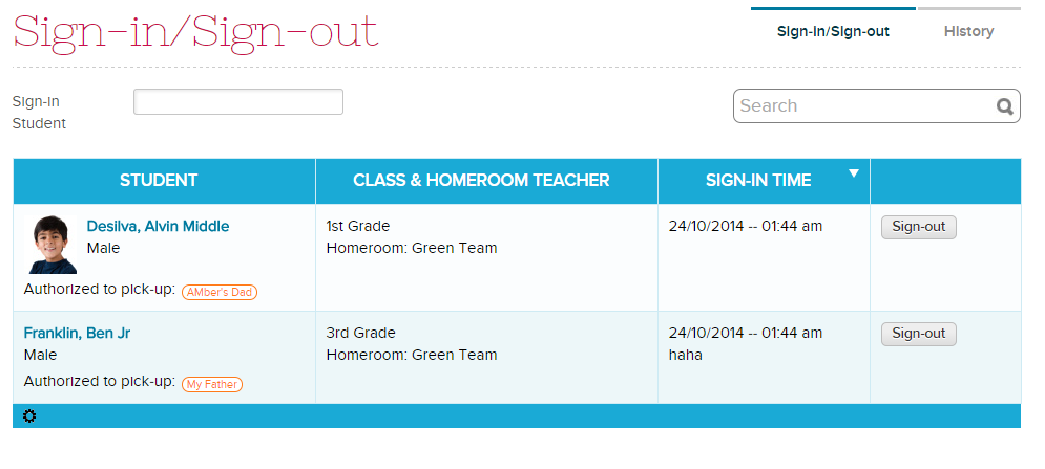
There is another app in our App Store. For schools that prefer a sign-in / sign-out sheet to take attendance; or for those who need a Sign-In/Sign-Out Sheet app for daycare or an after school program, we now have it in our QuickSchools app store:
Sign-In / Sign-Out App on QuickSchools
The app works pretty simply. You can enable the Sign-In Sheet for specific teachers. Then, use the student selector to sign students in, When a student leaves, click on the “Sign-Out” button to remove the student from the list:
Sign-In / Sign-Out Sheet
When you sign a student in, you can add remarks. You can also enable a “Signature” field for parents to fill in their names. The app will track the time and user (in this case the teacher) when a student is signed in and out:
Where else can you find such an awesome combination for a school management system?
Very few school management systems out there will boast the ability for schools to roll-out a new student management system completely self-service, or with real-time live chat support for ALL users. And that’s exactly what we have to offer!
With a fully online cloud-based system, you get world-class infrastructure that is secured with the latest security and encryption protocols. You have an entire team of engineers making sure that your school management system is always running (guaranteed uptime), always fast (scalable infrastructure in real-time), and always secure. We even back-up your data, to protect against hardware failure, natural disasters, or even user error. And remember, you can access QuickSchools from anywhere on any device (including the iPhone, iPad and Android) with just your browser. It’s really that simple.
And with our Live Chat Support, you get REAL-TIME answers to any questions that you may have. Ask about features, tips, tutorials, and make suggestions for improvement. We are real people, not robots. And we care about giving you the best experience ever. You could be updating your grades late one night for the report cards due the next morning. Or you could be trying to get a head start with your lesson plans one Sunday afternoon. If you need help, come chat with us online. And remember that when you chat with us, you’re not only giving us the opportunity to help you with whatever task you have at hand, but you allow us to understand which areas may require further refinement. We look forward to chatting with you.
Chat with us now at http://www.quickschools.com, and ask us how QuickSchools can benefit you and your school.
So you want to use QuickSchools, but you have all this data from another system. So how do you get all this data into QuickSchools?
It’s actually very easy to import Student and Teacher records via Excel, especially if you can already extract this data from your existing system into an Excel file. But we’re talking about historical data from modules such as Attendance, Gradebook, Fee Tracking, Discipline, etc. The best way to do these imports is via the QuickSchools API. And if you don’t have the technical know-how to do these imports, our engineers can perform the imports for you as a value-added service.
So here’s how it works:
Simply contact our support team (via chat or email), and indicate that you’d like to migrate your historical data from your existing system into your QuickSchools account. We’ll need the following info:Read More »
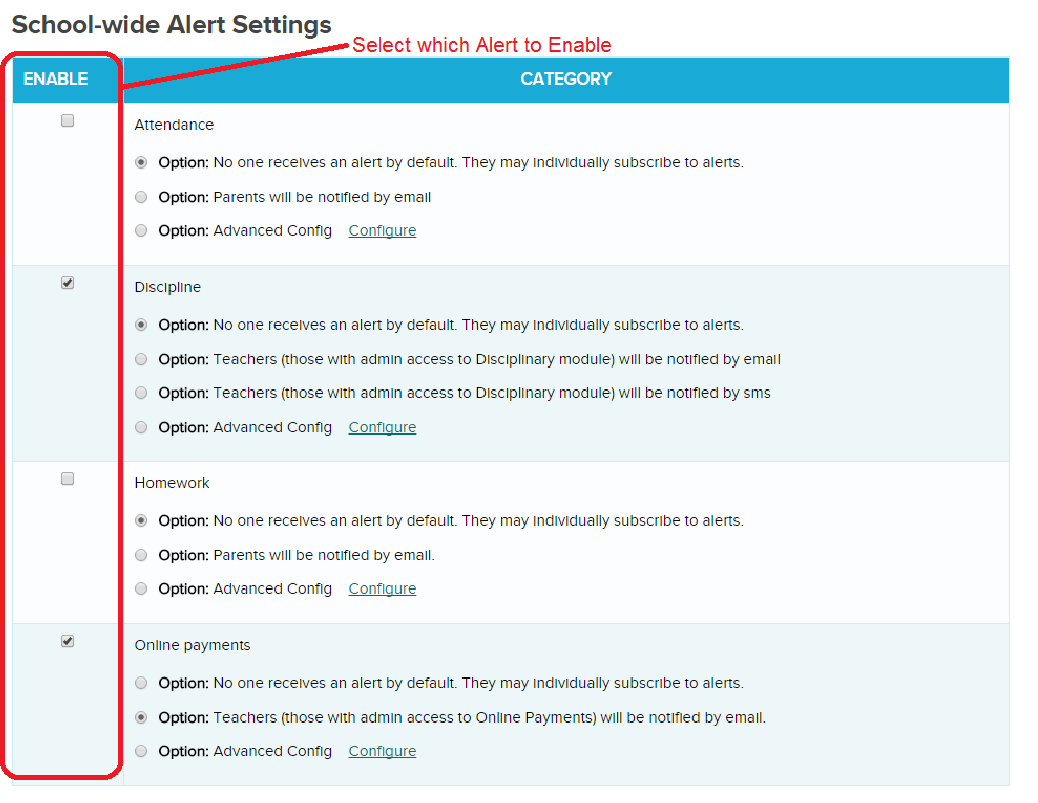
Some good news! QuickSchools has released an early beta version of our Alert Notifications module. We currently support only the following events, but once an alert is enabled, users can decide how to receive alerts. Current list of events:
Attendance: Parents can receive notifications when attendance is taken for their students.
Discipline: Administrators can receive notification when a new disciplinary incident is created.
Homework: Parents can be notified when homework is assigned.
Online Payments: Administrators can be notified when an Online Payment is received.
The following section appears at the bottom of the “Settings” > “School Profile” page if you have Alerts enabled on your account:
Enable Alerts for your users in QuickSchools (Private Beta)
Once an Alert is enabled, users can override any school-wide default preferences, and set their own personal preferences on how to receive notifications. The Preferences are located at the bottom of the “Settings” > “My Profile / Change Password” screen as follows:Read More »
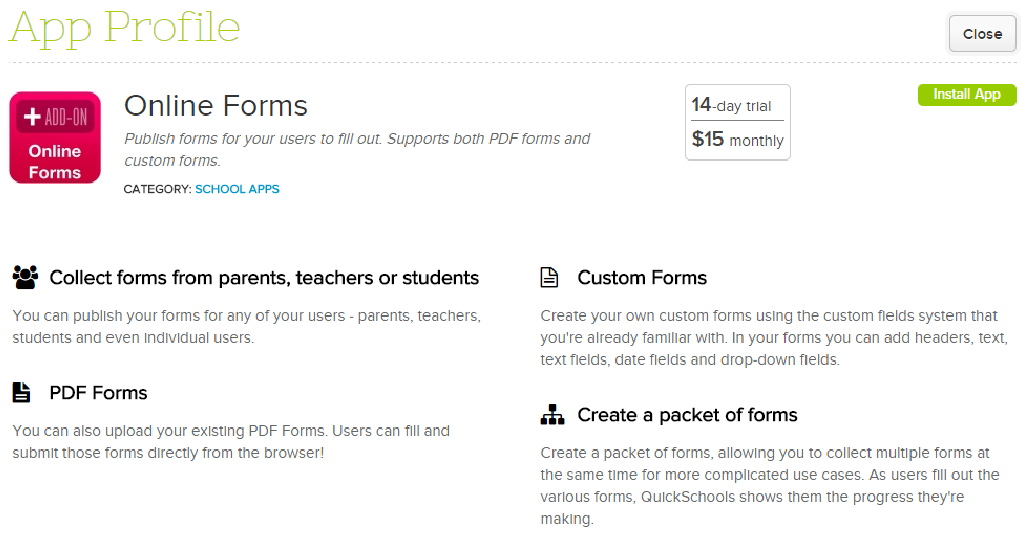
There’s a new app in our App Store called Online Forms, which will allow schools to collect information from any user within their QuickSchools account (Teachers, Parents and Students) via an Online Form.
QuickSchools Online Forms App
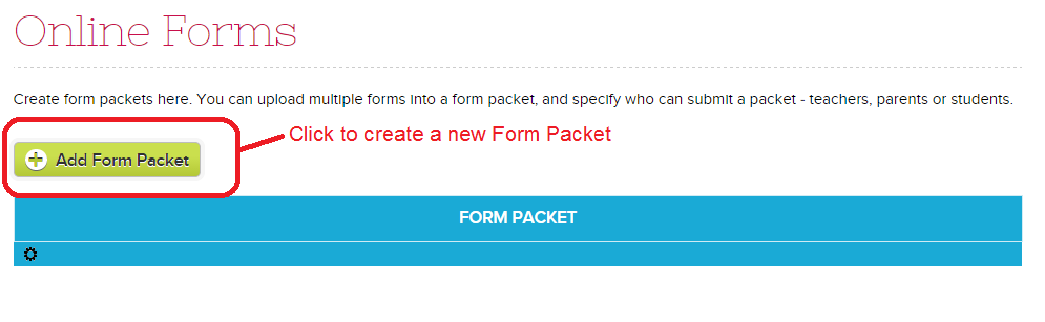
So here’s how it works. Once you’ve enabled the Online Forms apps for the appropriate users, you can then go to the “Online Forms” menu start creating your new Online Forms:
QuickSchools Online Forms List
Start by simply clicking on the “Add New Form Packet”. This will take you to the following screen:
Online Form Packet
When you first start out, the Form Packet is in “Draft” mode, which means nobody can see it unless you’re an administrator. Go ahead and fill in the details of the Form Packet (like Name, Description, Instructions and who can submit the form). There are several other sections you can fill, as described below:
Forms: These can be Custom Forms using our Custom Fields framework that you’ve seen in our other modules (details described below). Or, you can upload a fillable PDF file.
Supporting Documents: You can upload any additional files/documents that you’d like the user to access during the form submission process. These can be contracts, tutorials, and other reference files:
Workflow: The system comes with built in workflow statuses for “In Progress” and “Submitted”. Feel free to add any additional statuses that would be relevant to your process like “Reviewed” or “Completed”.
Advanced Settings: For advanced users, you can use this form to capture Enrollment/Registration information, as well as make it a multi-step submission process. We’ll describe more about these features in a future article.
Go ahead and click “Create Custom Form” to create a custom form using our Custom Fields framework, as per the Custom Fields module you’ve seen in other parts of our software (like with Students, Teachers, Parents/Guardians, Admissions, Discipline, and Lesson Plans), feel free to add any number of fields that you’d like to track. You can control the field type, as well as whether the field is required.Read More »