Online Payments via ACH

We recently released a new feature related to the Online Payment modules on June 6 (with improvements on July 6). Schools in the United States that subscribe to QuickSchools can now collect payments from students and payments via ACH Bank Transfer.

This feature is in BETA: If you would want this enabled for your school, please contact our Support Team.

Configuring the App

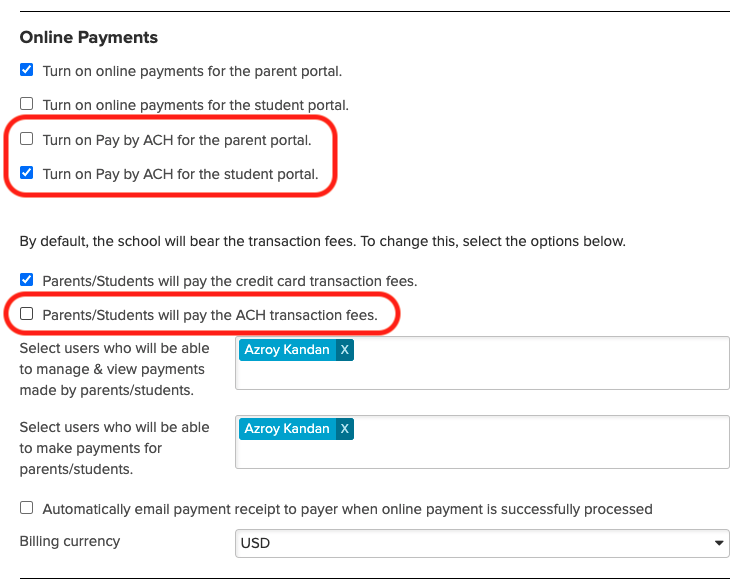
To enable this feature, go to the “Settings” page, and enable the setting under the School Fees Tracking” module:

configure the online payment in quickschools

There are separate settings for Credit Card vs. ACH Bank Transfer. And you can decide whether to absorb the transaction fee, or to charge a convenience fee to the payer.

Student Paying Online

Once you’ve connected your account to Stripe, Student make payments directly from their Student Portal:

Read More »
Admissions Module Features

Now that summer is here, schools can use this time to increase enrollment by tracking inquiries and applications on QuickSchools

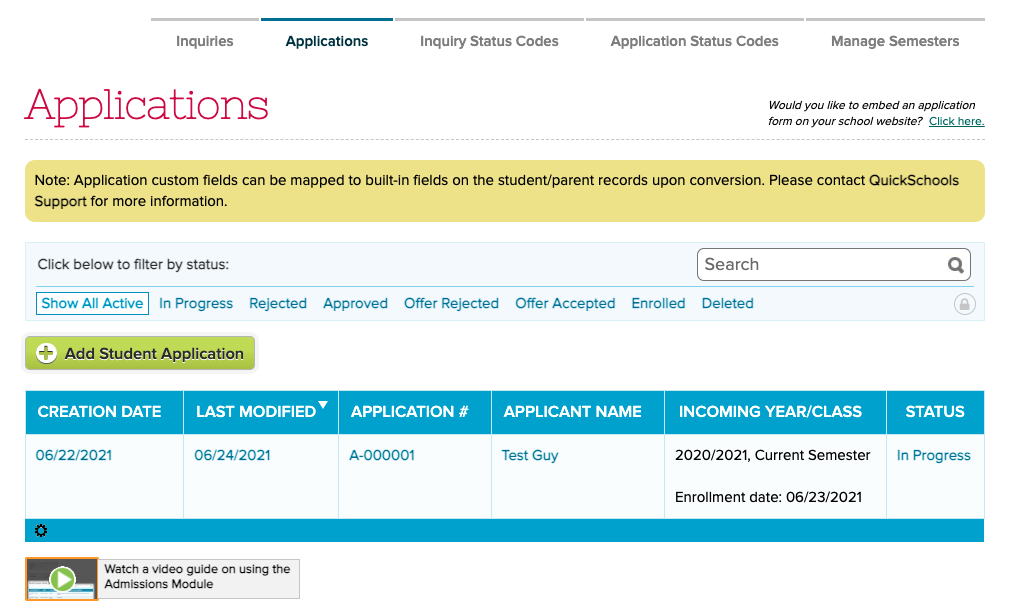
The Applications module in QuickSchools

Here are few key features of the Admissions module has to offer:

Embedded Forms for your website

Allow visitors to your website to submit an inquiry or an application online. Embedded forms are fully customizable to fit your brand. Receive an email notification when a form is submitted. Then follow-up quickly and easily via customizable Email Templates.

Track Conversion from Inquiries to Applications

Easily convert inquiries to applications, and then applications to student enrollment, without having to re-enter any information. Fully digitize your online admissions flow.

Customize / Personalize emails based on Scenario

Read More »

QuickSchools Private App on Zapier

In a previous post, we talked about building an App on Zapier, in order to integrate QuickSchools with Zapier. This previous initiative was to allow schools to build their own integration, using the existing API Resources offered by QuickSchools. However, after working with several schools on this, we’ve decided to work on building our own QuickSchools App in Zapier, for schools to use more easily.

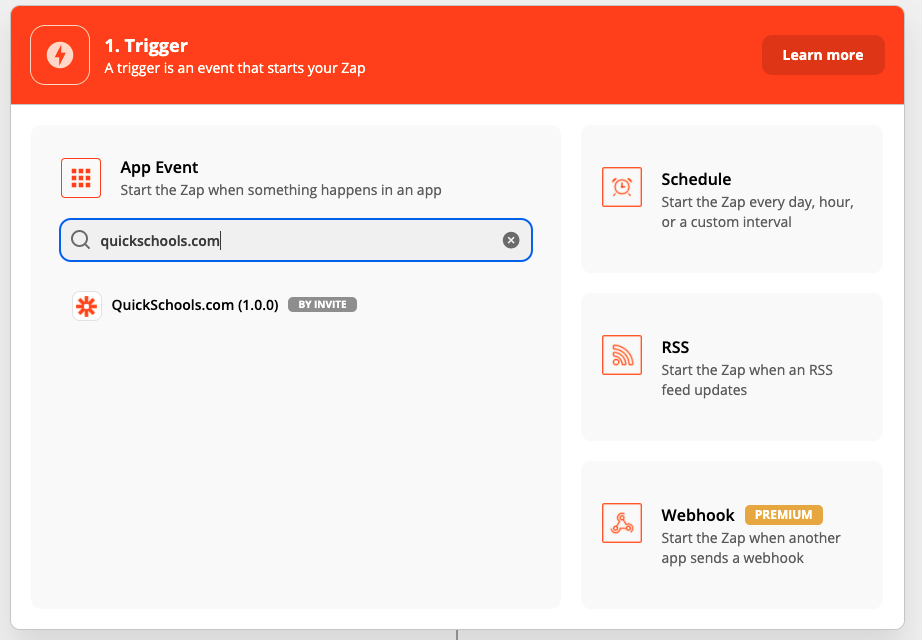
Finding the QuickSchools.com App in Zapier (by Invite)

The current QuickSchools app is currently a private app, and can only be accessed by invitation. If you’re interested in this app, please contact our support team for access.

Once you’ve accepted access to the QuickSchools App in Zapier, you will need to enter your API Key, in order to link your QuicKSchools account with Zapier:

Read More »

Announcing Orchestra Master Scheduler

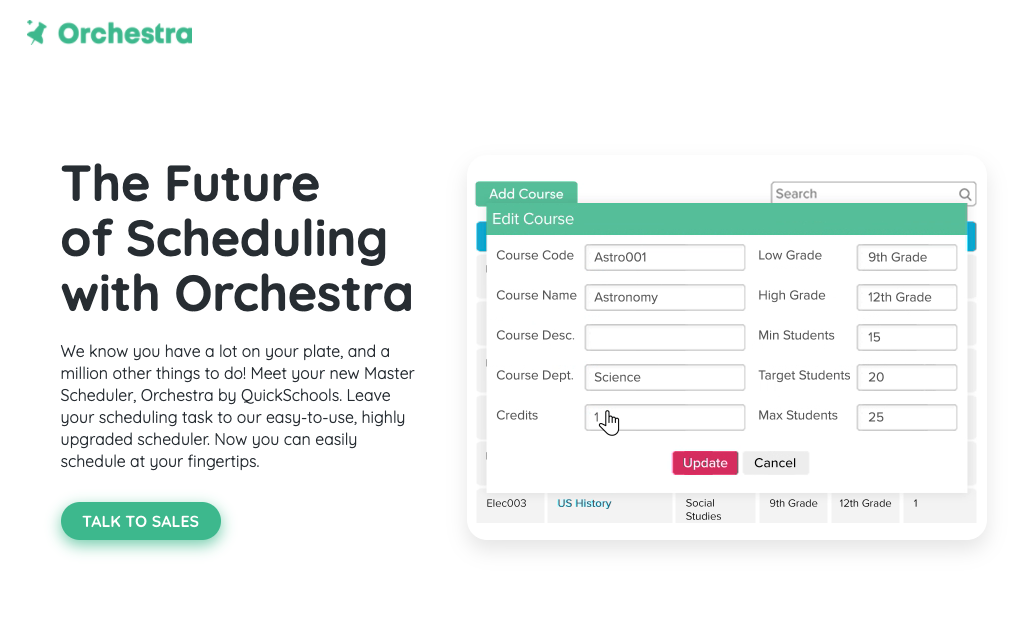
After some years of being in Private Beta, QuickSchools is proud to announce that our Master Scheduler is now available as it’s own standalone product called Orchestra. Check out the website at https://orchestra.quickschools.com/.

Orchestra Master Scheduler website

Orchestra will maintain the same simplicity and ease-of-use that has been synonymous with the QuickSchools brand. You will find many common elements between the two brands to maintain consistency in the user experience and of course, Orchestra too comes included with our awesome Live Chat support.

Read More »

New Release – April 12, 2021

Here are the latest improvements in QuickSchools:

Google Classroom Improvements

  • Map students by email address – See below
  • Search feature for Profiles (Beta)

Email Improvements

  • Introduce Send History when sending Email from Templates – See below
  • Improve performance when emailing attachments from modules (Report Cards, Gradebook, Fee Tracking)
  • Miscellaneous bug fixes related to attachments

Other General Improvements

  • NEW: Attendance Dashboard for Not-Yet-Taken (Beta) – See below
  • Improve how Summary Reports are run for long queries
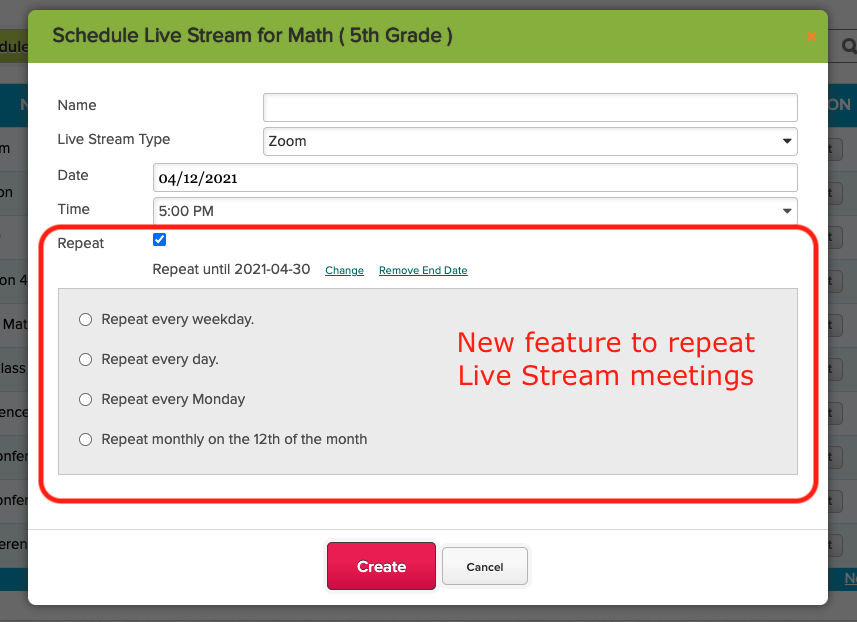
  • Live Stream now support recurring meetings
  • Search Student by Email Address and Phone Number
  • Ability to Schedule Synchronize with Sync 
  • Ability to disable Chat Box for Online Forms – See below
  • Fileroom App now supports sharing with Students
  • Improve Search on Teachers Lounge (Beta)
  • School Notes for new Self-Enrollment (Beta)
  • Miscellaneous improvements to Announcements
  • Miscellaneous improvements to Master Scheduler
  • Bug fix when managing Live Stream for Teachers
  • Bug fix when a new document is uploaded to the Student record

Mapping Students in Google Classroom

When mapping students in Google Classroom, the system now displays the email address, so that it’s easier to match students. This is particularly useful when students use their own personal Google Accounts for Google Classroom, and thus may have names in a foreign language:

Read More »

Assignments Flow

With the release of the new Assignments module (which is an improvement over the previous Homework module), we’ve expanded the flow for handling assignments over the portals in QuickSchools. Here’s a rough summary:

quickschools assignments module

Posting Assignments

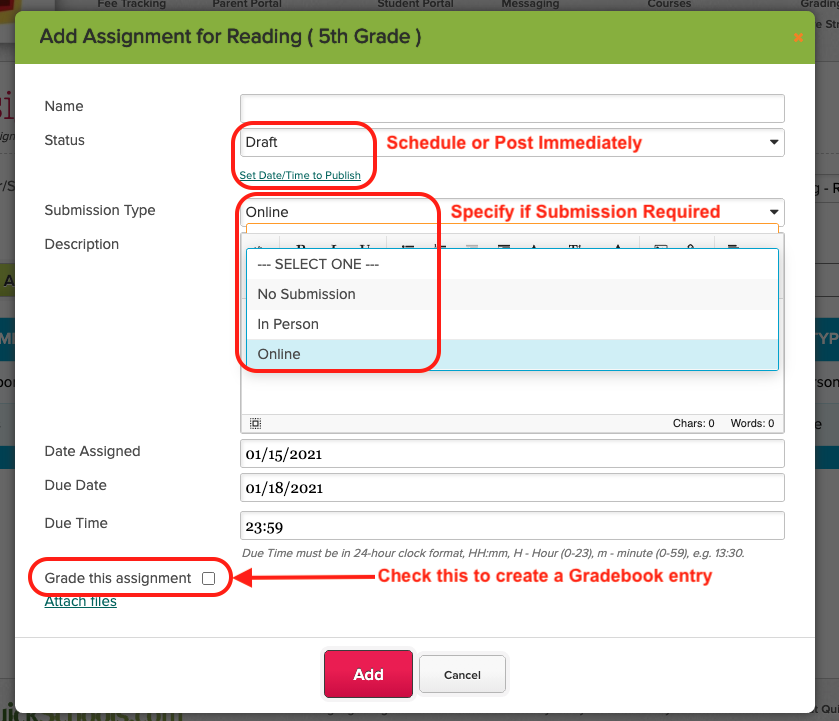
Teachers can now post assignments in real-time, or schedule an assignment to be published at a specific date / time in the future. This means that teachers can plan out and configure assignments for the entire academic term, and the system will publish them automatically:

Create Assignments in QuickSchools

When creating an assignment, teachers can specify if the assignment requires a submission, and whether the assignment will be graded. For graded assignments, a column in the Gradebook can be created and linked automatically.

Submitting Assignments

submitting assignments in quickschools SIS

Students can very easily view all upcoming assignments. You can filter Assignments by subject and sorted by the column headers:

Read More »

Communicating with Students

With 2021 now in full swing, it’s important to understand how teachers can utilize QuickSchools to communicate and engage with students effectively. Here we highlight a few sample scenarios, how teachers can communicate with students.

  • Group Discussion
  • Discussing Assignments
  • Private Messaging
  • Announcements

Group Discussion

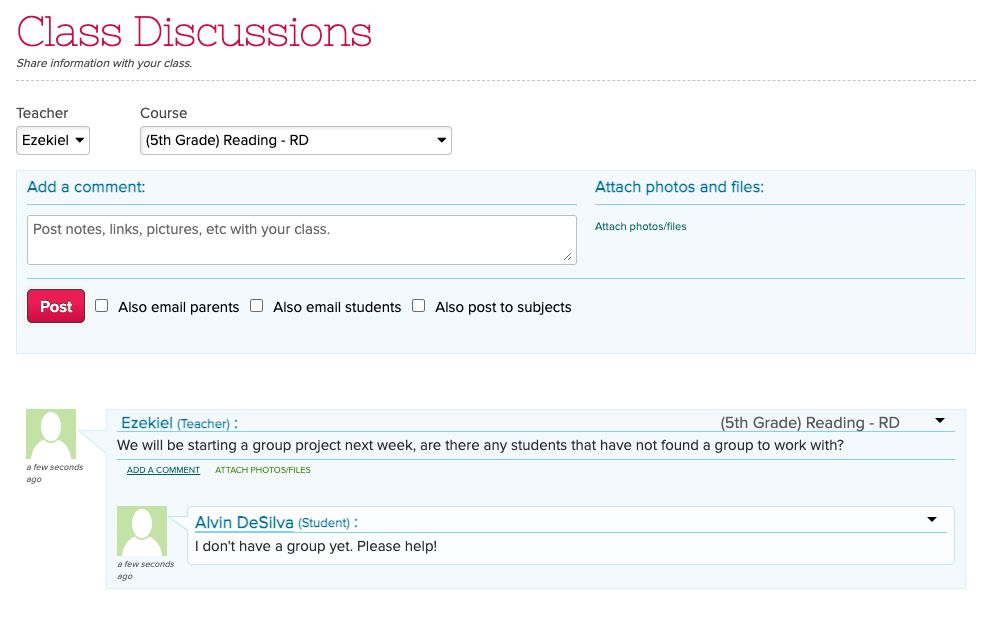
The “Class Discussion” feature (part of the “Homework” and “Assignments” modules) is a great way to discuss topics online. Only students enrolled into the class are able to post messages for any given subject:

Post Messages to Students via Class Discussions

As a teacher, you can also post a new discussion thread to multiple subjects at the same time using the “Also post to subjects” box. Simply select one or more subjects from the dropdown:

Read More »