Update (New Date: February 24, 2025) The rollout date for mandatory Two-Factor Authentication (2FA) has been rescheduled from February 17 to February 24. This blog post has been updated to reflect the change.Please review the details below to ensure a smooth transition.
At QuickSchools, we’re committed to keeping your account secure. That’s why we’re enforcing Two-Factor Authentication (2FA)—an extra layer of protection to ensure that only authorized users can access your account.
To help you navigate this update, we’ve answered key questions about the upcoming 2FA rollout:
At QuickSchools, the safety and security of your school’s data is our top priority. In light of growing concerns about cybersecurity, we want to reassure you that we’ve implemented robust measures to keep your information safe and secure.
Here’s What We’re Doing Right Now:
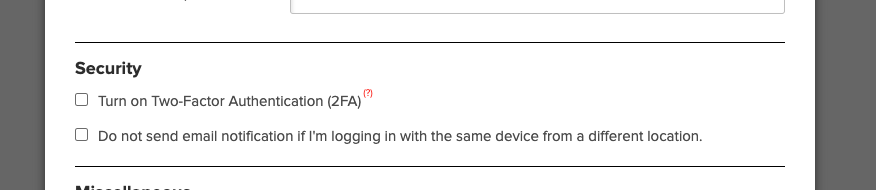
• Two-Factor Authentication (2FA): You can enable 2FA for your school by going to Settings > Turn Features On/Off > Edit Overall Settings, and selecting the Security section (as seen below). For more details on 2FA, visit our July 2022 release blog.
• Login Activity Monitoring: Users can view their login history, including IP addresses, browser, and device details, to stay vigilant.
• Email Notifications: We notify you immediately when:
A School Admin is added or removed.
Your password is changed or reset.
Planned Data Security Enhancements Coming Soon:
• Mandatory 2FA for Admins: Within the next 3-8 weeks, 2FA will become mandatory for all School Admin accounts. This ensures unauthorized access is even harder to achieve.
• Function-Level Security with 2FA: Sensitive actions, such as purchasing Text Messaging Credits with a saved credit card, will require additional 2FA verification.
• Dynamic Security Controls: We’re exploring ways to lock sensitive functions based on suspicious activity.
For more information about our security measures and approach to keeping student data safe, we invite you to read our blog post: “Is Student Data Safe?”.
We understand that unauthorized logins are one of the biggest threats to security, and we are committed to helping your school prevent them. If you have any concerns or need assistance enabling security features, please feel free to reach out to us.
Thank you for trusting QuickSchools to support your school’s needs
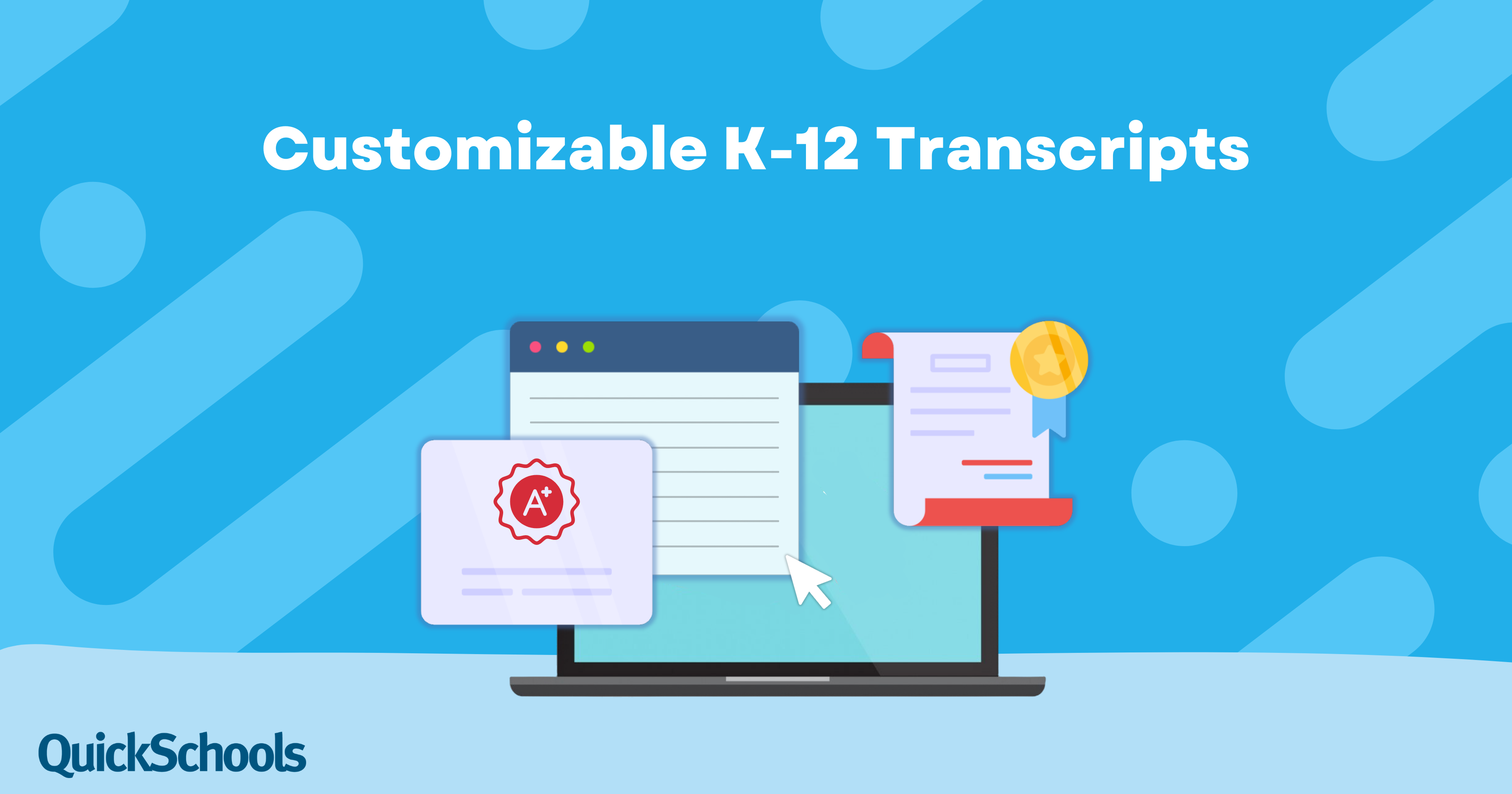
Transcripts are not just records; they are a reflection of your school’s identity and a critical tool in a student’s academic journey. QuickSchools offers a powerful Transcripts feature that is widely regarded as the most customizable K-12 transcripts in the world. Schools love how easily they can tailor every detail to meet their needs, creating documents that look professional, align with their branding, and adapt to diverse educational requirements.
This QuickSchools mini-release contains a beta module for “Undelivered Emails”, along with few minor improvements and bug fixes to our internal systems / framework.
Thank you to everyone who joined us for the “Customizing Effective Report Cards” webinar! We hope you found the session helpful as you navigate through the report card season. It was great connecting with all of you, and we enjoyed sharing tips to make your reporting smoother and more meaningful.
As we wrap up our 2024 webinar series, we’d like to thank everyone who’s been along for the ride. Your participation has been incredible. We look forward to bringing you more practical and helpful webinars in 2025! Keep an eye out for our January announcement for next year’s lineup.
If you have any ideas for topics you’d love to see covered, feel free to contact our support team at support@quickschools.com. We love hearing your suggestions.
A huge thank you to everyone who joined us for our Special Webinar on Standards-Based Gradebook. We truly appreciate your time and engagement, and we hope you walked away with valuable insights to streamline your grading process.
October is here, and it’s the final month of our webinar series. We’re thrilled to announce our last two live webinars. In this blog post, we’ll share all the exciting details so you can mark your calendars and seize this incredible opportunity to simplify your work. Don’t miss these valuable sessions — you deserve it!
We’d like to extend a huge thank you to everyone who joined us for our recent webinar on Mastering the Gradebook! 🎉 We love seeing so many teachers eager to learn more about making the most out of our Gradebook module.
Key Takeaways from the Webinar. During the webinar, we covered a range of key features and tips, including:
Gradebook Basics: How to easily add columns, apply grading formulas, and manage different grading methods.
Advanced Features: From weighted grades to configuring settings, we explored how to tailor the Gradebook to suit your needs.
Report Card Integration: We showed you how to smoothly transfer grades from the Gradebook to report cards, making the end-of-term process much more efficient.
Alternative Grading Options: We discussed standards-based and self-paced grading methods for those who use alternative assessment methods.