Training Packs are back for Summer 2014

As the school year winds down to a close, and new schools sign on for the new school year, QuickSchools will be offering the discounted Training Packs from last year. So if you’re new to QuickSchools, or want a quick refresher on some of modules available on QuickSchools, then this training pack is for you..

How it works

The training will be conducted via an online meeting / webinar (We typically use GoToMeeting, Fuze, or Join.me). If you’re interested in the training pack, contact us to arrange times for your admin training and your teacher training (they don’t have to be at the same time, or on the same day). We’ll send you a link for the webinar, and the training will be done online.

We recommend having a projector ready for training sessions with a lot of participants. It helps if each participant has a laptop, so they can walk through the various parts of the software, as we’re explaining the features and modules.

Once the training sessions are completed, you will see a bill for the training pack on your Account page. If you’re on a credit card subscription, you will be charged automatically in your next billing cycle.

Admin Training

So the admin training will include all things schools administrators need to know when setting up a QuickSchools account for the new school year. We discuss these steps quite extensively in this blog article:

Read More »
Develop QuickSchools Apps

At QuickSchools, we want to be the best that we can be at providing the loveliest school administration system around. And that takes a lot of hard work, dedication and love. This is why we’ve chosen to focus our energy on a few modules as you can see on our Pricing Page.

QuickSchools Pricing Plan

As part of our service to you, we’ll constantly be improving these features based on your feedback. If more of you want a certain feature, that’s what we’ll work on first. So what happens when a school wants something that’s not on our list?

Enter the QuickSchools App Store

The QuickSchools App Store is our answer to providing additional features that may not be part of our core offering. Having an App Store provides a few advantages:

Read More »

New Appointments App

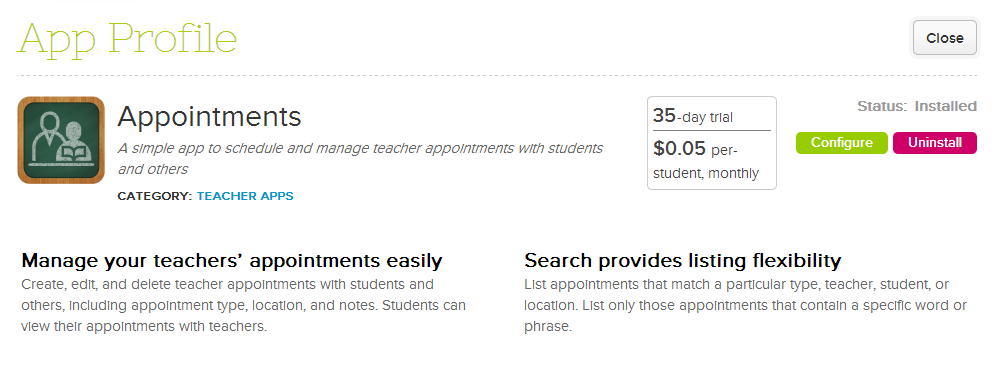
We now have a new app to track appointments between students and teachers.

New Appointments App on QuickSchools

You can use the new Appointments app to track counselling sessions with students, parent-teacher conferences, after school tutoring, or any other kind of meeting. Here’s what the list of appointments looks like:Read More »

Report Favorites

As you know, we have a tonne of reports available for you to access the raw data of all the modules available in QuickSchools. At times, it might get difficult find the report you need, especially if you frequently need to get a certain few reports.

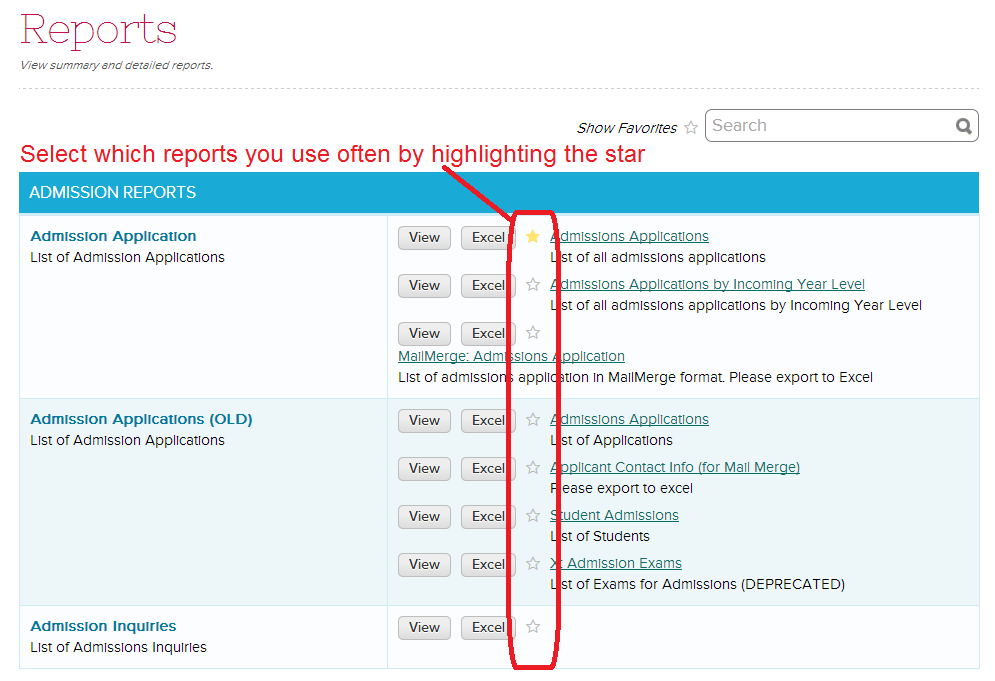
Well now there’s a new feature that allows you to identify and display which reports you use often. Here’s how it works:

In the Reports menu, simply select the reports you use often by clicking on the star next to the report name. Selected reports will have a yellow-filled star

Select Reports that you frequently use using the Star icon

Once you’ve selected reports that you use often, you can use the “Show Favorites” link near the Search bar. This will only display the reports that you’ve selected.

Read More »

Custom Attendance Codes

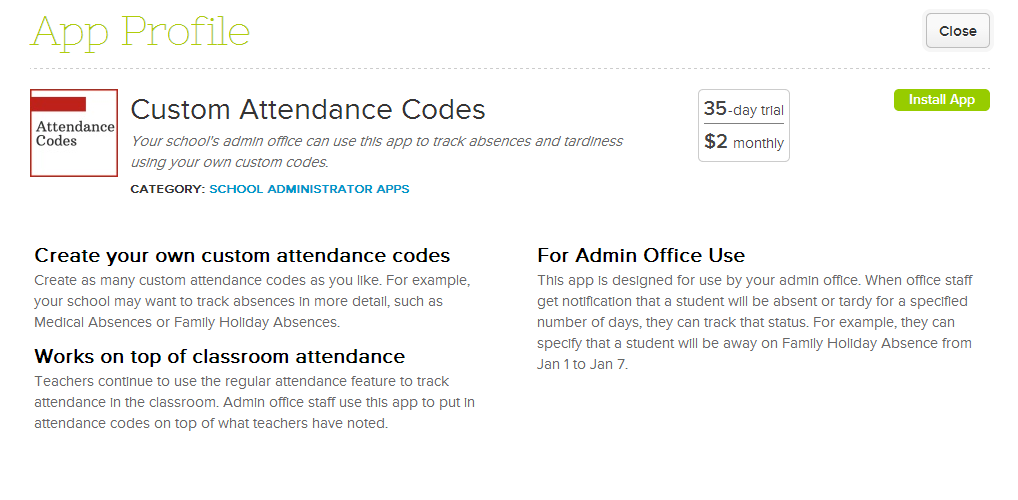
For schools that need to track custom attendance codes to the state, there’s a new App on QuickSchools for that called “Custom Attendance Codes”. Attendance codes can be applied to date ranges, including future date ranges. This means you can let your teachers know when a student will be absent due to vacation and travelling. Here’s a quick rundown:

Custom Attendance Codes - QuickSchools App
Custom Attendance Codes – QuickSchools App

When installing the app, you can specify administrators who will create the custom codes, as well as apply the custom codes to specific students:Read More »

Searchable Student Custom Fields

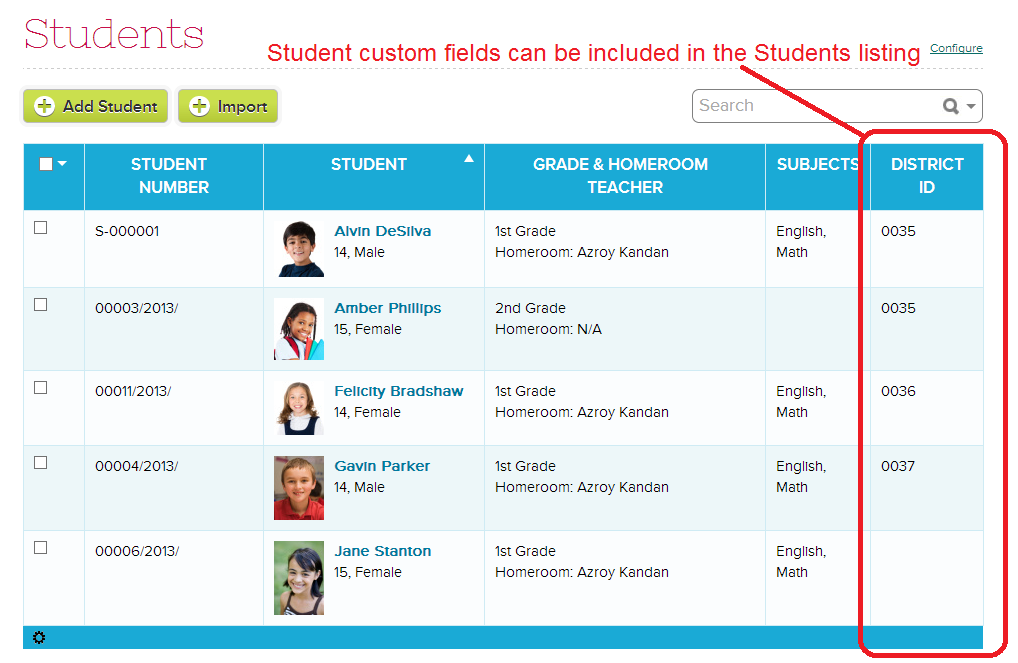
We’ve had a few requests at QuickSchools to have some of the custom fields to display on the main listing, as well as to have custom fields to be searchable. We’re happy to announce that a first version of this functionality has been released for the Students screen (other modules will follow soon). Here’s what your Students listing can look like.

If you decide to display only one of your many custom fields, the name of the custom field will appear on that table header:

Display ONE Custom Field in Students listing

If you decide to display 2 or more custom fields, in order to save space, all fields will appear under the same column. We recommend only allowing a few important / frequently used custom fields to be displayed on the main screen:Read More »