New Release – Sept 28, 2020

The LMS features are coming along nicely. We’ll soon be moving this app out of Beta. Here are the latest improvements in QuickSchools:

LMS: Assignments and Live Stream modules (Beta)

  • Teachers can enter grades directly from the Assignments module
  • Parents can access the Live Stream and Calendar from the Parent Portal
  • Redefine Assignment Types to Online, In Person or No Submission
  • Improve Revision History for Student Portal
  • Class Discussion threads can be pinned to the top
  • General Refinements and bug Fixes to the Assignments listing

Google Classroom Integration Improvements

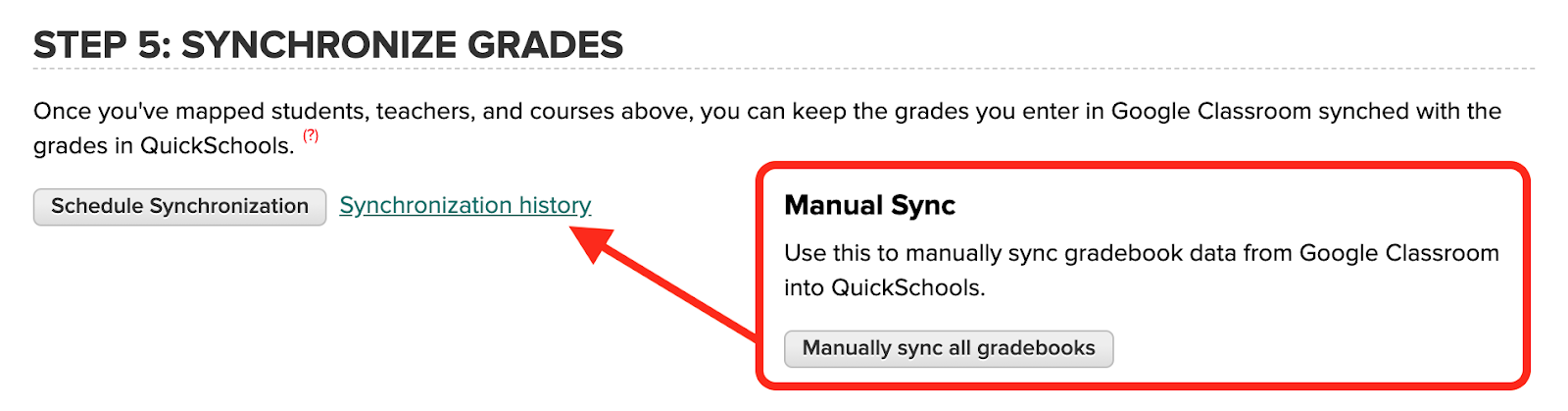
  • Update description for Manual Sync
  • Fix bug when running manual sync while sync is already scheduled
  • Bug fix when syncing columns from outside the active academic term
  • Bug fix when generating Gradebook PDF

Report Creator Improvements

  • Ability for users to remove Shared Reports
  • Additions to the Data Dictionary
    • Online Forms Submitted Email and Reference Number
    • Fee Tracking Due Date
  • Bug Fix when reporting on deleted Online Form Submissions

Other General Improvements

  • Ability to schedule tasks weekly
  • Improved Support for deletion of Meal Types in Lunch Orders App
  • Support for Conflicts in the Simplified Scheduler via the App Store
  • Miscellaneous Bug Fix when viewing Online Form Submissions
  • Support long category names in the Gradebook
  • Bug fix when generating Missing Grades / Ds and Fs Report
  • Improve file name when accessing report cards from student record
  • Bug fix with Attachments in Email History

NOTE: We had to two patch releases since our last major release on September 7:

  • Sept 15 – QuickBooks Improvements
  • Sept 11 – Assignments for Parent Portal

LMS Improvements

The Assignments Submissions page for teachers now includes an area to enter grades, while automatically appear in the Gradebook:
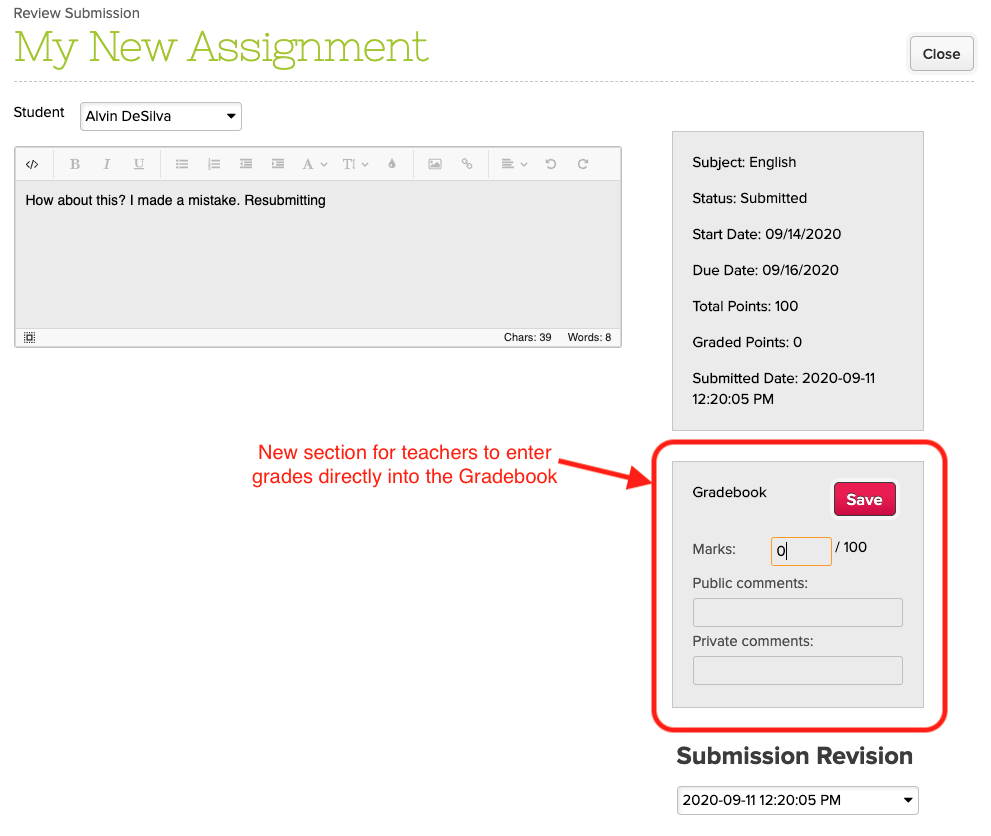
Enter Grades into the Gradebook directly from the Assignments module

Students now have access to the Revision History when viewing submissions from their portal:

Read More »
What makes our Report Cards Special

The Report Cards module within QuickSchools has been a labor of love since we launched over 10 years ago. QuickSchools provides the flexibility for schools to quickly and easily customize their own beautiful report cards from our existing library of templates. And for schools that need a little something extra, we can build new templates that fit your needs exactly.

We wanted to highlight a few key features that make QuickSchools different from our competitors.

Extensive Library of Report Card Templates

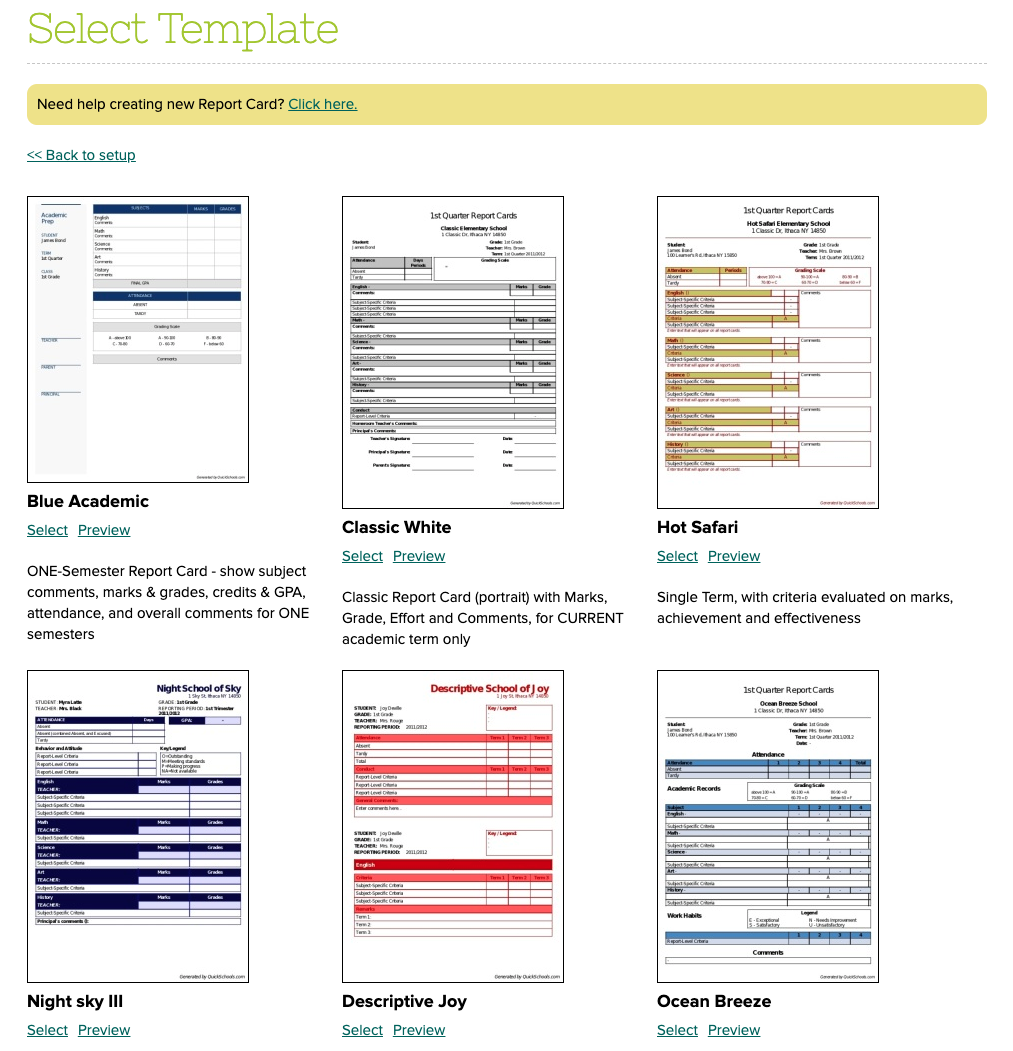
We have a library of templates to choose from, each with its own use case: 

quickschools report card templates
QuickSchools Library of Report Card Templates

We have templates that handle various scenarios, including:

Don’t see a template you like? Send us a sample of what you’d like your report cards to look like, and we can recommend one to you. We may have a hidden template that we can simply share with you. If you have something completely unique, we can build new templates to specification for a fee.

Different Templates for Different Scenarios

You can use different templates for different scenarios. For example, you could produce a monthly Progress Report, followed by an end of term report card, both with different templates. 

Read More »

New Release (Patch) – Sept 15, 2020

We had an emergency patch deployed this morning to fix a limit that was set to the list of customers that appeared in the QuickBooks Integration app. We took this opportunity to also update the dropdowns to the new Searchable Dropdowns. So when selecting a customer, you can type in part of the name, and the dropdown in QuickSchools will filter the results to match:

Map Students in QuickSchools with Customers in QuickBooks Online

We made similar changes to the mapping screen for products too:

Read More »

New Release (Patch) – Sept 11, 2020

We’ve had huge interest in the new Online Learning improvements we’ve been working on, so much so that we’ve had to add additional support for Assignments in the Parent Portal. This will come in handy for the lower grade levels where students aren’t old enough to use a Student Portal, and rely on parents to access their assignments. Here’s what’s included in today’s patch release to QuickSchools:

Assignments via Parent Portal

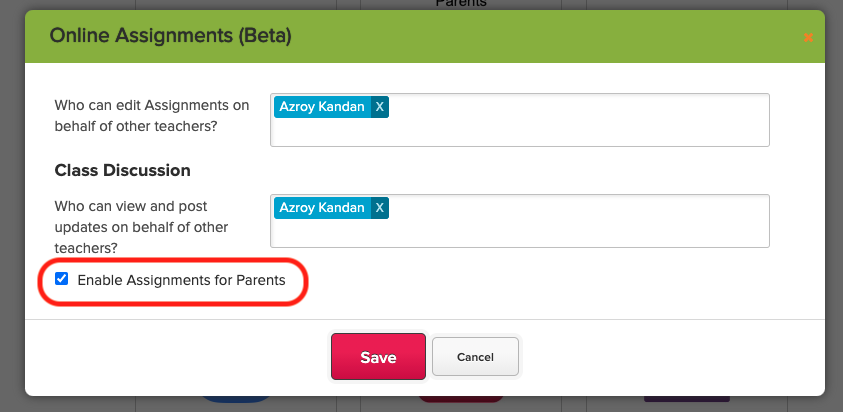
When configuring the Assignments module, there is a new setting to “Enable Assignments for Parents”:

online assignments in beta

With this setting enabled, parents will be able to access Assignments for students in their care:

Read More »

Google Classroom Integration Improvements

With the increasing demand for Online Learning features, so has our support for integration to Learning Management Systems like Google Classroom improved. It is our philosophy to make incremental but frequent improvements to the QuickSchools offering. Here we discuss some of the recent improvements to the Google Classroom Integration App. These include:

  • Time-Out for Manual Sync (Aug 17 Release)
  • Viewing / Excluding Archived Courses (Sept 7 Release)
  • Handling Unmarked Assignments (Sept 7 Release)

Time-Out for Manual Sync

Previously, when manually synchronizing the Gradebooks, you would get real-time feedback on the status of the run:

Manual Sync for the Google Classroom Integration App

However, this process was limited by the browser time-out of 5 min. What we opted to do in the August 17 Release was to extend the timeout to 30-min. This was done by changing the function to run in the background (no more pop-up on completion of synchronization):

Read More »

New Release – Sept 7, 2020

We have quite a few improvements this time around, in addition to our continued focus on Online Learning. Here are the latest improvements in QuickSchools:

LMS: New Assignments module (Beta)

  • List all students for an Assignments, regardless of whether student has started the assignment
  • Hide Unpublished Assignments from Student Portal
  • Introduce Date / Time to Publish an Assignment
  • Highlight Assignments submitted after Due Date as “Past Due”
  • Improve behaviour for “On Paper” and “No Submission” assignments
  • General Bug Fixes to the Assignments listing

LMS: Live Streaming App Improvements (Beta)

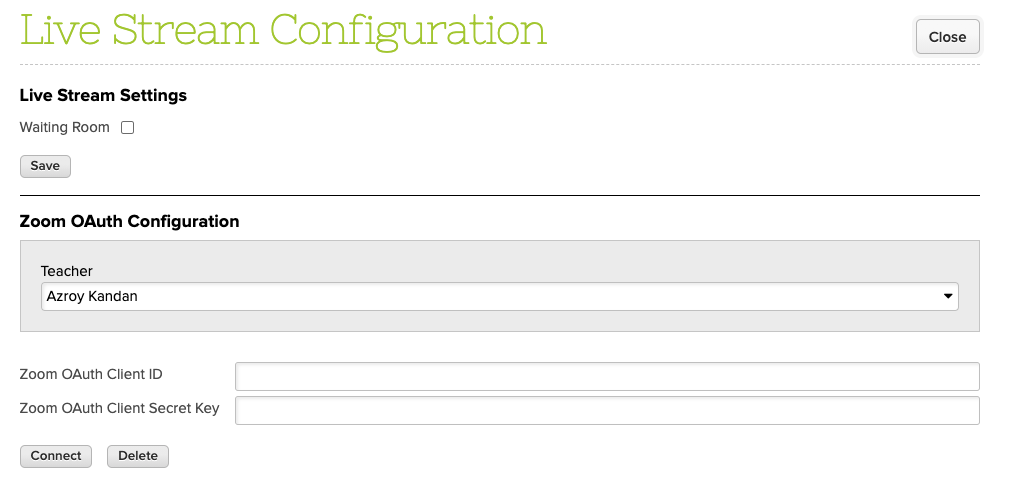
  • Support multiple Zoom Accounts for concurrent meetings (one account per teacher)
  • Auto-update meeting list when meeting is about to start
  • Display warning if Zoom Account is not yet set up
The Live Stream App now support Zoom Accounts for every teacher

LMS: General Online Learning Improvements

  • New Student Message Board
  • New Calendar View for Assignments and Live Stream Meetings
  • Improve visibility of “View Complete Record” on Student and Parent Portals
  • Ability to Edit a posted Class Discussion
  • Fix Email Notification for Class Discussions

Google Classroom Integration Improvements

  • Option to skip ungraded assignments
  • Option to exclude archived courses
  • Archived courses are clearly indicated when mapping subjects
  • Fix assignments that are synchronized from OUTSIDE the academic semester date range (Partial Fix)

Report Creator

  • Support Read-Only Access to Report Creator
  • Fix Report Creator filter for Outstanding Amount from Fee Tracking
  • Support reporting for Published/Hidden Gradebook Columns

Other Bug Fixes / Improvement

  • SSO support for SAML (Private Beta)
  • Scheduled Standard Charges (Private Beta)
  • Upgrade Real-Time Sync Framework (Firebase)
  • New option in Simplified Scheduler to Allow Conflicts (without pinning)
  • Improve security for Password Reset
  • Support download Schedule PDF by Grade and by Teacher
  • Support relabel “Principal”
  • Option to delete Bank Account if Credit Card is provided
  • Option to Sort Gradebook by NickName
  • Automatically trim Parent first and last names during Import
  • Tooltip in Online Forms module to explain Fees
  • Bug fix auto-generated Advanced Embedded Form for Admissions Application
  • Bug fix for email history attachments
  • Bug fix when auto-allocating Payments in bulk
  • Bug fix when auto-allocating transaction fees for Online Payments
  • Bug fix when allocating transaction fee when refunding Online Payments
  • Bug fix when selecting semester in Attendance Calendar
  • Bug fix when updating Semester Start Date when taking attendance during trial

Scheduling Standard Charges

This is a new feature in Private Beta. With this feature enabled, you will see a new button called “View/Edit Scheduled Standard Charges” next to the “Add Standard Charge” button:

Read More »

Fee Tracking Features

QuickSchools has come a long way since our Early Days. So here’s an updated summary of what our Fee Tracking module can do:

The Basics

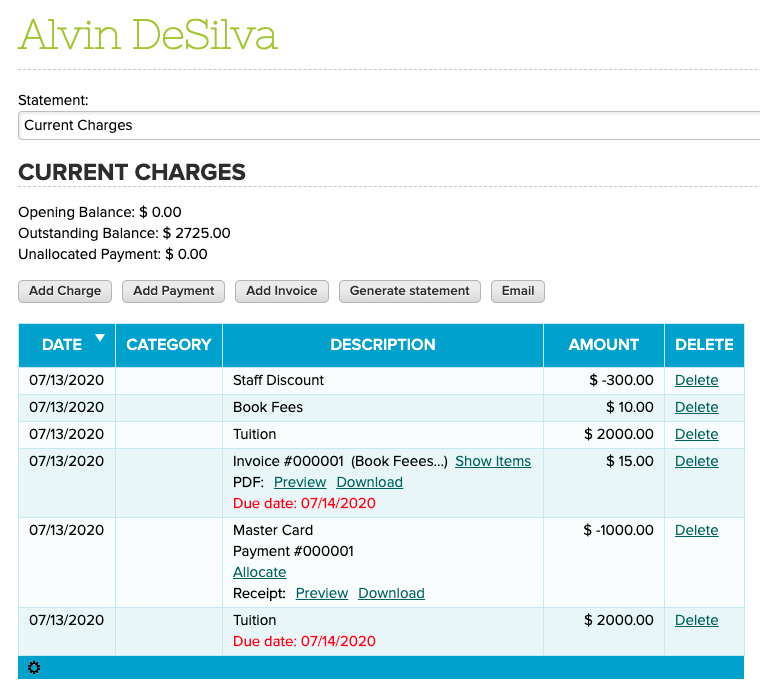
You can easily add charges and payments for each student. You can also generate invoices, which is simply a collection of charges:

QuickSchools Fee Tracking Module features

We modelled our Fee Tracking module after Credit Card statements. You can designate a statement period (i.e. a start and end date), and the system will (1) calculate an opening balance, (2) calculate a closing / outstanding balance, and (3) display all transactions within the specified period. You can also print out invoices and receipts.

For the Power User

Be sure to turn on any additional features that you need from the “Settings” > “Turn Features On / Off” page:

Read More »