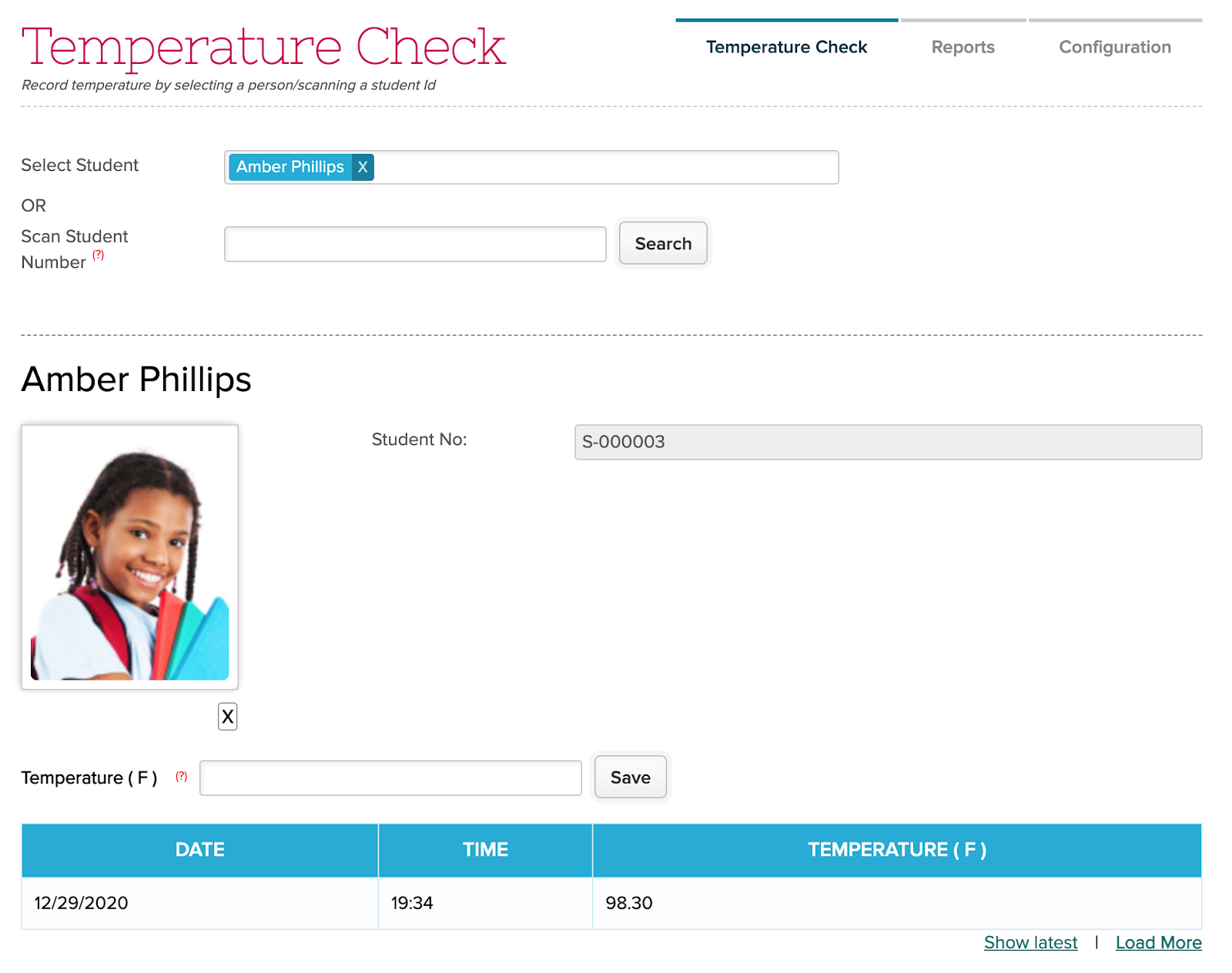
You can easily pull up a student record, either by searching for the students name, or by entering the student number. If you have a Barcode Scanner, you can use that to scan the Student Number:
This is the 17th and last release of 2020. Most schools will be on break right now. We’re looking forward to a bright 2021, with awesome new features and improvements. As always, your feedback is important to us, so let us know if there’s anything you’d like to see in a future release.
But for now, here are the latest improvements in QuickSchools:
Master Scheduler
Fix Department Constraints
Enhance ways for setting up Course Offering
New function to Lock All Sections in Step 5
Show Periods that have been restricted via Constraints
Set Student Portal Course Requests as INACTIVE by default, when an enrollment period is activated.
Improve wording of certain phrases
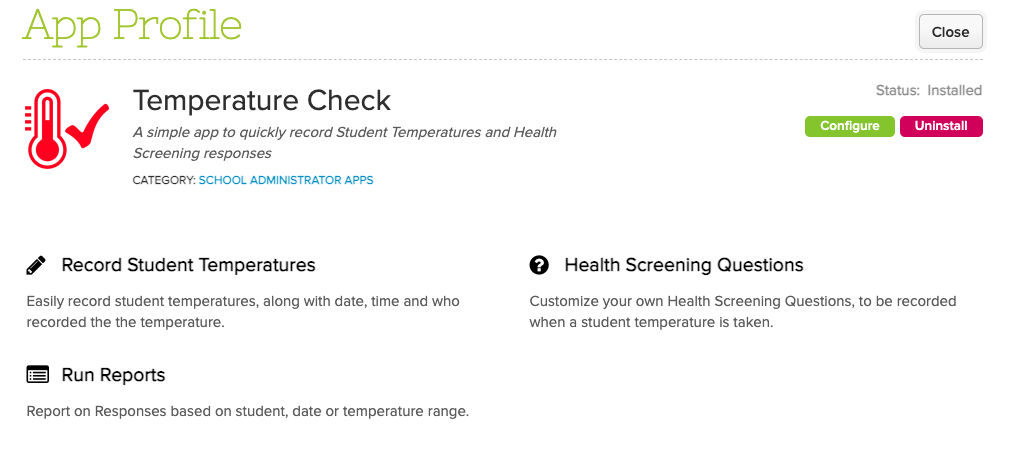
COMING SOON: Temperature App
Store student temperatures
Customize Health Screening questions
Works with externally scanner
Other General Improvements
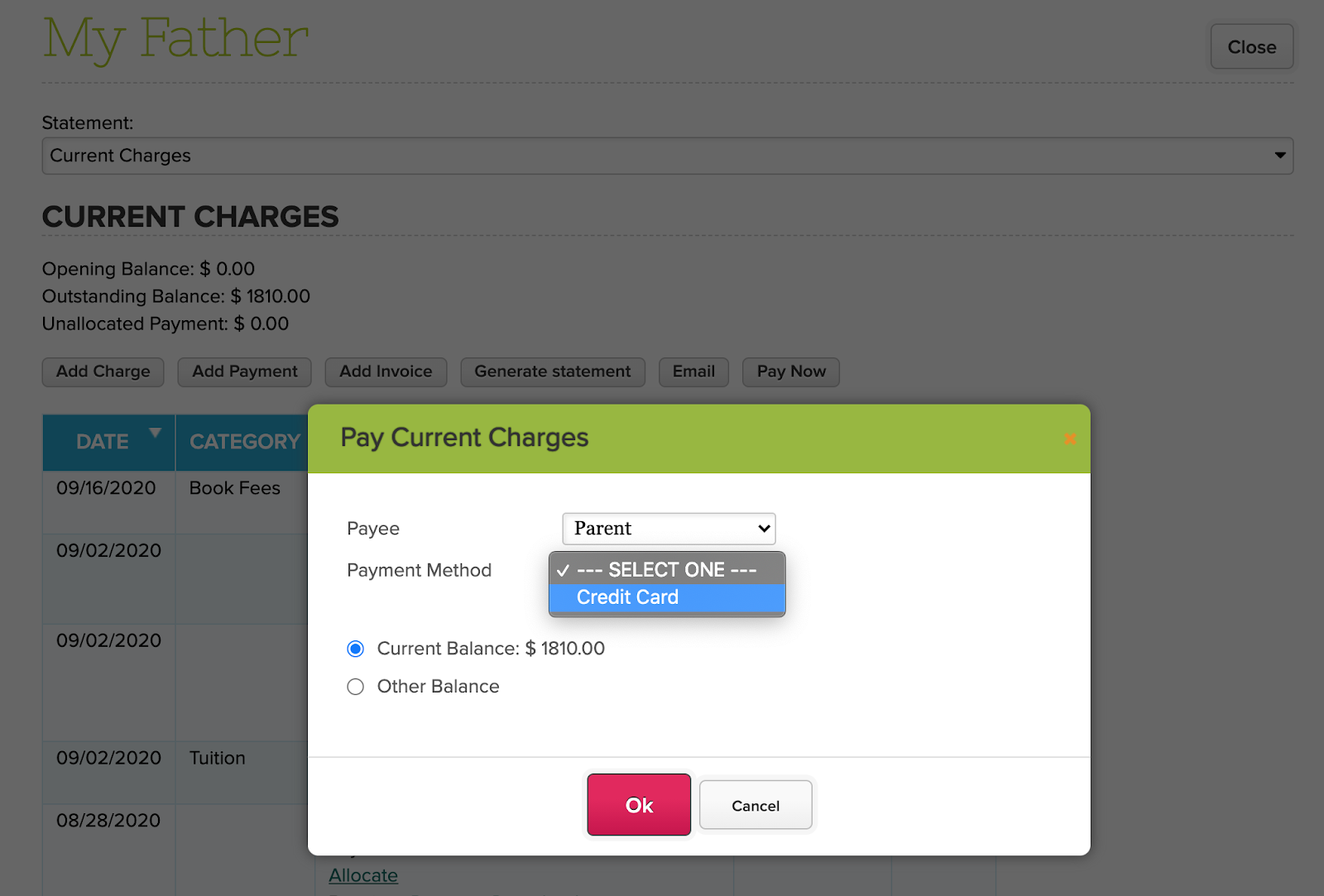
Administrator can charge credit cards from Family Billing (See below)
Increase size limit for files uploads not related to email messaging
Bug fix when uploading multiple files with the same name
Improvement to District/Group School, to support more data to be copied over when students / teachers are transferred between schools.
Improve support for Name Formats when enrolling student from Online Forms
Report Creator Support for Subject ID (used for data exports)
Report Summary Support for Gradebook Total Marks Possible
Improve support for adding/updating subject attendance from the student record
Support links in template descriptions for Transcripts
Fix labelling support for Homework
Fix App Store error when loading reviews linked to a deleted user.
Various improvements to server infrastructure
Various improvements to the test environment
Security login improvement (login counter and timeout)
Charging Credit Cards via Family Billing
In a previous release, we introduced the ability for administrators to charge credit cards that were entered via the Student and Parent Portals. However, this feature was only available for schools using Student Billing. We’ve now extended this functionality to also support Family Billing:
This feature can be enabled when you configure the Fee Tracking module as an administrator:
Temperature App
In response to the year of Covid-19, we are preparing a new Temperature App, that will allow schools to quickly record and track student temperature readings, along with responses to health screening questions that can be customized. Here’s a preview of what the app looks like:
When taking a student temperature, you can use the Custom Fields widget to create screening questions:
More details for this app will be announced soon. Do enjoy the rest of your December Break!
Despite our previously planned outage on Dec 27, we unfortunately need some additional time to complete some server upgrades. QuickSchools will be offline this Friday, on Jan 1, 2021, starting at 1 am US Eastern Time. The QuickSchools service will be offline for approximately 2 hours.
We hope all users will take this time for a well-deserved break, and enjoy a good start to the 2021 calendar year. If you have any questions or concerns, please contact our support staff via email or chat.
Our Live Chat Service will be offline starting 4 pm US Eastern Time (EST) on Thursday Dec 24 in observance of Christmas. We’ll be back online on Saturday at 8 am EST. Please leave us a message, and we’ll get back to you as soon as we can:
Likewise, our Live Chat Service will also be offline starting 4 pm US Eastern Time (EST) on Thursday Dec 31 in observance of New Years. We’ll be back online on Saturday January 2 at 8 am EST.
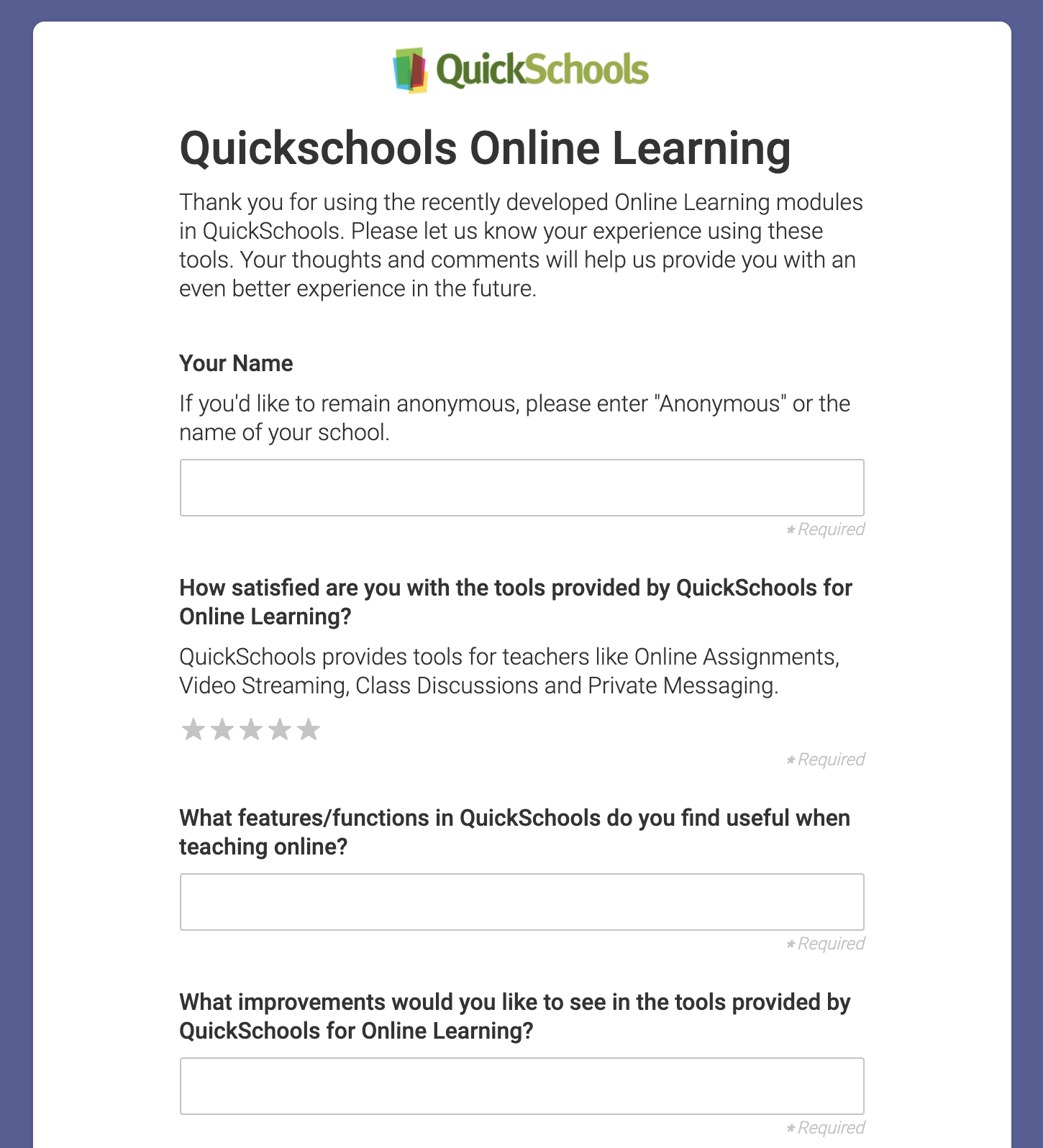
Many thanks for those who participated in the recent LMS Survey. Your feedback helps us improve the QuickSchools product and services, to better suit your needs:
2020 Survey on the New QuickSchools Online Learning / LMS Capability
This survey in particular is to help guide the development of the Online Learning capability we are building within QuickSchools. We hope you’ll continue to participate in future surveys.
We wanted to give you guys a quick summary of the results of this survey, and share our plans moving forward.
Common Requests
There were several commonly requested improvements, such as:
We have a planned outage this Sunday, on Dec 27, 2020. We will be updating our hardware infrastructure to improve general performance and availability. This update requires that some of our servers be taken offline.
The outage will begin at 3:00 a.m. US Eastern time (or 12 am US Pacific Time), and will last up to 3 hours. If we’re able to complete the update earlier, the QuickSchools service will be brought back online immediately.
If you have any questions or concerns, please contact our support staff via email or chat.
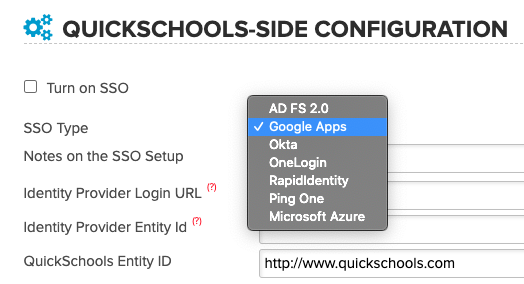
We recently announced that QuickSchools now provides Single Sign-On (SSO) functionality via the SAML protocol. This means that for schools on the Google ecosystem, you can use Google SAML as the Identity Provider (IDP), and have it manage users centrally.
QuickSchools Single Sign-On (SSO) via Google SAML
The SSO functionality is still in Private Beta, but schools can start using it at their own discretion. You will need to have the District (or Group) School feature enabled, in order to use this feature. We are looking for feedback to make the experience better. For more information on the new SSO functionality, you can check out this article:
For Google SAML in particular, we’ve written up some quick notes on how to set it up (with screenshots and instructions). You can check it out on our support site here:
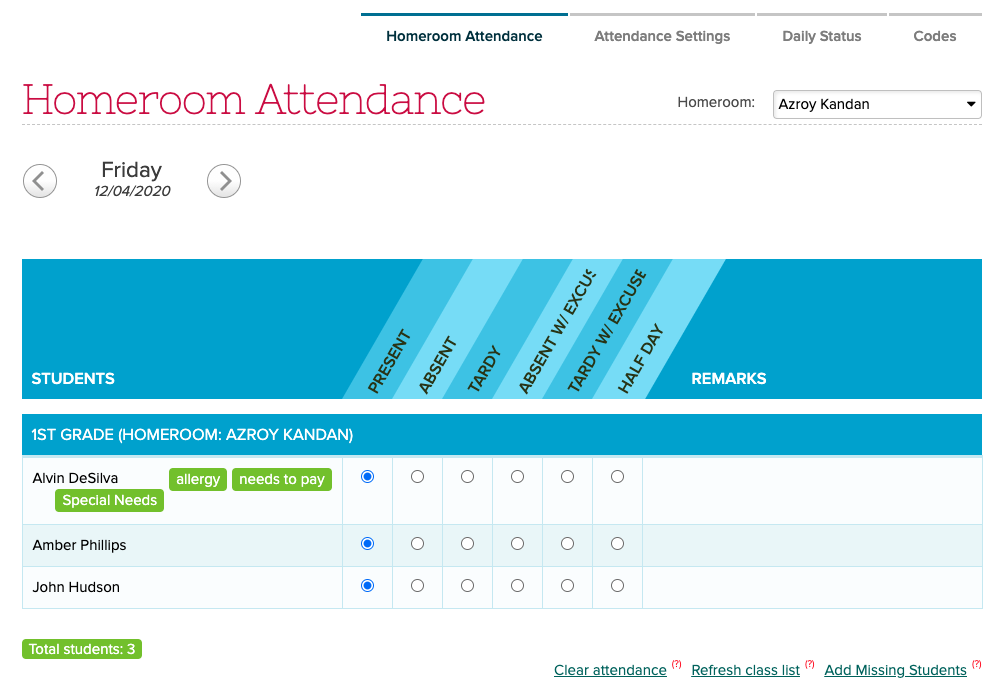
QuickSchools is introducing a new status for Daily Attendance, called Half-Day Attendance. So when taking daily attendance, you’ll see an additional option for “Half-Day”.
New Half-Day Option for Daily Homeroom-Based Attendance
NOTE: This feature is in Private Beta. Please request access by contacting QuickSchools Support.
Where do the half-day changes apply?
The new half-day status only applied to Daily Attendance. So anywhere you expect to be able to add/edit Daily Attendance, you should now see an option for Half Day.
Student Attendance tab
There is a new legend (and color) for Half-Day Attendance: